


Claude Haiku 5.5 is Ready





 AI Chat
 AI Image
 AI Writing
 AI Study
 AI Work
 AI Translate





One Platform. Multiple AI Models.
Meet, chat, and create with leading AI models like GPT 6 Luna, Claude Haiku 5.5, Grok-4.1 Fast and more — all in a single, simple platform.



Trusted by millions of users worldwide




Claude Sonnet 5.1 Free – Use Anthropic’s Versatile AI Model Online
Claude Sonnet 5.1 is a versatile AI model for users who need clear answers, useful drafts, and practical help with complex tasks. It can support writing, coding, research, planning, summarization, and document‑based work from one conversational workspace. Try it for free now.
Turn Rough Ideas Into Clear Plans
Give Claude Sonnet 5.1 a goal, a deadline, or a problem, and ask it to organize the next steps. It can turn scattered thoughts into an outline, checklist, timeline, or decision framework. It’s useful for project planning, travel preparation, study schedules, meeting follow‑ups, and business brainstorming.

Create Better Content in Less Time
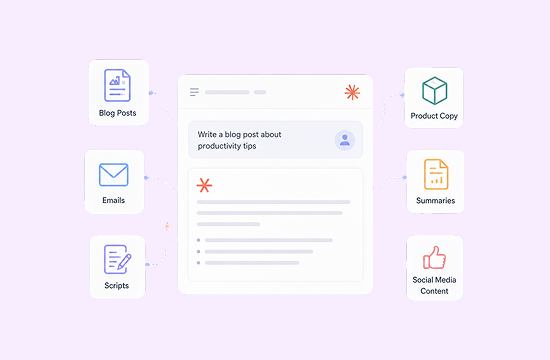
Claude Sonnet 5.1 can draft blog posts, emails, product copy, summaries, scripts, and social media content. You can also provide your own writing and ask for a more concise, polished, or audience‑friendly version. It’s useful for marketing teams, students, creators, customer support, and anyone who writes regularly.
Explain and Improve Code
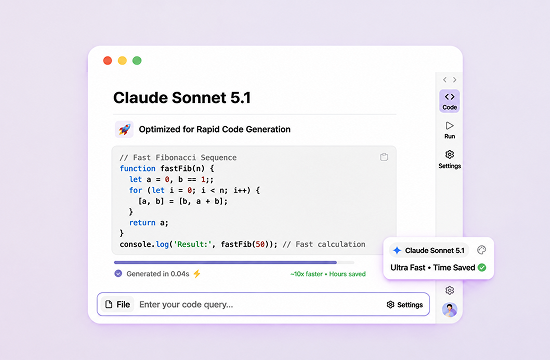
Use Claude Sonnet 5.1 to understand unfamiliar code, generate examples, review logic, suggest fixes, or create test cases. Include the error message and expected result for more focused technical assistance. It’s useful for debugging, prototyping, documentation, learning programming, and breaking large development tasks into smaller ones.
Summarize and Organize Information
If file or image input is available in your ChatGOAT AI setup, you can provide supported materials and ask Claude Sonnet 5.1 to extract key points, compare sections, identify open questions, or create a structured summary. It’s useful for research papers, class notes, reports, project briefs, presentations, and internal documents.
Why Choose Claude Sonnet 5.1 on ChatGOAT AI?
Why Choose Claude Sonnet 5.1 on ChatGOAT AI?

Simple Access
Choose Claude Sonnet 5.1 from the model menu and start chatting without building a separate technical setup.

One Place for Different Tasks
Move from writing to research, planning, translation, or coding without switching between multiple AI tools.

Easy Follow‑Up Editing
Ask for a shorter answer, a different tone, more examples, or a new format. The conversation makes it easy to improve the first result.

Free Trial Available
Try Claude Sonnet 5.1 on ChatGOAT AI with a real task before deciding whether it is right for your workflow. Availability, limits, and plan features may change, so check the current product interface for details.
How to Use Claude Sonnet 5.1 on ChatGOAT AI
Follow these three steps to get started:
Step 1: Select Claude Sonnet 5.1
Open the model selector on ChatGOAT AI and choose Claude Sonnet 5.1 from the available options.

Step 2: Tell It What You Need
Ask a question, paste text, upload supported content, or describe your goal. Include useful details such as the audience, format, tone, length, or deadline.
Step 3: Refine the Answer
Review the response and continue the conversation. Ask Claude Sonnet 5.1 to correct, expand, simplify, reorganize, or rewrite the result until it fits your needs.
Try Claude Sonnet 5.1 Now
Need a faster way to write, research, plan, or solve a technical problem? Start with Claude Sonnet 5.1 on ChatGOAT AI and see what it can do with a real task.
Why Users Love Claude Sonnet 5.1
Why Users Love Claude Sonnet 5.1
It gives me a strong starting point when I am not sure how to structure a project.

It gives me a strong starting point when I am not sure how to structure a project.
I use it to simplify technical explanations before sharing them with clients.

I use it to simplify technical explanations before sharing them with clients.
The follow‑up editing is especially useful. I can keep the idea and change the tone in one conversation.

The follow‑up editing is especially useful. I can keep the idea and change the tone in one conversation.
It helps me understand error messages and decide what to check first.

It helps me understand error messages and decide what to check first.
I can turn long notes into a clean summary and action list very quickly.

I can turn long notes into a clean summary and action list very quickly.
ChatGOAT AI makes it easy to try Sonnet 5.1 without adding another complicated tool to my workflow.

ChatGOAT AI makes it easy to try Sonnet 5.1 without adding another complicated tool to my workflow.
Claude Sonnet 5.1 FAQ
Everything you need to know about Claude Sonnet 5.1
What is Claude Sonnet 5.1 best for?

Can I try Claude Sonnet 5.1 for free?
How do I ask Claude Sonnet 5.1 a good question?
Can Claude Sonnet 5.1 help with coding?
Can I upload documents or images?
Is Claude Sonnet 5.1 suitable for professional work?