




Top-tier AI models, one-stop drawing
Seamlessly use cutting-edge models like Nano Banana 2 Lite, Nano-Banana 2, Nano-Banana 2.1 without switching applications. From initial sketches to final masterpieces, realize limitless creativity on one platform.



Trusted by millions of users worldwide




Free AI Aging - See Yourself at a Different Age
Use ChatGOAT AI as an AI age changer to create an AI age transformation from a photo. Upload a portrait, describe the age you want to explore, and create an older or younger version while keeping the person's recognizable features and overall composition.
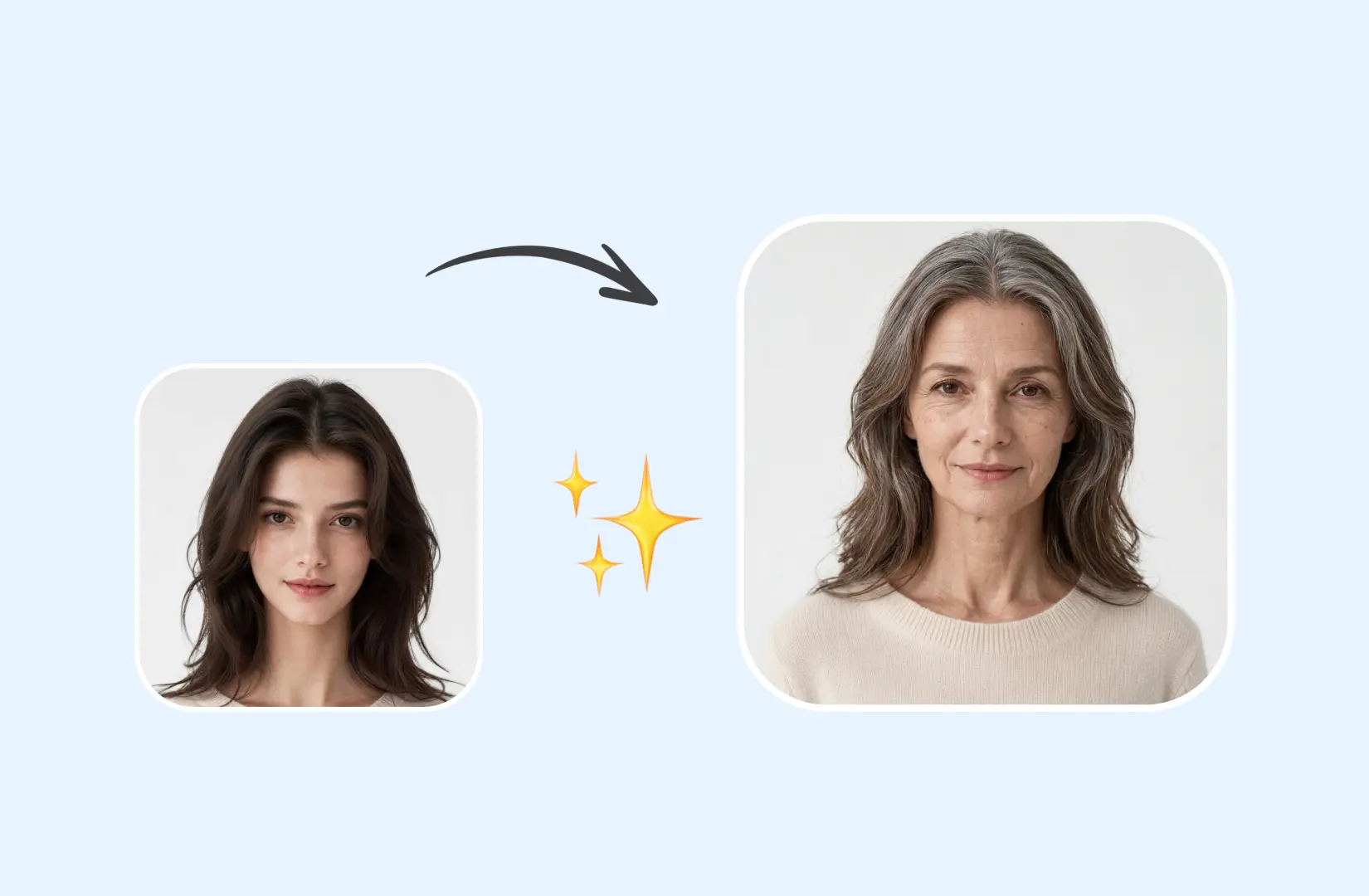
Imagine Your Future Self
Curious about how you might look decades from now? Create a visual version of your future self for a fun personal experiment or a glimpse into a possible future.
Revisit Earlier Years
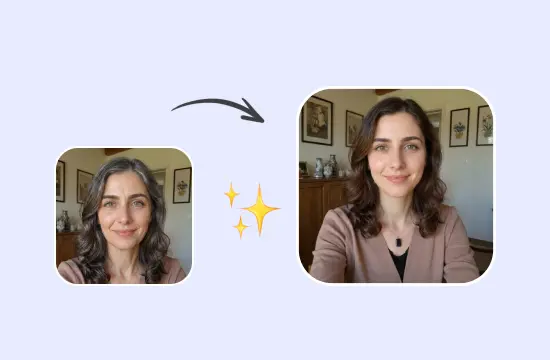
Reimagine yourself at a younger age with a current or recent photo. See yourself younger and explore how your appearance might have looked at an earlier stage of life.
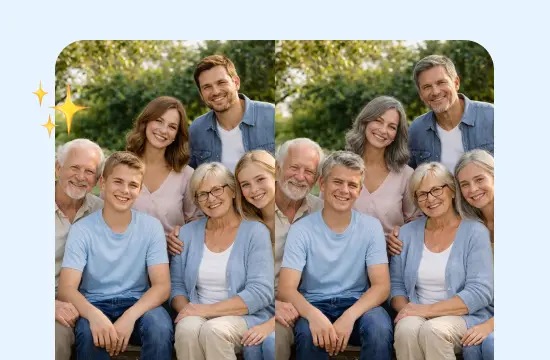
Create Family Time Comparisons
Explore how family members might look at different ages and create side-by-side age comparisons. Turn individual portraits into a visual way to explore changes across generations. For professional portrait creation, try the AI headshot generator.
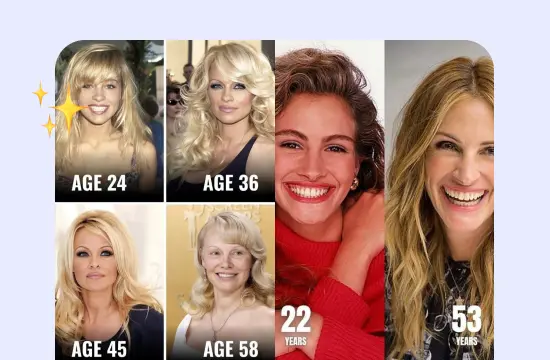
Visualize Characters Over Time
Show how a character might change from youth to old age for novels, comics, films, or other storytelling projects. Create age variations that help convey a character's life journey.
Why Choose ChatGOAT AI Aging
Turn a single portrait into a different age with ChatGOAT AI. Describe the age and visual changes you want, then refine the result through AI.

Preserve Facial Identity
Keep recognizable facial features and overall appearance while transforming the person's apparent age. The result can retain key characteristics that make the person look like themselves.

Consistent Visual Style
Maintain the original photo's overall composition while changing the person's apparent age. Keep the pose, clothing, background, and photographic style consistent as you explore different age variations.

Control the Target Age
Specify an exact age or describe a broader life stage in your prompt. You can also guide details such as wrinkles, hair color, skin texture, and facial contours.

Adjustable Results
Fine-tune the generated image through follow-up prompts. You can also use AI chat to explore ideas and develop different age-transformation concepts.
How to Create an AI Aging Photo with ChatGOAT AI
How to use AI aging with ChatGOAT AI? Just 3 steps.
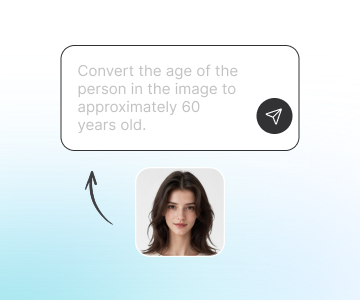
Step 1: Upload Your Photo
Upload a clear portrait with the person's face visible. A well-lit, unobstructed photo can provide a better starting point for the age transformation. For photos that need a cleaner subject before aging, try AI remove background.
Step 2: Set the Target Age
Tell ChatGOAT AI how old you want the person to look. Choose a specific age, such as 60 or 80, or describe a life stage such as a teenager or older adult.
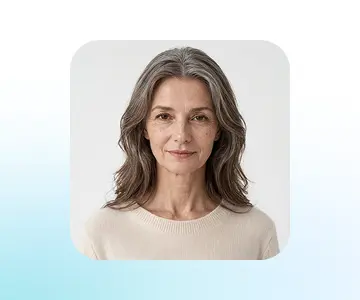
Step 3: Adjust the Result
Review the generated image and use follow-up prompts to fine-tune the transformation. Adjust the age, hair, skin details, facial features, or other elements as needed.
Ready to See Yourself at a Different Age?
Curious about your future self or want to explore a younger version? Upload a portrait to ChatGOAT AI and use AI aging to create a realistic age transformation. Try different ages and refine the result until you find the version you want. Explore more tools for other AI-powered creative needs.
See What Users Can Create with AI Aging
What our users are saying
The 70-year-old version still looked recognizable, with subtle wrinkles and gray hair that made the transformation feel surprisingly natural.

The 70-year-old version still looked recognizable, with subtle wrinkles and gray hair that made the transformation feel surprisingly natural.
A family history project needed portraits across different life stages. Creating age variations from existing photos made the timeline much easier to visualize.

A family history project needed portraits across different life stages. Creating age variations from existing photos made the timeline much easier to visualize.
A character designer needed to show one character from adolescence to old age. Different target ages helped establish a believable visual progression.

A character designer needed to show one character from adolescence to old age. Different target ages helped establish a believable visual progression.
An old family portrait was reimagined with a younger-looking subject while keeping the original setting and composition intact.

An old family portrait was reimagined with a younger-looking subject while keeping the original setting and composition intact.
Future-self portraits became part of a social media concept, with different ages used to create a simple visual story about growing older.

Future-self portraits became part of a social media concept, with different ages used to create a simple visual story about growing older.
For a story project spanning several decades, age-transformed portraits provided quick visual references for the same character at different points in life.

For a story project spanning several decades, age-transformed portraits provided quick visual references for the same character at different points in life.
AI Aging FAQ
Everything you need to know about transforming photos with AI aging.
What is AI aging?

How does AI age progression work?
What ages can I create with AI aging?
Can I see what I will look like when I am older?
Can I make a photo look younger?
What is the difference between AI aging and an aging filter?
What kind of photo works best for AI aging?
What should I include in an AI aging prompt?
Will AI aging keep the person recognizable?
Is AI aging an accurate prediction of how I will look in the future?
Can I create multiple age versions from one photo?
Can I refine an AI aging result?
Is ChatGOAT AI's aging tool free?