


Claude Fable 5.1 is Ready





 AI Chat
 AI Image
 AI Writing
 AI Study
 AI Work
 AI Translate





One Platform. Multiple AI Models.
Meet, chat, and create with leading AI models like GPT 6 Luna, Claude Haiku 5.5, Grok-4.1 Fast and more — all in a single, simple platform.



Trusted by millions of users worldwide




Claude Fable 5.1 Free - Use Anthropic’s Most Powerful AI Model Online
Claude Fable 5.1 Free - Anthropic's Frontier Model for Coding and Knowledge Work. Claude Fable 5.1 is Anthropic's most capable model, built for ambitious work that spans hours or days instead of a single quick exchange. It can take on full codebase projects, complex research, and dense document review with much less hand holding than earlier models needed.
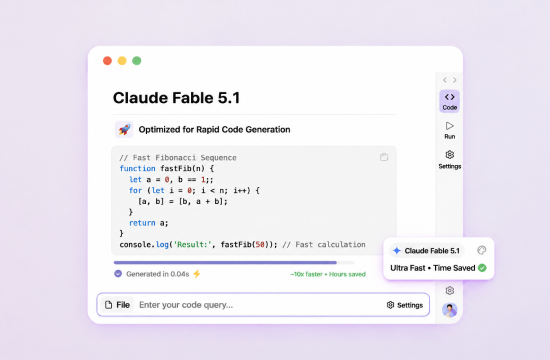
Handles Ambitious, Multi‑Day Coding Projects
Claude Fable 5.1 works across an entire codebase: new features, code review, performance tuning, and long autonomous sessions. It writes its own tests and uses vision to check its work against the original design. It's tuned to find root causes instead of patching symptoms.

Takes on Complex Knowledge Work With Less Oversight
Claude Fable 5.1 can carry multi‑stage research and analysis from a rough starting point to something close to review ready. You can hand off a larger project and come back to review the finished draft instead of supervising every step.
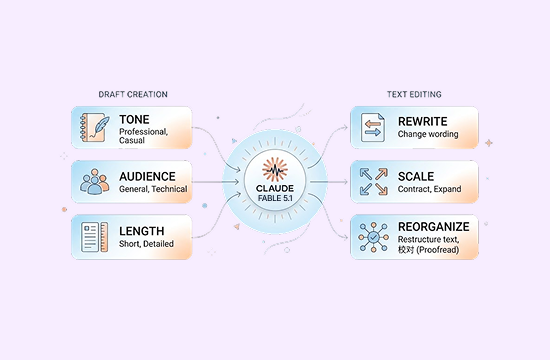
Reads Diagrams, Charts, and Tables Inside Documents
Its vision reaches into dense files and PDFs, so it can work with diagrams, charts, and tables embedded in documents, not just the surrounding text. That helps with finance, legal, analytics, and architecture work.
Built With Cybersecurity and Biology Safeguards
Claude Fable 5.1 includes dedicated safeguards for cybersecurity and biology‑related content. It may decline certain requests in these areas as a safety measure.
Why Choose Claude Fable 5.1 on ChatGOAT AI?
Why Choose Claude Fable 5.1 on ChatGOAT AI

Start Without Complicated Setup
Open ChatGOAT AI, choose Claude Fable 5.1 from the model selector, and enter your request. This makes it easier for users to explore the model without configuring an API or building a separate technical workflow.

Use One Workspace for Many Tasks
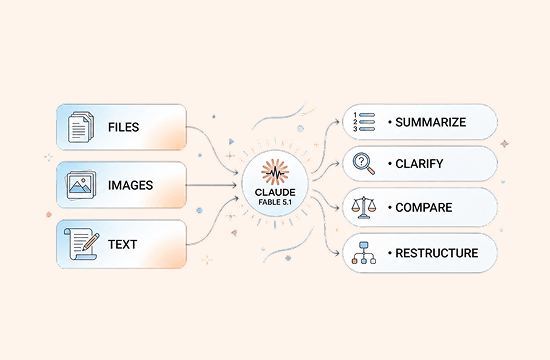
Writing, summarization, learning, brainstorming, translation, coding, and file organization can all be handled in one place. You can continue asking questions about the same topic without repeatedly moving context between different tools.

Refine Results Through Conversation
The first response does not have to be the final version. Ask Claude Fable 5.1 to change the tone, add examples, shorten the answer, convert it into a different format, or explain a particular step until the result better matches your goal.

Try It for Free Before You Commit
ChatGOAT AI provides a free trial entry point, making it easier to test Claude Fable 5.1 with real work, study, or creative tasks. Free usage limits, model access, and feature availability may change, so refer to the current ChatGOAT AI product page and interface for the latest details.
How to Use Claude Fable 5.1 on ChatGOAT AI
How can you use Claude Fable 5.1 to ask questions on ChatGOAT AI? Follow the guide below:
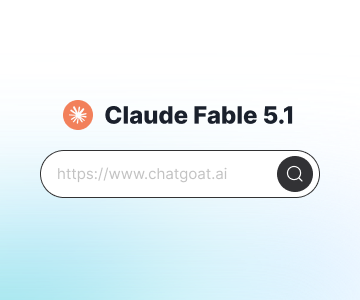
Step 1: Select Claude Fable 5.1
Open ChatGOAT AI and find Claude Fable 5.1 in the model drop‑down menu.

Step 2: Enter Your Question
Ask a question, upload a document or image, paste text, or explain what you need.
Step 3: Get Results Instantly
Within seconds, you can receive answers, summaries, code suggestions, writing assistance, or creative ideas.
Try Claude Fable 5.1 Now
Ready to bring AI into your daily workflow? Visit ChatGOAT AI, select Claude Fable 5.1, and start with a real question. See how it can help you write, study, analyze information, or work through a coding problem.
Why Users Love Claude Fable 5.1
Why Users Love Claude Fable 5.1
I usually ask Claude Fable 5.1 to organize my thoughts first, then turn them into a concise version for team discussion. It is much faster than creating an outline from scratch.

I usually ask Claude Fable 5.1 to organize my thoughts first, then turn them into a concise version for team discussion. It is much faster than creating an outline from scratch.
When I run into a coding error, I provide the runtime environment, error message, and expected result together. The troubleshooting steps are clear and help me narrow down the cause.

When I run into a coding error, I provide the runtime environment, error message, and expected result together. The troubleshooting steps are clear and help me narrow down the cause.
I upload my course materials in sections, ask for a summary, and then request practice questions based on the key points. It makes revision much more organized.

I upload my course materials in sections, ask for a summary, and then request practice questions based on the key points. It makes revision much more organized.
For English emails, I ask it to preserve the facts while improving the tone and structure. I still review every detail, but preparing the first draft takes much less time.

For English emails, I ask it to preserve the facts while improving the tone and structure. I still review every detail, but preparing the first draft takes much less time.
It is useful for brainstorming. I ask for several directions first, then add the budget, audience, and timeline before choosing the ideas that are realistic to execute.

It is useful for brainstorming. I ask for several directions first, then add the budget, audience, and timeline before choosing the ideas that are realistic to execute.
It is convenient to select the model and continue the conversation directly in ChatGOAT AI instead of switching between different tools, especially for quick tasks.

It is convenient to select the model and continue the conversation directly in ChatGOAT AI instead of switching between different tools, especially for quick tasks.
Claude Fable 5.1 FAQ
Everything you need to know about Claude Fable 5.1
What can Claude Fable 5.1 do?

Who should use Claude Fable 5.1?
How do I use Claude Fable 5.1 on ChatGOAT AI?
Can I try Claude Fable 5.1 for free on ChatGOAT AI?
Can Claude Fable 5.1 analyze PDFs, images, or spreadsheets?
Can I use Claude Fable 5.1 output without checking it?
How can I get better answers from Claude Fable 5.1?
Does Claude Fable 5.1 remember all of my conversations?