
Key Takeaways
- Kimi K3.1 Pro has a 1M-token context window and is designed for coding, 3D creation, financial research, and long-running agent tasks.
- Its API costs $2 per million input tokens and $10 per million output tokens, with cached input available at a 90% discount.
- Kimi scores 65.7% on Terminal-Bench 4.0, close to Claude Opus 5.5’s 66.4% and ahead of GPT-6 Astra’s 58.2%.
- Kimi leads in several long-context and financial benchmarks, including SWE-Marathon v1.1 and OfficeQA Pro v2.
- GPT-6 Astra performs much better in Terminal-Bench Science 0.1, suggesting it may be stronger for scientific and research-agent workflows.
- Kimi’s lower token price does not always mean a lower final bill because agentic tasks can consume many output tokens.
- ChatGOAT AI lets users access Kimi K3.1 Pro alongside Claude Opus 5.5, GPT-6 Astra, Gemini, Grok, DeepSeek, and other models in one interface.

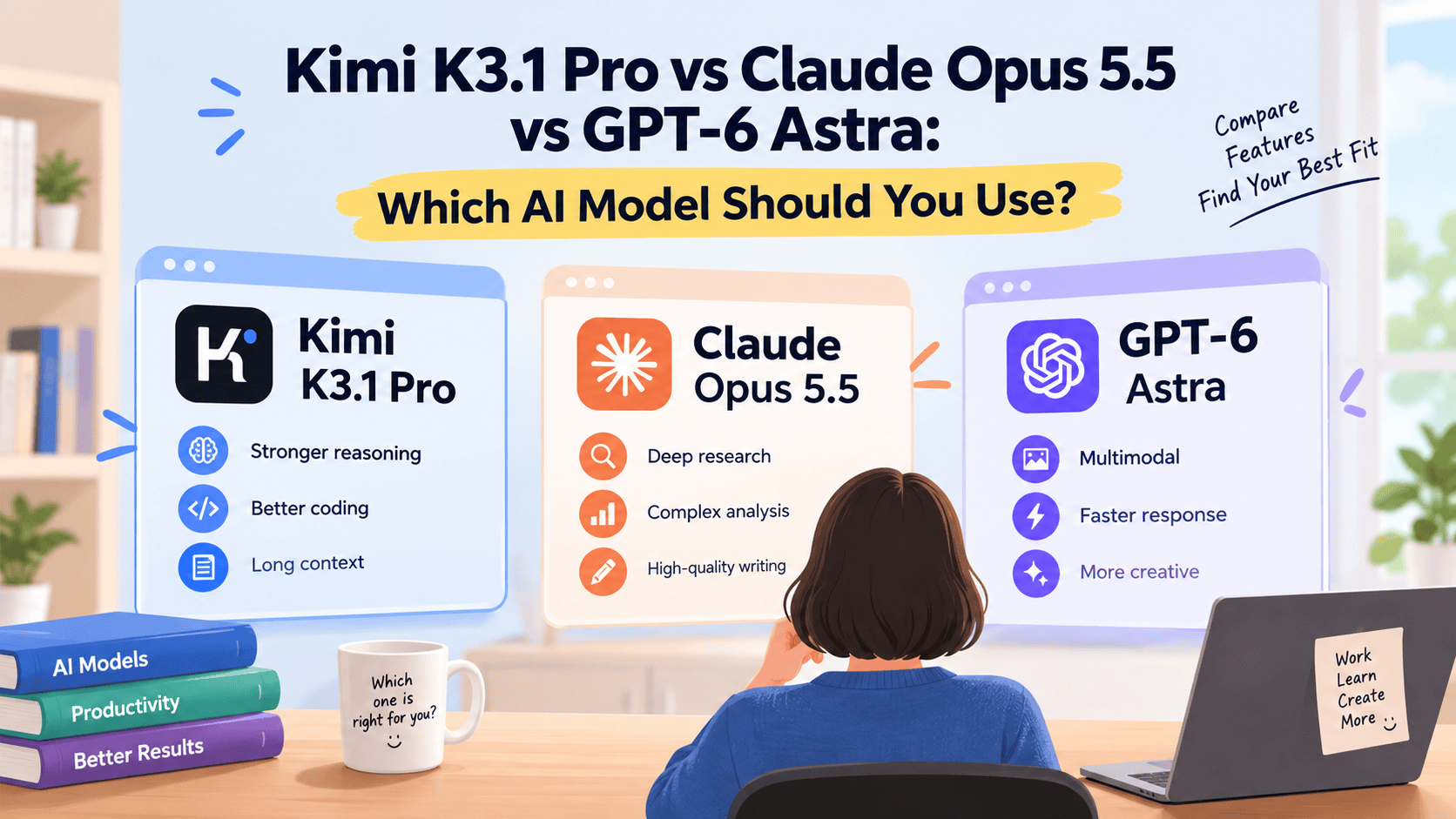
Kimi K3.1 Pro vs Claude Opus 5.5 vs GPT-6 Astra: Which AI Model Should You Use?
Choosing an AI model is no longer just about picking the “smartest” one. The best model depends on what you are building: a coding agent, a financial research assistant, a 3D prototype, a research workflow, or a cost-sensitive production app.
This comparison looks at Kimi K3.1 Pro, Claude Opus 5.5, and GPT-6 Astra using real-world tasks, benchmark results, pricing, and practical strengths.
What Is Kimi K3.1 Pro?
Kimi K3.1 Pro is the first model in Moonshot AI’s K3.1 series and the company’s most capable model to date. It is a 3-trillion-parameter model with a 1 million-token context window, making it suitable for large codebases, lengthy reports, multi-step agent tasks, and complex research projects.
Moonshot positions K3.1 Pro around four major improvements:
- Coding
- 3D creation
- Financial research
- Long-horizon agent capabilities
It also supports tools such as Unity, Unreal, Godot, and Three.js, which makes it interesting for developers building games, interactive websites, and 3D experiences.
Kimi K3.1 Pro Pricing
| Plan / Access | Price | Notes |
|---|---|---|
| API input | $2 per million tokens | Lower than Kimi K3’s previous $3 input price. |
| API output | $10 per million tokens | Lower than Kimi K3’s previous $15 output price. |
| Cached input | About $0.20 per million tokens | Based on a 90% cache discount. |
| Highspeed version | Roughly 2x standard pricing | Offers around 2-3x faster output at similar intelligence. |
The low list price is attractive, but it is important to track actual token usage. In one Artificial Analysis test, Kimi consumed about 150 million output tokens, above the 87 million median, which can increase the total cost of long agent tasks.
Kimi K3.1 Pro Benchmarks
Kimi K3.1 Pro performs especially well in coding agents, long-horizon software engineering, web research, and financial document analysis. However, it is not the best model for every task.
| Benchmark | Kimi K3.1 Pro | Claude Opus 5.5 | GPT-6 Astra | What It Means |
|---|---|---|---|---|
| Terminal-Bench 4.0 | 65.7% | 66.4% | 58.2% | Kimi is nearly tied with Claude in terminal coding-agent work. |
| SWE-Marathon v1.1 | 51.7% | 46.3% | 42.5% | Kimi leads in long-horizon software engineering. |
| HLE-Full with tools | 70.0% | 67.7% | 57.2% | Kimi performs strongly in difficult knowledge reasoning with tools. |
| BrowseComp | 92.1% | 90.8% | 91.5% | All three are strong at web research. |
| OfficeQA Pro v2 | 64.4 | 62.2 | 54.4 | Kimi is strong for financial and office document analysis. |
| Terminal-Bench Science 0.1 | 38.1 | 63.3 | 68.1 | GPT-6 Astra leads for science-oriented terminal workflows. |
The main lesson is simple: Kimi is not just “cheaper Claude.” It is highly competitive in agentic coding and document-heavy work, but GPT-6 Astra may be the better option for scientific research workflows.
Kimi K3.1 Pro vs Claude Opus 5.5 vs GPT-6 Astra
1. Fixing Bugs in a Real Codebase
Task: Give each model the same repository with several hidden bugs. Ask it to locate the issue, write a fix, add tests, and explain the change.
What to measure:
- Whether it finds the root cause
- Number of retries
- Whether tests pass
- Code quality
- Total tokens and cost
Expected result: Kimi performs well in long-horizon engineering benchmarks, but independent real-repository tests suggest it may not always lead in legacy bug fixing. One third-party test found Kimi scored 36 on a real-world bug-fixing evaluation, below Claude Opus 5.5’s 41.7.
Best choice: Claude Opus 5.5 for difficult legacy-code debugging; Kimi K3.1 Pro for larger refactors and agent-driven development.
2. Turning a PRD Into a Working Web App
Task: Provide a product requirements document and ask each model to build a working web application, including frontend, backend, database schema, and deployment instructions.
What to measure:
- Feature completeness
- Code organization
- UI quality
- Handling of a mid-project requirement change
- Whether the app runs without manual repair
Expected result: Kimi is designed for agentic coding and supports frontend and 3D-oriented workflows, but independent evaluations suggest it may still trail some Western flagship models in visual polish, animation, and website creation.
Best choice: Kimi for fast engineering prototypes; Claude or GPT-6 Astra if visual quality and iterative design are the priority.
3. Analyzing a Long Financial Report
Task: Upload a 300-page annual report, industry report, and spreadsheet. Ask the model to extract financial metrics, identify risks, build a three-year forecast, and cite page numbers for every claim.
What to measure:
- Accuracy of extracted numbers
- Quality of citations
- Ability to connect data across documents
- Financial-model quality
- Hallucination rate
Expected result: This is one of Kimi’s strongest use cases. It scored 64.4 on OfficeQA Pro v2, ahead of Claude Opus 5.5 at 62.2 and GPT-6 Astra at 54.4.
Best choice: Kimi K3.1 Pro for long financial documents, spreadsheet analysis, and research-heavy business work.
4. Building a 3D Prototype
Task: Ask each model to create an interactive Three.js scene, a Godot mini-game, or a Unity prototype from a short brief.
What to measure:
- Asset quality
- Interaction completeness
- Tool usage
- Visual polish
- Ability to revise after feedback
Expected result: Kimi is strong in this category because Moonshot specifically improved 3D creation and tool integration. However, it is not automatically the best creative model; independent testing found gaps in some 3D and website-generation tasks.
Best choice: Kimi for rapid playable prototypes; Claude or GPT-6 Astra for higher-polish creative output, depending on your test results.
5. Multi-Step Online Research
Task: Ask each model to research a market, identify 10 important companies, verify claims, and produce a report with sources.
What to measure:
- Source quality
- Factual accuracy
- Ability to avoid repetition
- Depth of analysis
- Citation reliability
Expected result: Kimi scored 92.1% on BrowseComp, slightly ahead of Claude Opus 5.5 and GPT-6 Astra. This suggests it is highly capable at web-based information retrieval.
Best choice: Kimi for general web research; GPT-6 Astra for scientific research and technical investigation.
6. Cost and Speed Test
Task: Run the same 10-step agent workflow on each model and compare total cost, latency, output tokens, retries, and final quality.
| Metric | Kimi K3.1 Pro | Claude Opus 5.5 | GPT-6 Astra |
|---|---|---|---|
| API input price | $2 / million tokens | Higher | Varies by provider and plan. |
| API output price | $10 / million tokens | Higher | Varies by provider and plan. |
| Artificial Analysis task cost | $2.11 | $5.98 | $3.26 |
| Output-token usage | High in some agent tests | Lower in the cited test | Moderate in the cited test |
| Best for | Long-context, coding agents, finance | Demanding software engineering | Research and scientific agents |
Kimi’s lower price is real, but your final invoice depends on how many tokens the model uses. For repetitive prompts, caching can make a major difference.
Which Model Should You Choose?
| Use Case | Best Model | Why |
|---|---|---|
| Long financial documents | Kimi K3.1 Pro | Strong OfficeQA performance and 1M-token context. |
| Agentic coding | Kimi K3.1 Pro or Claude Opus 5.5 | Kimi leads some long-horizon coding tests; Claude remains excellent in terminal coding. |
| Legacy bug fixing | Claude Opus 5.5 | Stronger in some independent real-repository bug-fixing tests. |
| Scientific research agents | GPT-6 Astra | Leads Terminal-Bench Science 0.1 by a wide margin. |
| Cost-sensitive API apps | Kimi K3.1 Pro | Lower listed input/output pricing and strong benchmark value. |
| 3D and game prototypes | Kimi K3.1 Pro | Built for 3D creation and tools such as Unity, Unreal, Godot, and Three.js. |
| General web research | Kimi K3.1 Pro | Slightly ahead on BrowseComp. |
How To Test These Models Yourself
Do not rely only on benchmark charts. Run the same prompt through each model and score the results.
Use this simple test framework:
- Choose one task you actually do every week.
- Write one detailed prompt with clear deliverables.
- Run it on Kimi K3.1 Pro, Claude Opus 5.5, and GPT-6 Astra.
- Record completion quality, edits needed, latency, and token usage.
- Repeat the test three times.
- Calculate cost per usable result, not just cost per million tokens.
This approach helps you avoid the most common mistake: choosing a model because it wins one benchmark rather than because it performs best in your workflow.
Try Kimi K3.1 Pro on ChatGOAT AI
You do not need separate accounts or API keys to compare these models. ChatGOAT AI is an all-in-one AI platform that provides access to multiple leading models, including Kimi K3.1 Pro, Claude Opus 5.5, GPT-6 Astra, Gemini 4 Carbon, Grok 4.7, and DeepSeek, in one workspace.

With ChatGOAT AI, you can:
- Chat with Kimi K3.1 Pro directly in your browser.
- Compare Kimi with Claude Opus 5.5 and GPT-6 Astra using the same prompt.
- Use AI for coding, research, writing, spreadsheets, presentations, images, and multi-step agent tasks.
- Switch models without rebuilding your workflow or managing multiple subscriptions.
For example, if you are analyzing a financial report, you can ask Kimi K3.1 Pro to extract metrics and build a model, then ask Claude Opus 5.5 to review the logic or GPT-6 Astra to research market risks. This “model-switching” workflow is often more useful than committing to one AI provider.
FAQ
Is Kimi K3.1 Pro better than Claude Opus 5.5?
It depends on the task. Kimi leads in some long-horizon coding, financial-analysis, and retrieval benchmarks, while Claude Opus 5.5 remains slightly ahead in Terminal-Bench 4.0 and may be stronger for certain real-world debugging tasks.
Is Kimi K3.1 Pro better than GPT-6 Astra?
For long-context coding, financial documents, and general web research, Kimi is highly competitive. For scientific terminal workflows, GPT-6 Astra has a clear advantage based on Terminal-Bench Science 0.1 results.
How much does Kimi K3.1 Pro cost?
Kimi K3.1 Pro costs $2 per million input tokens and $10 per million output tokens through the API. Cached input is available at about $0.20 per million tokens.
Does Kimi K3.1 Pro really have 1M context?
Yes. Moonshot says K3.1 Pro supports a 1 million-token context window, which is useful for large codebases, long reports, and multi-document analysis.
Can I use Kimi K3.1 Pro for coding?
Yes. Coding is one of its main strengths, especially agentic coding, long-horizon software engineering, and terminal-based development tasks.
Can I use Kimi K3.1 Pro on ChatGOAT AI?
Yes. ChatGOAT AI lists Kimi K3.1 Pro among its available models, alongside Claude Opus 5.5, GPT-6 Astra, Gemini, Grok, and DeepSeek.
Which model is best for beginners?
For beginners, start with ChatGOAT AI because it lets you try multiple models in one place. Use Kimi for long documents and coding, Claude for careful software engineering, and GPT-6 Astra for research-heavy tasks.
Should I choose Kimi because it is cheaper?
Not always. Kimi has a lower token price, but agent tasks can generate many output tokens. Test the full workflow and compare the final cost, not just the published rate.

