


AI Humanizer
Turn stiff or repetitive AI-generated drafts into clearer, more natural writing. Paste your text into ChatGOAT AI, describe the voice you want, and refine the result until it sounds right for your audience.
What Is an AI Humanizer?
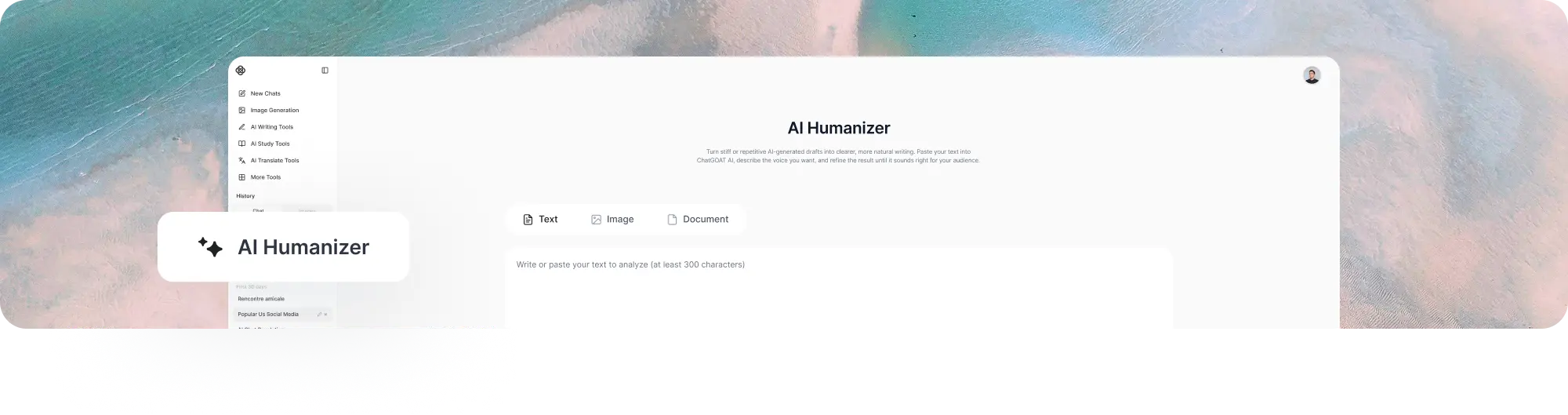
An AI humanizer is a writing tool that improves the tone, flow, sentence structure, and word choice of AI-generated text. It helps replace robotic or predictable phrasing with language that sounds more natural while keeping the original message.
Raw output from ChatGPT, Claude, Gemini, and other AI models may be grammatically correct but still feel flat. Sentences can follow the same length, paragraphs may open in similar ways, and transitions can sound overly formal or repetitive.
An AI humanizer focuses on these writing problems instead of simply replacing random words.
What It Means to Humanize AI Text
To humanize AI text is to make it easier and more natural for a person to read. The process may:
- Vary sentence length and structure
- Replace stiff or generic phrases
- Remove unnecessary repetition
- Improve transitions between ideas
- Adjust the tone for a particular reader
- Keep important facts, keywords, and meaning intact
Humanizing should improve the presentation of a draft without inventing new facts or changing its central point.
AI Humanizing, Paraphrasing, and Rewriting
Humanizing, paraphrasing, and rewriting overlap, but they do not always have the same goal.
Humanizing mainly improves voice, rhythm, and naturalness. Paraphrasing expresses the same idea using different wording. Rewriting can make broader changes to structure, emphasis, and presentation.
If a draft already contains the right information but sounds mechanical, humanizing is usually the most direct option.
Humanized Text Still Needs Review
An AI humanizer can improve wording, but it cannot confirm that every fact, citation, name, or number is correct. It may also change a phrase in a way that affects technical meaning.
Always compare the result with the original draft and restore any details that were altered incorrectly.
How to Use ChatGOAT AI’s AI Humanizer
.png)
Step 1: Add Your AI-Generated Text
Paste the passage you want to improve. You can use a paragraph, email, article section, product description, report, cover letter, or another AI-assisted draft.
For long content, work section by section so you can review changes without losing the overall structure.
Step 2: Describe the Voice You Want
Tell ChatGOAT AI who the text is for and how it should sound. Useful instructions include:
- "Make this sound natural and professional."
- "Use a friendly tone without becoming too casual."
- "Humanize this paragraph while preserving the SEO keywords."
- "Vary the sentence structure and remove repetitive transitions."
- "Make this email sound warm and personal."
- "Keep the technical meaning but simplify the wording."
Clear instructions help the result fit the purpose of the text rather than producing a generic rewrite.
Step 3: Review and Refine the Result
Compare the revised text with the original. Check the facts, names, numbers, links, citations, keywords, and intended meaning.
If part of the result still feels unnatural, ask ChatGOAT AI to revise only that sentence or paragraph. Small follow-up changes are often more useful than rewriting the entire draft again.
What Can an AI Humanizer Improve?
Robotic or Predictable Language
AI drafts often rely on phrases such as "in today’s fast-paced world," "it is important to note," or "whether you are a beginner or a professional." An AI humanizer can replace these patterns with more direct wording that fits the actual topic.
Repetitive Sentence Structures
Several sentences may begin the same way or follow an identical rhythm. Humanizing introduces more variation so the passage does not sound mechanically assembled.
Flat or Generic Tone
A draft can contain the correct information but still sound as if it could have been written for any reader or brand. Add context about the audience, relationship, and desired voice to make the result more specific.
Awkward Transitions and Excessive Filler
AI-generated content may overuse transition words or explain simple points several times. The humanizer can tighten these sections, connect ideas more smoothly, and remove sentences that do not add useful information.
AI-Generated Content from Different Models
Humanize AI-generated text from ChatGPT, Claude, Gemini, and other writing models. The wording patterns may differ, but the same review process applies: preserve the meaning, improve the flow, and check the result manually.
For Claude-generated content that needs a more targeted rewrite, the Claude watermark remover can help refine phrasing associated with the supported Claude watermark signal.
Different Writing Tones
Ask for a professional, conversational, academic, concise, persuasive, friendly, or brand-specific tone. The best choice depends on where the text will appear and who will read it.
Avoid making every type of writing sound casual. A research summary, customer email, product page, and social post require different levels of formality.
Before-and-After AI Humanizer Example
Original:
"In today’s rapidly evolving digital landscape, it is essential for businesses to leverage innovative solutions in order to remain competitive and achieve success."
Humanized:
"Businesses need practical ways to keep up as digital tools and customer expectations change."
The revised version removes a familiar AI-style opening, shortens the sentence, and states the point more directly without changing its main idea.
SEO Content and Required Keywords
An AI humanizer can improve blog posts, landing pages, and product copy while preserving required keywords. Include the keywords in your instruction and check that they remain accurate and naturally placed after the rewrite.
Humanizing does not make weak content helpful. Facts, search intent, examples, expertise, and originality still require human input.
Why Choose ChatGOAT AI’s AI Humanizer?
.png)
Multiple Advanced AI Models in One Platform
ChatGOAT AI brings multiple advanced models together in one platform. You can use models such as GPT-5.6 Sol for writing, analysis, research, and other tasks without moving between separate services.
Text, Image, and Document Workflows
Across ChatGOAT AI, you can work with typed text, readable images, and documents. This makes it easier to continue when a draft is stored in a file or screenshot instead of manually recreating all the content.
Interactive Refinement
ChatGOAT AI lets you continue the conversation after the first result. Ask it to make one paragraph warmer, shorten a sentence, restore a keyword, explain a change, or try another tone without starting again.
Writing, Study, and Creative Tools Together
Humanizing is often one part of a larger task. ChatGOAT AI also brings writing, analysis, study, image, and creative tools together, allowing you to develop and review content in the same platform.
Free Access for Everyday Writing
ChatGOAT AI provides free daily usage for writing and other AI-assisted tasks. You can begin using the AI humanizer online with no sign-up required.
Who Can Use an AI Humanizer?
Bloggers and Content Writers
Improve AI-assisted article drafts that contain repetitive openings, generic explanations, or overly even sentence structures. Writers should still add original experience, examples, facts, and editorial judgment.
SEO and Content Teams
Refine landing pages, guest posts, product copy, and multilingual drafts while preserving target keywords and page structure. Review every result for search intent, factual accuracy, and brand consistency.
Marketers and Social Media Teams
Adapt campaign copy, captions, newsletters, and product messages for a specific audience. A clear tone instruction can make generic AI copy feel more aligned with the campaign and brand.
Business Professionals
Make emails, proposals, reports, and customer messages sound clearer and less formal or mechanical. Keep names, dates, numbers, and commitments unchanged during revision.
Job Seekers and Freelancers
Improve cover letters, profile descriptions, proposals, and client messages that sound generic. Add real experience and personal details instead of relying on polished but empty wording.
Students and Researchers
Improve the clarity and flow of permitted AI-assisted drafts while following the relevant academic integrity and disclosure rules. Humanizing text does not make uncredited AI work acceptable when an institution requires original authorship.
Fiction and Script Writers
Refine descriptions, narration, and character exchanges that sound stiff or overly polished. If you need to create a new conversation rather than revise existing text, the AI dialogue generator can help develop dialogue for stories, scripts, games, and roleplay.
Non-Native English Writers
Smooth out awkward phrasing in emails, articles, applications, and everyday writing while keeping the intended meaning. Review the output to make sure personal expressions and cultural context are not removed.
AI Humanizer FAQs
What Is an AI Humanizer?
An AI humanizer is a tool that revises AI-generated text to improve tone, clarity, flow, sentence variation, and naturalness while preserving the original message.
How Do I Humanize AI Text?
Paste your AI-generated draft into ChatGOAT AI, explain the audience and tone you want, and request a more natural version. Review the result and ask for smaller revisions where needed.
Can I Humanize AI-Generated Text from ChatGPT?
Yes. You can humanize text created with ChatGPT, Claude, Gemini, and other AI writing tools. Results may vary depending on the quality and purpose of the original draft.
Does an AI Humanizer Preserve the Original Meaning?
It is designed to keep the main meaning while changing wording, rhythm, and sentence structure. Always compare both versions because important details can occasionally change during revision.
Is Humanizing the Same as Paraphrasing?
Not exactly. Humanizing focuses on natural voice, flow, and sentence variation. Paraphrasing focuses on expressing the same idea in different words, while rewriting may make broader structural changes.
Can an AI Humanizer Improve Readability?
Yes. It can remove repetitive wording, shorten heavy sentences, improve transitions, and adjust the tone for a specific audience. It cannot fix inaccurate facts or a weak underlying argument by itself.
Can I Choose a Writing Tone?
Yes. Tell ChatGOAT AI whether the text should sound professional, friendly, concise, academic, persuasive, conversational, or aligned with a particular brand voice.
Can an AI Humanizer Keep SEO Keywords?
Yes. Include the required keywords in your instruction and check them after the rewrite. Keywords should remain accurate, complete, and naturally placed.
Will Humanized Text Always Pass AI Detectors?
No tool can guarantee a particular result across every AI detector. Detection systems use different methods and change over time. Use an AI humanizer to improve writing quality, not to guarantee an undetectable score.
Is Using an AI Humanizer Plagiarism?
Using a humanizer is not automatically plagiarism, but it does not make copied ideas or uncredited AI work original. Cite sources, disclose AI assistance when required, and follow the rules of your school, employer, client, or publishing platform.
Can Students Use an AI Humanizer?
Students can use it when their institution permits AI-assisted editing. They should not use it to disguise prohibited AI-generated assignments or avoid required disclosure.
Can an AI Humanizer Correct Facts?
It may improve how facts are written, but it does not verify them. Check names, statistics, quotations, citations, technical details, and claims against reliable sources.
Can I Humanize Emails and Business Writing?
Yes. Use it for emails, reports, proposals, customer messages, and other workplace content. Specify the audience and desired level of formality before revising.
Is ChatGOAT AI’s AI Humanizer Free?
Yes. ChatGOAT AI provides free daily usage, and you can start using the AI humanizer online without signing up.