


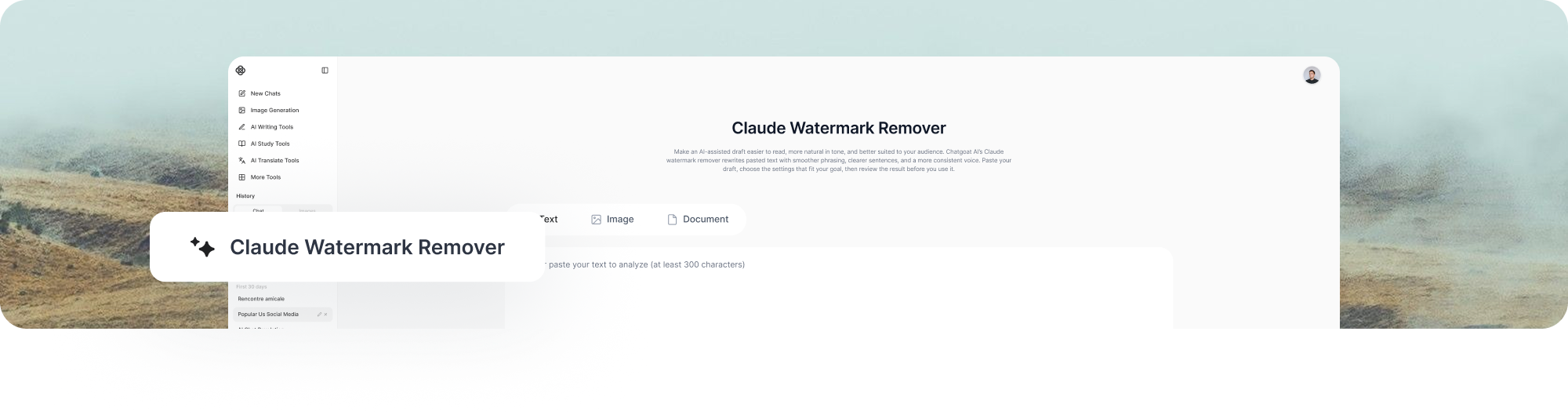
Claude Watermark Remover
Make an AI-assisted draft easier to read, more natural in tone, and better suited to your audience. Chatgoat AI’s Claude watermark remover rewrites pasted text with smoother phrasing, clearer sentences, and a more consistent voice. Paste your draft, choose the settings that fit your goal, then review the result before you use it.
What Is a Claude Watermark and How Does It Work?
Claude’s text‑watermark is not a visible mark or hidden code. Instead, it is an invisible statistical signal formed by numerous ordinary word choices when the model generates text. It only tweaks minor wording decisions that do not alter the core meaning. No single word gives it away. Only when the text is long enough can authorized parties detect this pattern spread throughout the content and tell whether Claude produced it.
Where Does a Claude Watermark Appear in Text?
For supported Claude models, the text watermark is woven into the wording that the model generates. It travels when you copy and paste the text, because it is part of the generated wording rather than a special font, color, or image layer. Anthropic also notes that the mark may persist through some edits.
The watermark is not placed in one sentence, one punctuation mark, or one particular type of word. It is more useful to think of it as a pattern across a passage. Longer, open-ended writing may offer more word-choice opportunities than short factual answers, quotations, formulas, or exact code. A short sample may not contain enough information for reliable detection.
How to Remove a Claude Watermark from Text
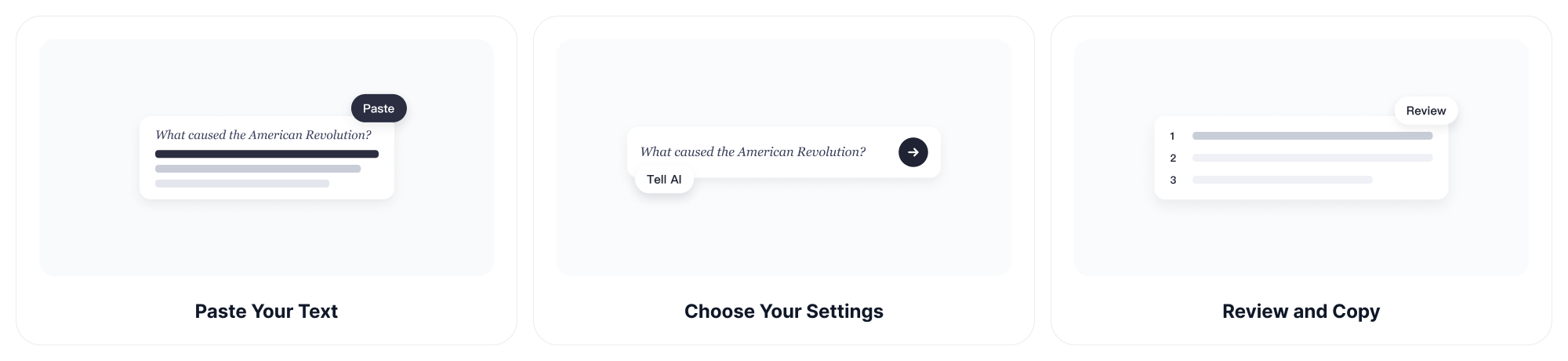
Step 1: Paste Your Text
Copy the AI-assisted content you want to revise and paste it into the input box. You can start with a short paragraph, a product description, an email, a blog section, or a longer draft. For the best result, include enough context for the tool to understand the intended tone and audience.
Step 2: Choose Your Settings
Select the writing settings that match your goal, then click Start now. In seconds, the tool rewrites your content to sound natural and human, with fresh wording and a smoother reading flow.
Step 3: Review and Copy
Read the rewritten text carefully. Make sure it still says what you mean, matches your voice, and preserves important details. When you are satisfied, copy the text and use it where it belongs.
What Can Chatgoat AI Help Clean up?
Chatgoat AI is designed to help you turn stiff, machine-like drafts into text that is easier for people to follow. It does this by rewriting wording and structure, not by showing a fake “detector score” or making promises that no public checker can prove.
| Writing issue | How Chatgoat AI can help |
| Repeated wording | It can vary repeated phrases, sentence openings, and generic conclusions so the copy feels less recycled. |
| Dense sentences | It can split heavy sentences and use simpler wording while keeping the main idea clear. |
| Flat sentence rhythm | It can create a more natural mix of short and medium-length sentences. |
| Overused transitions | It can reduce stock phrases such as “in today’s fast-paced world” or “it is important to note.” |
| Too-formal or generic tone | It can adjust the draft toward a clearer, more direct voice for readers. |
| Uneven flow | It can improve connections between ideas so paragraphs read more smoothly from start to finish. |
| Copy-paste formatting noise | Review the final copy in your editor and use plain-text cleanup if needed. Formatting artifacts are separate from a statistical text watermark. |
A good rewrite should keep the original point while making the language more useful for the reader. Always check names, numbers, dates, quotations, links, citations, legal wording, formulas, and code before you publish or submit the output.
Before-and-After Examples
The aim is not to hide who did the work. It is to turn a rough draft into clear writing that a real reader can understand. These simple examples show how a draft can become more direct, specific, and easy to read.
| Use case | Before | After |
| Business copy | “In today’s rapidly evolving digital landscape, it is important to note that businesses should leverage innovative solutions in order to optimize their operational workflows and drive meaningful outcomes.” | “Businesses can save time by choosing tools that simplify daily work and help teams make better decisions.” |
| Product description | “Our comprehensive platform provides users with the ability to seamlessly leverage a wide range of powerful features.” | “Our platform brings key features together so you can finish everyday tasks with less effort.” |
| Email update | “I am reaching out to inform you that we have successfully completed the requested changes at this point in time.” | “The requested changes are complete. Please review them when you have a moment.” |
Each revised version removes empty phrasing, uses clearer verbs, and gets to the point faster. After any rewrite, add your own details, evidence, examples, and judgment. That is what makes useful writing trustworthy and relevant.
Why Choose Chatgoat AI for Text Rewriting?
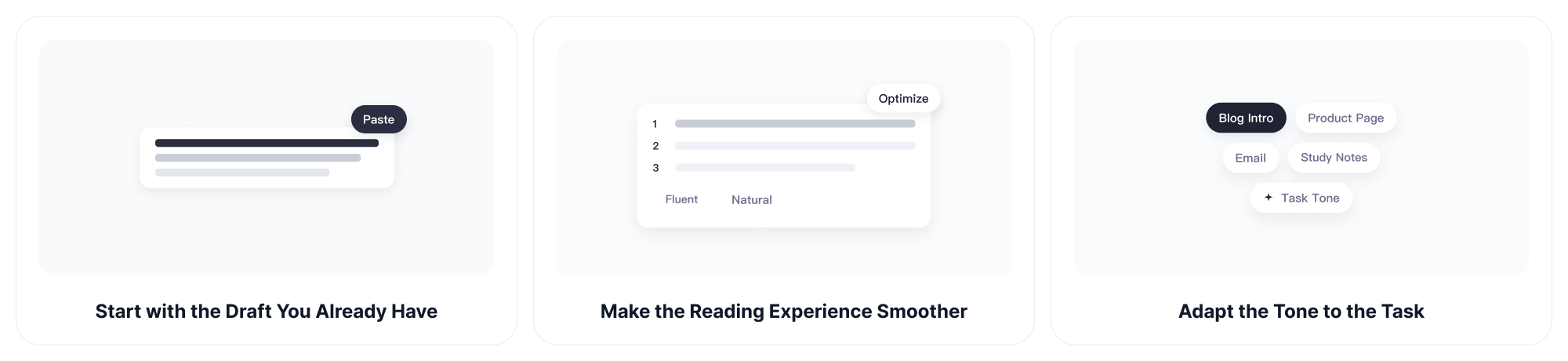
Start with the Draft You Already Have
You do not need to begin from a blank page. Paste the text you have, whether it is an early AI draft, a rough outline, or a paragraph that does not yet sound right. Chatgoat AI gives you a practical starting point for revision.
Keep the Main Meaning in Focus
Good writing is more than swapping a few words. Chatgoat AI helps reshape sentences and improve flow while keeping your key message at the center. You stay responsible for the final meaning and can edit every result before using it.
Make the Reading Experience Smoother
Readers respond better to content that is direct, organized, and easy to scan. The tool can reduce repetitive phrasing, soften awkward transitions, and improve sentence rhythm so your ideas are easier to understand.
Adapt the Tone to the Task
A blog introduction, product page, email, and academic note do not need the same voice. Use the settings to guide the rewrite, then make final edits so the text fits your audience and purpose.
Write Clearly, Then Make It Your Own
A text rewriter is most useful when it supports real revision. Start with a draft, make the language easier to read, then add your knowledge and judgment. Include the details only you can provide: your experience, research, examples, product information, and point of view.
If you use AI in school or at work, follow the disclosure and usage rules that apply to you. Some organizations permit limited assistance for brainstorming or editing; others require disclosure or do not permit it. Clear writing should never come at the expense of honesty.
FAQ
1. What is a Claude watermark?
A Claude watermark is an imperceptible pattern that may be woven into text generated by supported Claude models. It is based on many normal word choices, not a visible label or a line of hidden characters. Anthropic says it can provide a signal of likely Claude involvement, rather than a complete record of authorship.
2. Can I see a Claude watermark in my text?
No. You cannot see it as a logo, colored mark, special font, or individual character. A statistical text watermark is spread across wording choices in a passage. Visible style habits, such as em dashes or formal transitions, do not prove that text was generated by AI.
3. Does copying and pasting remove the Claude watermark?
No. Copying and pasting generally does not change the wording, so it does not remove a pattern built into the wording itself. Anthropic states that an embedded watermark travels with copied text and may persist through some editing.
4. Is a Claude watermark the same as hidden Unicode or zero-width characters?
No. Zero-width characters and invisible spaces are formatting characters that can sometimes be found in copied text. Claude’s text watermark is a statistical pattern in word choices, which is a different mechanism. Removing stray invisible characters may clean formatting, but it is not a test for a Claude text watermark.
5. Can Chatgoat AI remove every Claude watermark with certainty?
Chatgoat AI rewrites text to improve wording, flow, and readability. A rewrite changes the language that carries a statistical pattern, but a rewrite result is not a certificate that any watermark is gone.
6. Can a public AI detector prove that my text contains a Claude watermark?
Not necessarily. An AI-writing detector and a Claude watermark check are different tools with different purposes. Anthropic explains that watermark detection is about whether a supported Claude mark is present, while an AI detector may make a style-based estimate.
7. Why might a short passage not show a reliable watermark signal?
A short passage gives fewer word choices to analyze. Anthropic says that watermark detection is less effective on small samples, and that factual or exact-output content may offer fewer choices where a watermark can apply.
8. What should I check after rewriting AI-assisted text?
Check the meaning, facts, dates, names, numbers, quotations, links, citations, and technical details. Also check that the tone sounds like you and that the final text meets your school, workplace, client, or platform rules. A cleaner sentence is not automatically a correct sentence.
9. Can I use rewritten AI-assisted text for school or work?
That depends on the rules of your teacher, school, employer, client, or publisher. Use Chatgoat AI as a revision aid, not as a substitute for your own work, research, or professional judgment. When disclosure is required, disclose AI assistance accurately.
10. Does a rewritten result become human-written?
No. Better phrasing does not determine authorship. A rewritten result should be reviewed, corrected, and developed with your own knowledge and judgment.