


FAQ Generator
Generate relevant questions and clear answers for product pages, blog posts, service pages, or support content without drafting every entry from scratch. Start free with no sign-up, then refine each FAQ around your audience and verified information.
What Is an FAQ Generator?

An FAQ generator turns a topic, page summary, or set of product details into suggested questions and answers. Its value depends on the context supplied: specific features, policies, audience concerns, and limitations produce more useful results than a broad topic alone. The generated copy should be treated as an editable draft, especially when answers mention prices, guarantees, eligibility, or other facts that may change.
An FAQ generator creates visible Q&As for readers; an FAQ schema generator converts finalized content into structured data such as FAQPage JSON-LD. These are separate steps, and any schema should match the FAQ content shown on the page.
How to Generate FAQ Questions and Answers
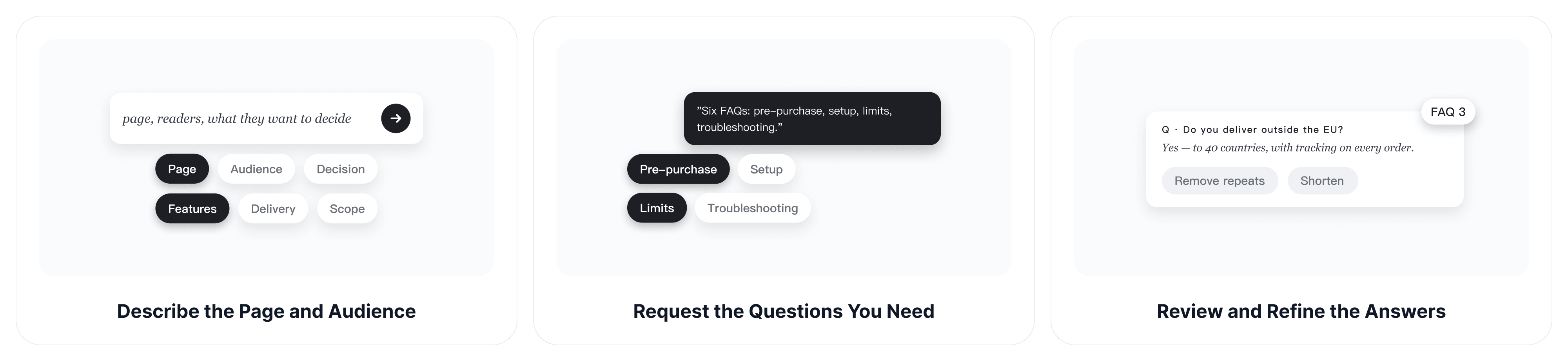
Step 1: Describe the Page and Audience
Enter the page topic, who will read it, and what the visitor is trying to decide or complete. Add the essential facts the answers may use, such as product features, delivery rules, service areas, account requirements, or article scope.
Step 2: Request the Questions You Need
Ask the FAQ generator for a specific number of questions and identify the areas it should cover. For example, request a mix of pre-purchase questions, setup questions, limitations, and troubleshooting topics instead of asking only for general FAQs.
Step 3: Review and Refine the Answers
Remove repeated questions, verify e
very factual statement, and make the first sentence answer the question directly. If an answer becomes too long, use the essay shortener to reduce unnecessary wording while keeping the important condition or limitation.
Generate FAQ Content That Helps Readers Decide
A useful FAQ section should reduce uncertainty rather than add more generic text to the page. Focus each question on a real decision, concern, or next step.
Cover Questions Visitors Actually Ask
Use customer emails, support conversations, sales objections, search queries, and page-specific details as source material. Questions about cost, compatibility, timing, setup, returns, eligibility, and limitations are often more useful than promotional questions written only to praise the product.
Example: A returns page might cover deadlines, item condition, refund timing, and exclusions.
Give the Direct Answer First
Start with a clear response, then add only the context needed to prevent misunderstanding. Readers should not have to scan a long introduction before learning whether the answer is yes, no, conditional, or dependent on another factor.
Example: For "Do you ship internationally?", begin with a clear yes, no, or country limitation before explaining delivery times and fees.
Match the Language to the Audience
Specify whether the reader is a first-time buyer, existing customer, student, professional, or technical user. For Spanish-language FAQ content, the AI Spanish assistant can help adapt wording and formality, but product facts and policies still need a final human review.
Reduce Repetitive Support Questions
Place concise answers where visitors hesitate or repeatedly contact support. An FAQ section can handle common questions immediately. When an issue requires account details or an individual quote, use the AI email generator to prepare a direct reply instead of forcing a case-specific answer into a public FAQ.
Example: A software page can answer routine password-reset questions publicly, while account access failures that require personal data should move to private support.
Why Choose ChatGOAT AI's FAQ Generator?
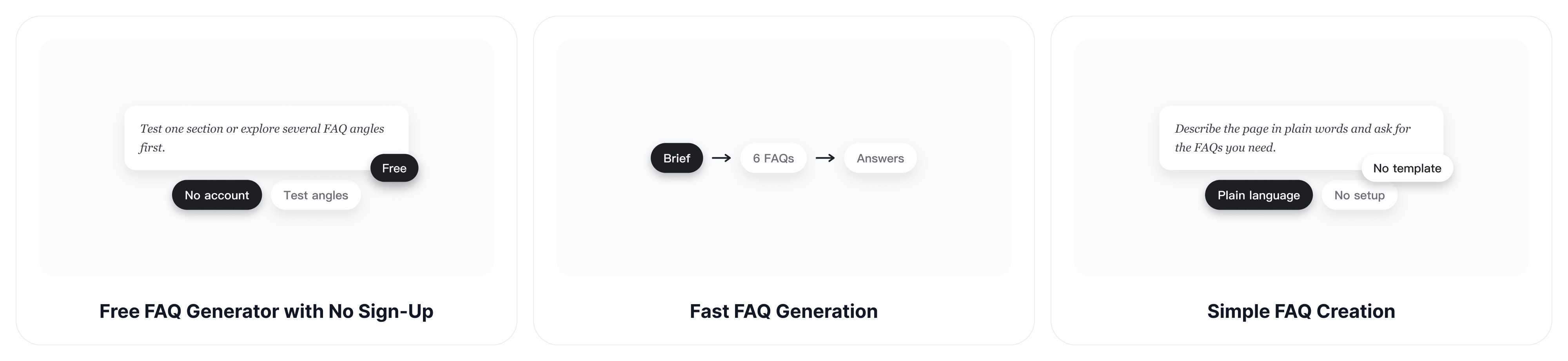
Create useful FAQ content faster with a free, simple workflow and flexible control over each question and answer.
Free FAQ Generator with No Sign-Up
Start with a page topic or brief without creating an account. This makes the free FAQ generator practical for testing one section or exploring several FAQ angles before committing to a longer workflow.
Fast FAQ Generation
Turn a clear page brief into a structured set of questions and answers quickly instead of researching and drafting every entry manually. Add the essential facts first so faster output does not come at the expense of relevance.
Simple FAQ Creation
Describe the page, audience, and topics in ordinary language, then request the number and style of FAQs you need. You do not need to build a template or learn a complicated content workflow.
Customize Every FAQ
Adjust the tone, answer length, coverage, or wording through follow-up instructions. Revise one weak answer while keeping the approved questions and accurate details elsewhere in the section.
FAQ Generator FAQs
What Information Should I Give an FAQ Generator?
Provide the page topic, audience, purpose, and facts the answers may use. Include important conditions, exclusions, policies, or terminology, and identify any topics the generator should avoid.
Can an FAQ Generator Create Both Questions and Answers?
Yes. Ask for a complete set of question-and-answer pairs and specify the number, tone, answer length, and areas to cover. Review the result for accuracy before publishing it.
How Many FAQs Should a Page Include?
There is no universal number. Use enough questions to resolve meaningful uncertainty without padding the section with overlapping or low-value entries. A focused set of five to eight questions is often a practical starting point, but the page may need fewer or more.
Can I Generate FAQ Content for Products, Services, and Blogs?
Yes. Change the brief for the page type. Product pages usually need purchase and compatibility questions, service pages need scope and process details, and blog posts need useful follow-up questions related to the article.
What Is the Difference Between an FAQ Generator and an FAQ Schema Generator?
An FAQ generator writes the visible questions and answers for readers. An FAQ schema generator turns finalized FAQ content into structured data, usually FAQPage JSON-LD. The schema should match the content displayed on the page.
Does FAQ Schema Guarantee Better Google Rankings or Rich Results?
No. FAQ schema is not a guaranteed ranking improvement, and Google stopped displaying FAQ rich results on May 7, 2026. Use structured data only to describe visible page content accurately, not as a promise of additional search-result space.
Should I Publish AI-Generated FAQs without Editing Them?
No. Check every price, policy, date, feature, limitation, and legal or safety statement. Remove invented details, repeated questions, and wording that does not match the page or audience.
Is the FAQ Generator Free to Use?
ChatGOAT AI can be used for free without signing up. Availability and advanced platform features may change, so check the current interface when planning a larger or repeated workflow.