


AI Email Generator
Turn a subject, recipient, and a few key points into a complete email without spending extra time arranging every sentence. ChatGOAT AI helps you draft new messages, prepare replies, and refine the formality, length, and wording for work, business, job applications, or everyday communication. Write emails effortlessly now!
Generate Complete Emails and Replies from a Few Details
.png)
Turn a short brief into a usable subject line and email body, then refine the message for the recipient and situation. The goal is not simply to produce more text, but to make the purpose and requested next step immediately clear.
Draft New Emails or Thoughtful Replies
Start a message from a short instruction, or paste the email you received and state the response goal. The AI email creator can organize scattered notes into a relevant draft instead of producing a reply that ignores the existing conversation.
Match the Tone to the Recipient
Match the wording to the relationship and purpose: formal for an external stakeholder, concise for a colleague, warm for a thank-you, or polite but direct for a reminder. For Spanish business or personal messages, the AI Spanish assistant can help adapt phrasing and formality to the intended reader.
Organize the Subject, Opening, and Next Step
Ask for a useful subject line, appropriate greeting, direct opening, organized body, clear call to action, and suitable sign-off. A complete structure helps the recipient understand why you are writing and what response or action is needed.
Create Reusable Email Templates
Use the AI email template generator for recurring meeting requests, reminders, customer replies, introductions, or routine updates. Keep the reusable structure, but personalize the recipient, context, evidence, and next step so repeated emails do not read like mass-produced copy.
How to Use ChatGOAT AI’s AI Email Generator
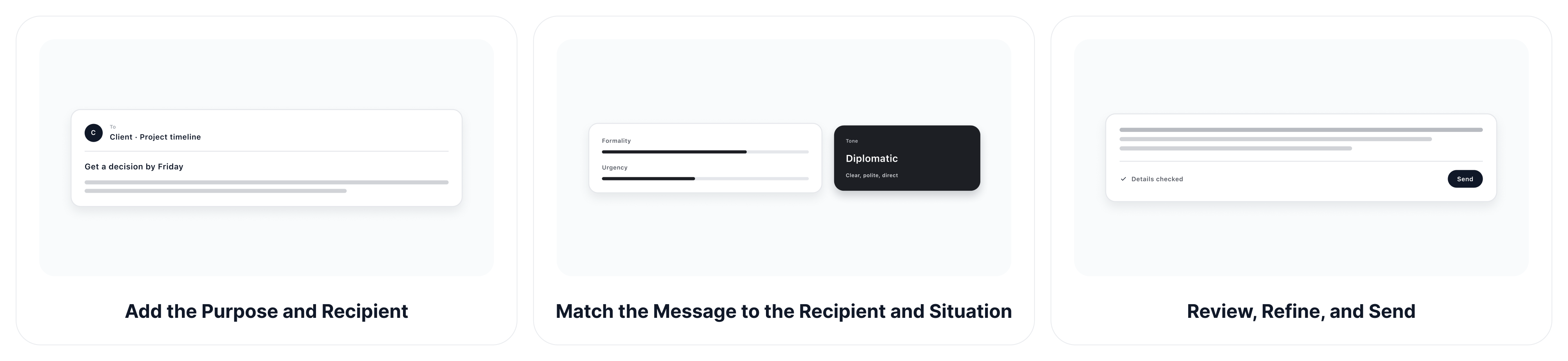
A useful email starts with the right context. Follow these three steps to create a draft that fits both your goal and the person receiving it.
Step 1: Add the Purpose and Recipient
Explain why you are writing, who will receive the message, and the result you want. Include any names, dates, decisions, links, or questions that must appear, but remove confidential information. For example: "Write a concise follow-up to a client who has not approved the revised project timeline. Ask for a decision by Friday without sounding impatient."
Step 2: Match the Message to the Recipient and Situation
Describe your relationship with the recipient, what they already know, and the response you need from them. Then set the urgency, degree of formality, and whether the message should be direct, diplomatic, reassuring, or persuasive.
Step 3: Review, Refine, and Send
Check every name, fact, date, attachment reference, and commitment. Ask ChatGOAT AI to shorten, soften, or clarify selected lines, then read the message once from the recipient’s perspective before sending it yourself.
Create Emails for Work, Sales, Job Search, and Everyday Use
Adapt each draft to the actual communication task, whether you need to update a team, contact a prospect, reply to a customer, approach a recruiter, or send a thoughtful personal message.
Work and Business Communication
Prepare project updates, meeting requests, proposals, handoffs, customer support replies, and sales messages. Ask for concise wording, visible deadlines, relevant evidence, and a clear owner for each next step. For a campaign email that includes a product or promotional visual, the AI image editor can help refine the supporting image before it is added.
A project update might read: "The revised designs are ready for review. Could you send your feedback by Thursday so we can begin development on Monday?"
Job Search and Networking Emails
Draft application notes, interview thank-yous, recruiter replies, referral requests, professional introductions, and networking messages. Personalize each email with a real connection, relevant experience, or the specific opportunity instead of relying on a generic application message.
After an interview, refer to something you discussed: "Thank you for explaining the team's plans to improve customer onboarding. My experience creating support guides would be relevant to that work, and I'd welcome the opportunity to contribute."
Follow-Ups and Sensitive Replies
Create payment reminders, deadline follow-ups, apologies, or sensitive responses that acknowledge the situation without sounding aggressive or defensive. The AI dialogue generator can help you test how a request and possible reply may sound before you send a sensitive message.
For an overdue payment, keep the request factual and easy to answer: "I'm following up on invoice #1042, which was due on October 12. Could you confirm the expected payment date? I'm happy to resend the invoice if needed."
Why Choose ChatGOAT AI’s AI Email Generator?
ChatGOAT AI combines accessible platform features with email-specific drafting controls, helping you compare approaches, correct individual lines, and keep the final message aligned with the recipient.
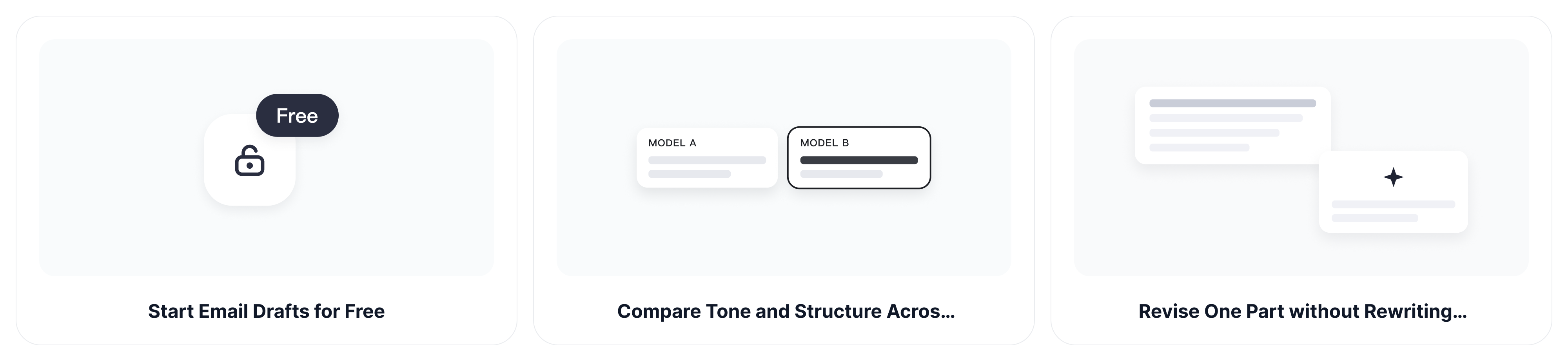
Start Email Drafts for Free
Begin with a subject, received message, or short set of notes and test a complete email draft before building a more detailed workflow. This is useful when you need a quick starting point rather than another complicated email template system.
Compare Tone and Structure Across AI Models
Compare different drafting approaches using the same recipient, purpose, and required next step. One draft may be more direct, another more diplomatic, and a third better at preserving the history of the conversation, so you can choose the approach most likely to earn a clear response.
Revise One Part without Rewriting the Whole Email
Point to the exact sentence that feels too stiff, vague, defensive, or demanding. The AI email writer online can soften the request, clarify the deadline, or rewrite the opening while preserving the accurate details in the rest of the email.
Continue from Draft to Final Language Review
Move from drafting to simplifying, expanding, grammar review, or translation within the broader ChatGOAT AI platform. This makes it easier to prepare another language version or adjust the same message for a different recipient without rebuilding the brief.
AI Email Generator FAQs
Can the AI Email Generator Write Subject Lines and Complete Emails?
Yes. Ask for several subject lines together with a greeting, body, call to action, and sign-off. State the purpose and recipient so the subject accurately reflects the message instead of relying on a generic attention-grabbing phrase.
How Do I Make an AI-Generated Email Sound Personal?
Add details the recipient would recognize, such as a previous conversation, shared project, specific concern, or relevant result. Then request a tone that fits the relationship and remove clichés that could apply to anyone.
Can I Generate Emails in Different Languages?
Yes. Specify the target language, country or audience, and desired level of formality. Review names, specialist terms, dates, and culturally sensitive wording, especially when you are not fluent in the target language.
Is It Safe to Paste a Confidential Email into an AI Tool?
Avoid pasting passwords, financial details, private customer data, confidential company information, or sensitive HR, legal, and medical content. Remove identifying details and follow your organization’s data policies before using any online AI tool.
Can I Turn a Long Email Thread into a Short Reply?
Yes. Share the relevant messages with sensitive details removed, then ask ChatGOAT AI to identify unanswered questions and draft a concise response. Specify any decisions or commitments you want included, and check that the reply addresses the latest message.
Can the AI Email Generator Make a Request Firm but Polite?
Yes. Explain what you need, the deadline, and any previous attempts to resolve the issue. Ask for a direct request with neutral wording, and make sure the draft does not introduce threats, promises, or consequences you have not authorized.