


AI Practice Test Maker
Turn notes, readings, PDFs, or a topic into a focused practice test. ChatGOAT AI analyzes the material, identifies what matters, plans balanced question coverage, and creates a test you can use to check recall, understanding, and application before the real exam.
What Is an AI Practice Test Maker?
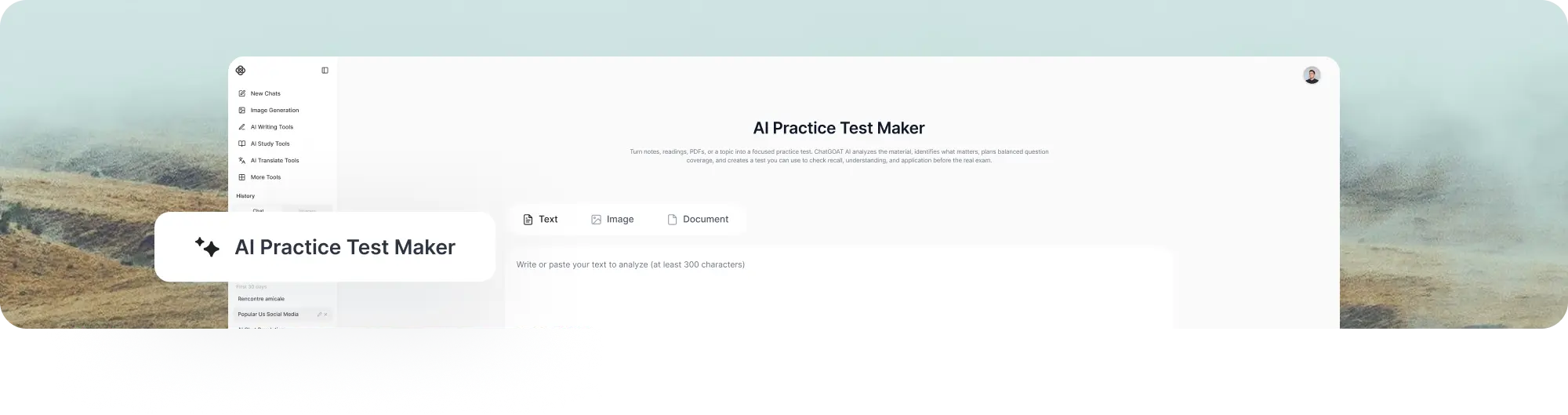
An AI practice test maker is a tool that converts source material or a defined subject into an exam-style set of questions for active recall and self-assessment. Instead of only summarizing what you read, it gives you a structured way to answer questions, check your understanding, and identify knowledge gaps before a real test.
With ChatGOAT AI, you can provide notes, textbook passages, readable PDFs, learning objectives, or a topic. The system analyzes the source, identifies testable ideas, considers your requested level and format, and then builds a practice test that you can review and refine.
What Can the AI Practice Test Maker Create?
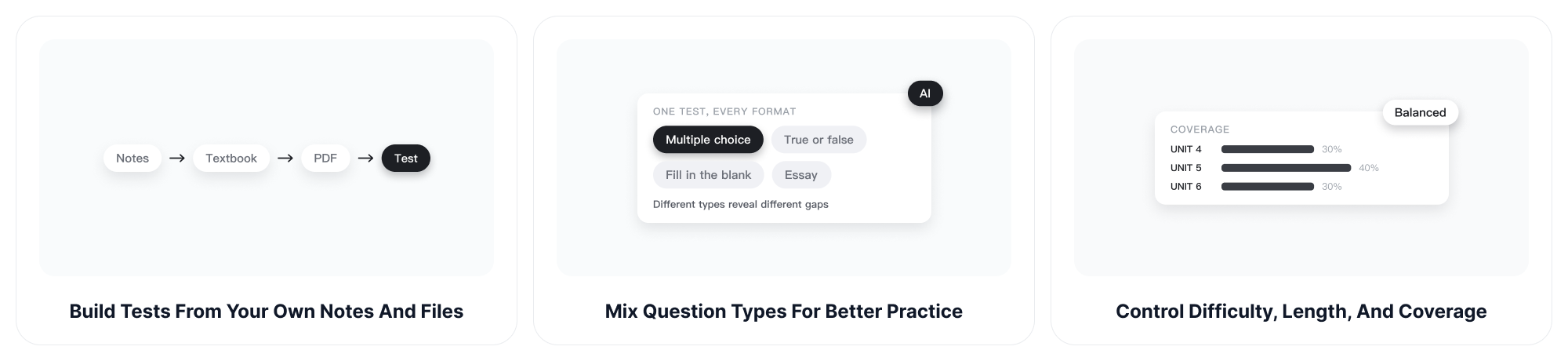
ChatGOAT AI works as both a practice test generator and a study agent. It reads the source, summarizes the examinable ideas, decides how to distribute questions, and then produces a usable test with an answer key and explanations when requested.
Build Tests from Your Own Notes and Files
Paste class notes, add a textbook excerpt, upload a readable PDF, or enter a topic. The AI practice test maker uses that material as the foundation for the test, helping you practice the concepts, terms, processes, and examples that are actually relevant to your course.
Mix Question Types for Better Practice
Create multiple-choice, true-or-false, fill-in-the-blank, short-answer, or essay questions in one test. Ask for a specific mix or let ChatGOAT AI choose formats that fit the material. Different question types reveal different gaps, from forgotten facts to weak explanations and incomplete reasoning.
Control Difficulty, Length, and Coverage
Set the number of questions, target difficulty, grade level, chapters, or learning objectives. ChatGOAT AI can distribute questions across sections and move beyond surface recall by adding comparison, application, and reasoning tasks. You can also request a shorter retest focused only on the topics you missed.
Generate Answers and Useful Explanations
A practice test is more valuable when it teaches after you answer. Request an answer key, concise rationales, worked steps, or grading criteria. Use the explanations to understand why an answer is correct, why a distractor is wrong, and which part of your notes deserves another review.
Create Fresh Versions for Repeated Review
Once you know the first set of questions, generate a new version that tests the same objectives with different wording or examples. This makes the AI test maker useful for spaced review, retakes, study groups, and classroom practice without manually rebuilding the assessment each time.
Move from Testing Back to Learning
If a result exposes a weak topic, continue the conversation. Ask for a simpler explanation, a worked example, or a focused mini-test. For a structured overview before testing, organize the same source with the AI Study Guide Maker and then return to active recall.
How to Make a Practice Test with ChatGOAT AI
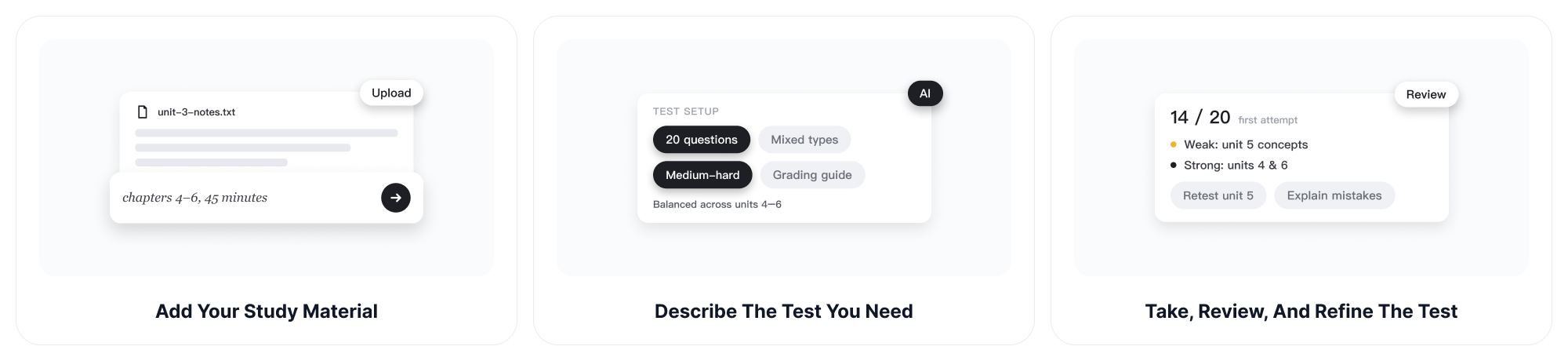
Create a targeted practice exam in three steps. The more clearly you describe the source, audience, and assessment goal, the more useful the finished test will be.
Step 1: Add Your Study Material
Paste notes or course text, upload a readable document, or enter the subject and chapters you want to cover. Include a syllabus, learning objectives, vocabulary list, or sample format when those details matter.
Step 2: Describe the Test You Need
Choose the number and type of questions, difficulty, expected time, and whether you want answers, explanations, hints, or a grading guide. You can also ask for balanced coverage across several units.
Step 3: Take, Review, and Refine the Test
Complete the questions without looking at the key, check your responses, and identify weak areas. Then ask ChatGOAT AI to explain mistakes or create a new test concentrated on the concepts that need more practice.
Practice Test Maker vs. Quiz Generator
Both tools create questions, but they serve different study moments. Use a practice test maker when you want a fuller exam simulation with broader coverage, mixed difficulty, and a planned structure. Use a quiz generator for a faster knowledge check on one lesson or topic.
| AI Practice Test Maker | AI Quiz Generator |
| Builds a fuller exam-style assessment | Creates a quick knowledge check |
| Covers several objectives or chapters | Usually focuses on one lesson or topic |
| Supports planned difficulty and section balance | Prioritizes fast question generation |
| Useful for midterms, finals, and certifications | Useful for class review and short practice |
Use the AI Practice Test Maker for Real Study Goals
The same source material can support different practice workflows. Tell ChatGOAT AI who the test is for and what decision the results should help you make.
Students Preparing for Midterms and Finals
Turn scattered notes and assigned readings into a cumulative practice exam. Test yourself before the deadline, find the units that need attention, and request a second version after reviewing. The AI Mind Map Generator can help visualize connections before you tackle integrative questions.
Teachers Building Low-Stakes Review
Create a draft question set for warm-ups, homework, review sessions, or formative checks. Specify standards, grade level, question types, and answer expectations, then review every item for accuracy, clarity, accessibility, and alignment before using it with learners.
Certification and Professional Learners
Build practice around a certification outline, training manual, policy document, or technical topic. Ask for scenario-based questions that require decisions instead of simple definitions, and use explanations to connect the correct response to the underlying rule or process.
Study Groups and Peer Review
Generate one shared test, let each member answer independently, and compare reasoning afterward. Create alternate versions for additional practice or assign each person a topic to review. Use the AI Schedule Maker to place test sessions and targeted review into a realistic study plan.
How to Get Better Practice Tests from AI
The quality of an AI-generated practice test depends on the source and instructions you provide. Use the following controls to make the questions more relevant, balanced, and useful for real preparation.
Define the Learning Objectives
List the concepts, skills, chapters, or standards the test should cover. Clear objectives help ChatGOAT AI distribute questions intentionally instead of overusing whichever topic appears most often in the source.
Describe Difficulty as a Thinking Task
Do not rely only on labels such as easy or hard. Ask for recall, comparison, calculation, application, diagnosis, or multi-step reasoning. This gives the AI practice test maker a clearer basis for controlling challenge.
Check Every Question against the Source
Review factual accuracy, answer keys, wording, distractors, and topic balance before using the test. Ask ChatGOAT AI to replace ambiguous items or stay strictly within the uploaded material when outside knowledge could introduce confusion.
AI Practice Test Maker FAQ
1. What is an AI practice test maker?
An AI practice test maker turns notes, documents, or a topic into a set of questions for self-assessment or instructional review. It can organize coverage, vary question formats, and provide an answer key or explanations based on your instructions.
2. Can I make a practice test from my notes?
Yes. Paste your notes or upload a readable file, then specify the topics, number of questions, difficulty, and formats you need. Review the generated questions against the source before relying on them for important exam preparation.
3. Can ChatGOAT AI create a practice test from a PDF?
Yes. Upload a readable PDF and tell ChatGOAT AI which pages, chapters, or learning objectives to use. Scanned or image-heavy files may require clearer source text, and every generated answer should be checked against the original material.
4. What question types can the AI test maker generate?
You can request multiple-choice, true-or-false, fill-in-the-blank, matching-style prompts, short-answer, essay, calculation, or scenario questions. Available output depends on the source and your prompt, so describe the format and answer expectations clearly.
5. Can I choose the difficulty of the practice test?
Yes. Ask for beginner, intermediate, advanced, or course-specific difficulty. You can also define difficulty by task, such as recall, explanation, comparison, application, or multi-step reasoning, which is often clearer than a label alone.
6. Does the practice test include answers?
It can. Request a separate answer key, explanations, worked solutions, hints, or a scoring guide. For a realistic test session, ask ChatGOAT AI to hide the answers until you submit your own responses.
7. Is the AI practice test maker free?
You can try ChatGOAT AI for free and create a practice test from your own material. Current usage limits and advanced features may vary by account or plan, so check the product experience for the latest details.
8. Can teachers use AI-generated practice tests in class?
Teachers can use the output as a draft for formative assessment, homework, or review. They should verify factual accuracy, remove ambiguous items, check accessibility, and confirm that every question matches the intended curriculum and academic policy.
9. How do I get better questions from an AI practice test generator?
Provide focused source material and state the learner level, objectives, question mix, difficulty, and desired explanations. Ask for plausible distractors and balanced topic coverage, then review and refine weak items instead of accepting the first draft unchanged.
Create a Practice Test from Your Study Material
Add your notes, PDF, chapter, or topic and tell ChatGOAT AI what the real exam demands. It will analyze the content, plan the coverage, create the questions, and help you review the results so your next study session starts with evidence instead of guesswork.