Key Takeaways
- Seedance 2.0 and Seedance 2.5 are both ByteDance-developed AI video models, but they're built for different stages of a creator's workflow.
- Seedance 2.0 generates clips up to 15 seconds (with some platforms extending this to 30 seconds through stitching or platform-level features) and is the version with the most complete official documentation today.
- Seedance 2.5 is positioned as ByteDance's more production-focused model, with native single-pass 30-second clips, up to 50 multimodal references, and region-level editing - though availability and feature rollout currently vary by platform.
- Neither model has publicly benchmarked, independently verified scores for motion quality or realism as of this writing, so claims about "better" visuals should be treated as directional, not conclusive.
- If your workflow already runs on Seedance 2.0 and it meets your needs, there's no urgent reason to switch. If you need longer continuous shots, richer reference control, or a more editable pipeline, Seedance 2.5 is worth testing.
- The right model depends less on hype and more on what you're actually producing - quick social clips versus longer, production-grade sequences.
Introduction
AI video generation has moved fast over the last two years, shifting from short, glitchy clips to tools creators can realistically use in ad production, short-form storytelling, and ecommerce content. ByteDance's Seedance model line has become one of the more closely watched names in that space, and the release of Seedance 2.5 has creators asking an obvious question: is it worth moving on from Seedance 2.0?
This article compares Seedance 2.5 and Seedance 2.0 across the areas that matter most to creators - video quality, prompt understanding, motion generation, image-to-video and text-to-video performance, creativity, and day-to-day usability. We'll separate what's officially confirmed from what's still early or platform-dependent, so you can make a decision based on facts rather than marketing copy.
Seedance 2.5 vs Seedance 2.0 Overview
| Category | Seedance 2.5 | Seedance 2.0 |
|---|---|---|
| Model generation | Newer, positioned for production-grade workflows | Established, unified multimodal audio-video model |
| Core capabilities | Native 30-second continuous clips, up to 50 multimodal references, region-level (localized) editing, 3D blockout preview for pre-production | Text, image, audio, and video inputs; up to 9 images, 3 video clips, 3 audio clips as references per ByteDance's official launch details |
| Text-to-video | Strong prompt-following, positioned for longer, more deliberate scenes | Solid text-to-video generation, well-documented and widely available |
| Image-to-video | Reference-to-video (R2V) support including green-screen and white-model references | Image references supported as part of its multimodal input set |
| Creative workflow | Built around script-to-video, multi-shot planning, and iterative fixes without full re-renders | Straightforward single-pass generation, good for quick concepts and shorter content |
| User experience | Positioned as closer to a production system than a quick generator; access currently varies by platform | Broadly available today across more platforms |
| Best suited users | Agencies, brands, and creators producing longer, more polished sequences | Creators who need fast turnaround on shorter clips and social content |
Note: Some specifications for Seedance 2.5 come from platform product pages (e.g., Dreamina) rather than a single unified ByteDance spec sheet, and rollout of specific features may differ by platform. Treat these as the best currently available public information rather than a finalized spec.
Detailed Comparison: Seedance 2.5 vs Seedance 2.0
Overall Video Generation Quality
Seedance 2.0 already built a reputation for stable motion and consistent character identity across a clip, which is part of why it became a go-to option for short-form content. Seedance 2.5 is described by ByteDance and platform partners as extending that stability over a longer, single continuous 30-second shot rather than requiring creators to stitch multiple shorter generations together. That's a meaningful architectural difference - stitched clips are prone to character drift and visible seams at each cut, and a native longer generation is designed to avoid that. What we can't yet say with confidence, absent independent benchmarking, is that Seedance 2.5 produces sharper detail or more photorealistic output in every case. That's a claim worth testing yourself rather than taking at face value.
Text-to-Video Generation Comparison
Try the same prompt in both models to see the difference for yourself:
Prompt: "A futuristic city at night with flying cars, neon lights, cinematic camera movement"
With Seedance 2.0, expect a single-pass clip up to roughly 15 seconds that captures the scene concept well but may need to be extended or stitched for longer sequences. Seedance 2.5 is designed to carry that same scene across a longer, native 30-second shot with more consistent lighting and camera movement throughout, plus the option to route in reference images or a 3D blockout to guide the camera path before generation. The core prompt-following ability appears comparable in both - the difference shows up more in duration and continuity than in whether the model "understands" the prompt.
Image-to-Video Generation Comparison
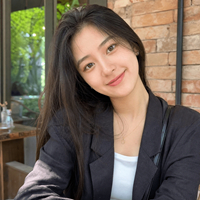
Prompt: "Animate this portrait into a cinematic scene with natural movement and camera motion."
Seedance 2.0 supports image references as part of its multimodal input, producing motion from a static image within its standard clip length. Seedance 2.5's reference-to-video (R2V) features go further, including green-screen and white-model reference support, which is aimed at giving creators more control over how a subject is isolated and placed into a new scene. For portrait animation specifically, that added reference control is one of the more practical upgrades for creators working with product shots or character-driven content.
Motion and Scene Dynamics
Camera movement and object motion are areas where Seedance 2.5's longer native generation window matters most - a 30-second single-pass shot has more room for a camera move to develop naturally, compared to compressing that same movement into a shorter clip. Seedance 2.0 still handles moderate camera and object motion well within its shorter runtime; it just has less room to work with for multi-beat scenes.
Creativity and Content Generation
For short-form and social media content, Seedance 2.0's shorter, faster generation cycle is often enough - a 10–15 second clip is close to the length most platforms favor anyway. For marketing videos, product demos, and storytelling with a clearer beginning, middle, and end, Seedance 2.5's longer format and reference options give creators more room to build a complete sequence in one generation.
Ease of Use and Workflow
Seedance 2.0 has the advantage of broader current availability and more established documentation, which makes it easier to pick up quickly. Seedance 2.5 introduces more controls - multiple reference types, region-level editing, blockout previews - which adds a slightly steeper learning curve but pays off for teams doing repeated, structured production work rather than one-off clips.
Early User & Reviewer Impressions
Because Seedance 2.5's rollout is still platform-dependent, we're not presenting this as a controlled side-by-side test we ran ourselves - instead, here's an honest read on what's consistently being reported across early reviews and platform documentation, organized by use case.
Cinematic landscape shots: Reviewers and platform docs consistently point to Seedance 2.5's longer native duration as the standout difference for landscape and establishing shots — slow camera moves have more room to develop without stitching. Seedance 2.0 remains capable for shorter establishing shots but is more limited for extended drone-style sequences in a single generation.
Human character shots: Character consistency across a scene is one of the areas ByteDance has emphasized for Seedance 2.5, particularly for longer walks or multi-beat actions. Seedance 2.0 handles single-beat character motion (a short walk, a turn) reliably within its shorter clip length.
Product advertisement shots: For rotating product shots and commercial use, Seedance 2.5's added reference controls (including white-model and green-screen support) are frequently cited as useful for isolating a product cleanly against a background. Seedance 2.0 can still produce usable commercial clips, particularly for shorter ad formats.
Treat all of the above as directional rather than definitive - access to Seedance 2.5's full feature set varies by platform, and we'd encourage testing both models on your own footage before committing a production workflow to either.
Popular Seedance AI Video Prompts to Try
Cinematic Video Prompts
1. Futuristic Tokyo City at Night
Create a cinematic aerial shot of a futuristic Tokyo city at night, featuring towering skyscrapers, glowing neon signs, flying vehicles moving between buildings, and rain-soaked streets reflecting colorful lights. The camera slowly moves forward between skyscrapers with a smooth drone-like motion. Add realistic atmospheric fog, cinematic lighting, detailed futuristic architecture, pedestrians walking with umbrellas, reflections on wet streets, and a cyberpunk-inspired atmosphere. Ultra realistic, high detail, movie-style composition, professional cinematography.
2. Sunrise Mountain Valley Drone Shot
Create a cinematic drone shot flying through a breathtaking mountain valley during sunrise. Show massive snow-covered mountains, flowing rivers, dense green forests covered with morning mist, and golden sunlight breaking through dramatic clouds. The camera slowly moves forward and rises above the landscape, revealing the enormous scale of the environment. Include realistic shadows, natural lighting, atmospheric depth, cinematic color grading, detailed textures, and a documentary film style.
Product Marketing Video Prompts
3. Luxury Watch Advertisement
Create a premium luxury watch commercial video. Show a high-end mechanical watch rotating slowly on a glossy black surface inside a dark luxury studio. Add dramatic cinematic lighting, realistic metal reflections, detailed watch textures, moving light streaks, and subtle shadows. The camera performs a slow 360-degree orbit around the watch with macro close-up shots highlighting the craftsmanship, premium materials, and elegant design. Add a sophisticated luxury brand advertisement style, realistic product photography, and cinematic quality.
4. Skincare Product Commercial
Create a luxury skincare advertisement featuring a glass skincare bottle placed on a white marble surface surrounded by fresh flowers, water droplets, green leaves, and natural beauty elements. Use soft sunlight coming through a window, creating elegant reflections and a premium skincare atmosphere. The camera slowly pushes in toward the product while water droplets move naturally on the surface. Add clean composition, realistic glass textures, soft shadows, natural colors, and a high-end cosmetic brand commercial style.
Character Animation Video Prompts
5. Cinematic City Walking Scene
Create a cinematic scene of a young person walking through a modern city street during golden hour. Show detailed urban buildings, passing cars, pedestrians, street reflections, and natural environmental movement. The character walks naturally while the camera follows from behind and smoothly transitions into a close-up shot of facial expressions. Add realistic body movement, natural walking animation, shallow depth of field, cinematic lighting, realistic skin details, and professional movie-style visuals.
6. Portrait Animation
Animate this portrait into a realistic cinematic scene. Keep the person's identity, facial features, and appearance consistent while adding natural head movement, blinking, subtle facial expressions, and realistic breathing. Create smooth camera movement with a gentle zoom-in effect and cinematic lighting transitions. Add a realistic background environment with shallow depth of field, natural shadows, soft lighting, and professional film-quality visuals.
Social Media Video Prompts
7. Coffee Shop Short Video
Create a dynamic vertical social media video showing a skilled barista creating beautiful latte art inside a modern coffee shop. Capture close-up shots of coffee pouring, milk swirling, steam rising from the cup, detailed hand movements, and customer interactions. Use smooth camera transitions, warm café lighting, energetic pacing, trendy lifestyle aesthetics, and engaging visual storytelling. Make it suitable for TikTok, Instagram Reels, and short-form video content.
8. Fashion Model Studio Video
Create a professional fashion video featuring a model wearing a modern luxury outfit inside a minimalist studio. The model slowly turns around to showcase the clothing details while the camera smoothly circles around with cinematic movement. Add professional studio lighting, realistic fabric textures, elegant poses, clean background design, detailed clothing patterns, realistic shadows, and a high-fashion magazine editorial style.
Fantasy/Creative Video Prompts
9. Dragon Over Medieval Castle
Create an epic cinematic fantasy scene of a giant dragon flying above an ancient medieval castle at sunrise. Show massive stone towers, mountain landscapes, dramatic clouds, forests, and villagers looking toward the dragon in awe. The camera starts with a wide aerial shot and slowly moves closer as the dragon spreads its enormous wings. Add realistic dragon scales, detailed castle architecture, golden sunlight, atmospheric fog, cinematic fantasy movie style, and highly detailed environments.
10. Underwater Fantasy City
Create a cinematic underwater exploration scene featuring a futuristic city hidden beneath the ocean. Show glowing bioluminescent buildings, colorful coral reefs, exotic sea creatures swimming around the structures, underwater streets, and mysterious ancient technology. The camera slowly drifts through the city with smooth cinematic movement. Add realistic underwater lighting, floating particles, reflections, deep ocean atmosphere, vibrant colors, and an immersive fantasy world feeling.
11. Human Action + Complex Motion Test
Create a cinematic action scene of a person running through a rainy city street at night. Show realistic footsteps splashing through puddles, wet clothing movement, flowing hair, dynamic camera tracking, neon reflections, moving vehicles, and dramatic lighting. The camera follows the character from multiple angles with smooth transitions. Create a realistic Hollywood-style action sequence with detailed motion and atmosphere.
12. Multi-Object Scene Test
Create a cinematic scene of a futuristic laboratory where robots, holographic screens, and scientists interact
Which One Should You Choose?
Choose Seedance 2.5 if:
- You need longer, continuous shots without stitching multiple clips together
- Your work involves structured production - ads, product videos, or storytelling sequences
- You want more reference and editing control before committing to a final render
Choose Seedance 2.0 if:
- Your current workflow already produces the results you need
- You're mainly creating shorter social or concept clips
- You want the most widely available, well-documented option right now
Neither model is a strict upgrade for every use case - it depends on the length, control, and production stage you're working at.
Create Seedance Videos with ChatGoat AI
If you want to explore Seedance-style AI video creation without setting up multiple separate tools, ChatGoat AI helps bring AI creation tools together in one place. Users can try AI video generation with ChatGoat AI and explore different AI models without complicated setup - useful if you'd rather compare models directly than read about them.
FAQ
What is the difference between Seedance 2.5 and Seedance 2.0?
Seedance 2.0 is ByteDance's established multimodal video model with broad availability today. Seedance 2.5 is positioned as a more production-focused upgrade, with native 30-second clips, more reference inputs, and region-level editing - though its full feature set is still rolling out across platforms.
Is Seedance 2.5 better than Seedance 2.0?
It depends on your use case. Seedance 2.5 offers longer, more controllable generation, which suits production-grade work. Seedance 2.0 is faster to access and well-suited to shorter, quicker content. Neither is objectively "better" for every scenario.
Which Seedance model is better for AI video creation?
For quick social clips, Seedance 2.0 is often sufficient. For longer sequences, ads, or storytelling with multiple beats, Seedance 2.5's extended duration and reference controls are a stronger fit.
Can Seedance generate videos from text prompts?
Yes. Both Seedance 2.0 and Seedance 2.5 support text-to-video generation, along with image, audio, and video references.
What are the best Seedance AI prompts?
Effective prompts are specific about subject, setting, lighting, and camera movement - see the prompt library above for ready-to-use examples across cinematic, product, character, social, and fantasy styles.
Where can I try Seedance AI online?
Seedance models are available through several platforms, including Dreamina and other AI creation tools such as ChatGoat AI, which lets users explore multiple AI video models in one place.

