


Random Date Generator
Pick one date or generate a custom list from the time period you choose. Tell ChatGOAT AI your start date, end date, preferred format, and any days you want included or excluded.
What Is a Random Date Generator?
A random date generator selects a calendar date from a defined period. Instead of scrolling through months or choosing a familiar day yourself, you can provide a start date and an end date and receive one or more dates from that range.
A calendar date generator can return a complete day, month, and year, such as October 14, 2027. It can also display the same result in a different format, such as 10/14/2027, 14/10/2027, or 2027-10-14.
With ChatGOAT AI, you can describe additional rules in normal language. Ask for unique dates, weekdays only, dates from a particular month, dates before or after a deadline, or a list formatted for a spreadsheet.
ChatGOAT AI is a conversational AI platform, not a certified random-draw system. Use generated dates for planning ideas, practice, testing, simulations, writing, and entertainment rather than regulated drawings, legal deadlines, scientific sampling, or decisions that materially affect people.
How to Use ChatGOAT AI’s Random Date Generator
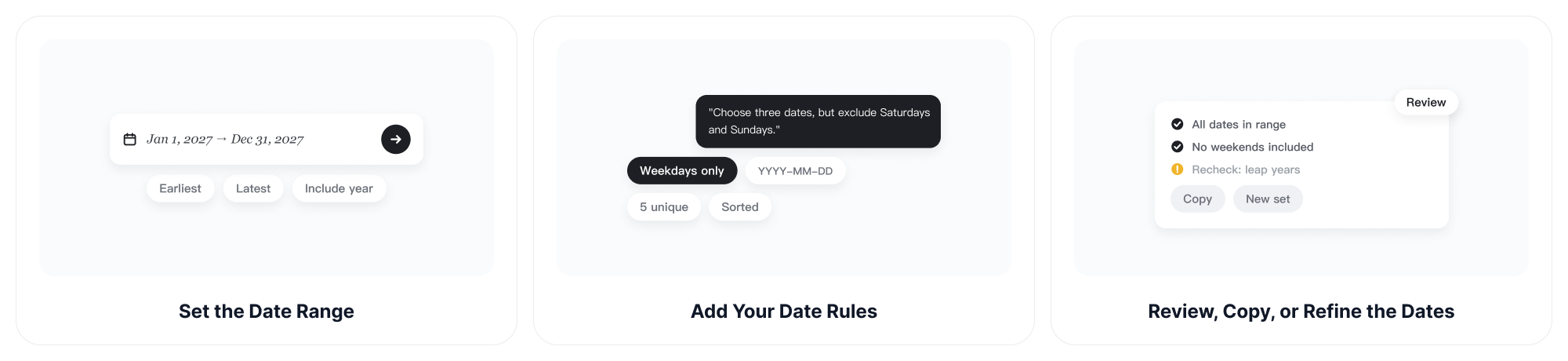
Step 1: Set the Date Range
Enter the earliest and latest dates that may be selected. Include the year whenever the range spans more than one year or could otherwise be unclear.
Example: "Pick a random date between January 1, 2027 and December 31, 2027."
Step 2: Add Your Date Rules
Tell ChatGOAT AI how many dates you need and whether results may repeat. You can also specify weekdays, months, output formats, chronological order, or dates that must be excluded.
Example prompts:
- "Generate five unique dates between March and June 2027."
- "Pick a random weekday next month."
- "Choose three dates, but exclude Saturdays and Sundays."
- "Generate ten dates in YYYY-MM-DD format."
- "Pick a random date from the first quarter of 2028."
- "Give me six dates in random order and then sort them chronologically."
Step 3: Review, Copy, or Refine the Dates
Check that every result falls within the requested range and follows your rules. Then copy the dates or ask ChatGOAT AI to change the format, remove duplicates, add weekdays, sort the list, or generate another set.
For important schedules, legal documents, bookings, or research, verify the dates and calendar rules before using the result.
What Can a Calendar Date Generator Create?
One Random Calendar Date
Generate a single date when you need a quick choice for a game, writing prompt, practice activity, hypothetical event, or planning exercise.
Example: September 18, 2027
Multiple Unique Dates
Request several dates and specify that every result must be different. Unique dates can be useful for sample schedules, classroom exercises, test records, content plans, or simulated events.
Dates within a Custom Range
Limit the selection to a particular week, month, quarter, year, or multi-year period. A clear start date and end date reduce ambiguity and make the result easier to verify.
Dates in Different Formats
Ask ChatGOAT AI to display dates in the format required by your project.
- Month Day, Year: April 9, 2028
- MM/DD/YYYY: 04/09/2028
- DD/MM/YYYY: 09/04/2028
- ISO format: 2028-04-09
Date formats vary by country and system. Use the month name or ISO format when a numeric date could be misunderstood.
Weekdays or Selected Days of the Week
Request weekdays only or limit the pool to particular days, such as Mondays and Wednesdays. You can also exclude weekends when creating practice schedules or business-date examples.
This does not automatically account for public holidays, company closures, or local working calendars unless you provide and verify those rules.
Random Months or Years
Use a broad date range when you want to select a random month or year. After receiving a date, extract the month or year from the result, or ask ChatGOAT AI to return only that part.
Birthday and Age-Range Examples
Generate sample birth dates for fictional characters, classroom exercises, software testing, or anonymized demonstrations. Avoid using generated dates as the real personal information of an individual.
Test Data for Forms and Databases
Create sample dates for date pickers, registration forms, booking systems, spreadsheets, databases, validation rules, and date-format testing.
When you need to organize a longer set of generated dates, the AI spreadsheet generator can help place them into columns, sort them, and add related fields.
Event and Content Planning Ideas
Pick a starting date for a fictional project, classroom activity, content challenge, or hypothetical event. For a complete weekly or monthly plan, the AI schedule maker can help turn selected dates into a structured schedule.
Writing, Games, and Simulations
Choose dates for story timelines, roleplay events, historical-style prompts, game scenarios, mock records, or basic simulations. Add a time period or theme when the date needs to fit a particular setting.
Why Choose ChatGOAT AI’s Random Date Generator?
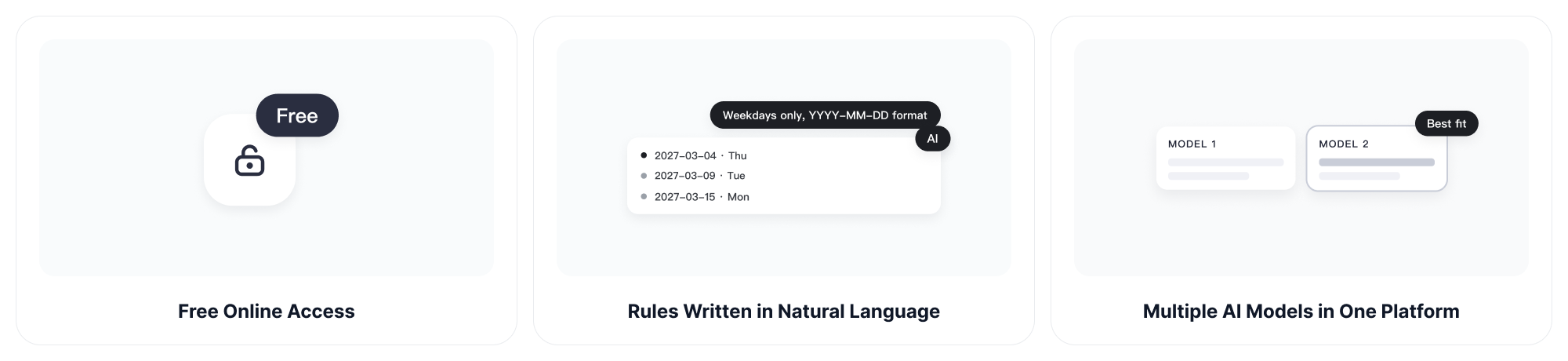
Free Online Access
Use the random date generator online for everyday planning, testing, learning, or creative tasks. You can get started without installing separate software or creating an account first.
Rules Written in Natural Language
Describe the date range and restrictions as a normal request instead of configuring a complicated form. Ask for weekdays only, several unique dates, a specific output format, or a custom exclusion list.
Multiple AI Models in One Platform
ChatGOAT AI provides access to multiple AI models in one place. For quick date lists and lightweight formatting requests, GPT-5.6 Luna can help generate and reorganize results through a conversational interface.
Interactive Refinement
Continue from the same result instead of restarting the task. Ask ChatGOAT AI to sort the dates, change the format, add weekdays, remove duplicates, narrow the range, or explain why a date does not meet a rule.
More Planning and Productivity Tools
Move from date generation to schedule creation, spreadsheet organization, writing, study, and other everyday tasks without switching between unrelated platforms.
Who Can Use a Random Date Picker?
Students
Generate dates for calendar exercises, probability discussions, timeline practice, data-entry activities, or classroom games.
Teachers
Create randomized questions, assignment scenarios, practice records, or different calendar dates for individual students and groups.
Developers and QA Testers
Produce sample dates for date fields, calendars, booking interfaces, validation rules, databases, edge-case testing, and localization checks.
Data Analysts and Researchers
Create example date columns for demonstrations, workflow tests, and simulations. Use an approved sampling method when statistical validity matters.
Event and Content Planners
Select provisional dates for brainstorming, mock calendars, content challenges, or planning exercises before checking availability and real-world constraints.
Writers and Game Designers
Pick dates for fictional events, character histories, story timelines, campaigns, puzzles, and roleplay scenarios.
Office and Operations Teams
Generate sample dates for templates, training materials, spreadsheet demonstrations, and hypothetical schedules. Verify every date before using it in a real workflow.
Random Date Generator FAQs
How Does a Random Date Generator Work?
A random date generator selects a date from the period between a start date and an end date. With ChatGOAT AI, you can also describe the number of results, allowed weekdays, exclusions, uniqueness, sorting, and output format.
Can I Pick a Random Date between Two Dates?
Yes. Provide the start date and end date, then ask ChatGOAT AI to pick a random date from that range. Include the year to avoid ambiguity.
Can I Generate More Than One Random Date?
Yes. State how many dates you need. You can also request unique dates so that no result appears more than once.
Can I Exclude Weekends?
Yes. Ask for weekdays only or specifically exclude Saturdays and Sundays. Check whether public holidays or local non-working days also need to be removed.
Can I Select Only Certain Weekdays?
Yes. Define the eligible days, such as Mondays, Wednesdays, and Fridays, together with the required date range.
Can I Choose a Random Date in the Past or Future?
Yes. Provide any valid past or future range appropriate for your task. Confirm that your applications, databases, or calendars support the selected years.
Can the Generator Use Different Date Formats?
Yes. Request a format such as Month Day, Year; MM/DD/YYYY; DD/MM/YYYY; or YYYY-MM-DD. ISO format is often clearer for international data.
Can I Generate a Random Birthday?
Yes, for fictional characters, software tests, or sample records. Do not use a generated birthday as the real personal information of another person.
Can I Generate Dates without Duplicates?
Yes. Ask for unique dates with no duplicates. The requested range must contain enough eligible dates to produce the number you need.
Can I Sort Generated Dates Chronologically?
Yes. Ask ChatGOAT AI to return dates from earliest to latest or latest to earliest. You can also request the original random order first and a sorted version afterward.
Is a Calendar Date Generator the Same as a Random Date Picker?
They usually serve the same search intent. A random date generator, calendar date generator, and random date picker all help select one or more dates from a defined period.
Is a Random Date Generator Suitable for Legal Deadlines?
No. Legal, contractual, tax, medical, and regulatory deadlines should be calculated and verified using authoritative rules and professional guidance.
Is the Random Date Generator Free?
Yes. ChatGOAT AI offers free online access to get started with random date generation and related AI tasks.