


IEEE Citation Generator
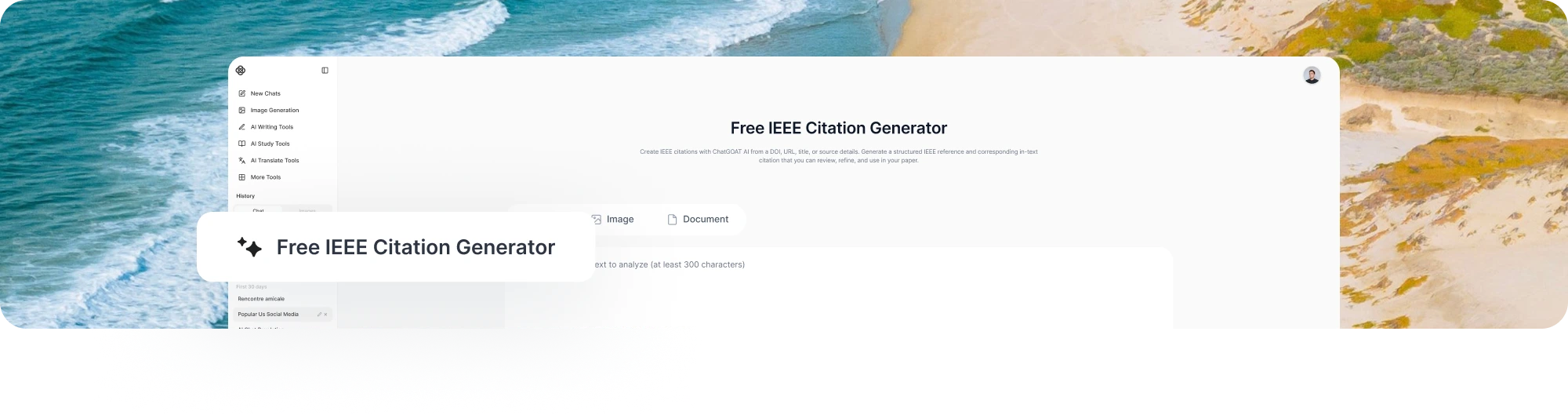
Create IEEE citations with ChatGOAT AI from a DOI, URL, title, or source details. Generate a structured IEEE reference and corresponding in-text citation that you can review, refine, and use in your paper.
Turn Your Source Information into an IEEE Citation
Formatting an IEEE reference manually can be time-consuming. Depending on the source, you may need to check author names, publication details, volume and issue numbers, page ranges, DOI, URL, access date, and other information.
ChatGOAT AI helps organize the information you provide into the appropriate IEEE citation format. You can start with a DOI, URL, article title, book information, or the bibliographic details you already have.
You can also ask ChatGOAT AI to explain the formatting, check individual fields, identify missing information, or create the matching in-text citation.
What Can You Do with an IEEE Citation Generator?
IEEE citation is built around numbered references, with sources cited in the order they first appear in your paper. ChatGOAT AI can help you create and organize different parts of an IEEE citation.
Create IEEE In-Text Citations
Generate numbered citations such as [1] and [2] for use within your paper. When you cite the same source again, keep its original reference number.
Generate IEEE References
Use ChatGOAT AI as an IEEE reference generator to turn source details into structured reference entries for journal articles, conference papers, books, websites, and other source types.
Organize a Numbered Reference List
Arrange your references according to the order in which they appear in your paper, rather than alphabetically by author.
Apply IEEE Citation Format
Format details such as author initials, source titles, publication information, volume, issue, pages, year, DOI, URL, and access date according to the requirements of the source type.
Check and Refine Citations
Review an existing citation, identify missing source information, or ask ChatGOAT AI to explain and adjust the formatting before you use it in your paper.
Looking for a different citation style? Explore more citation tools to format sources in other academic citation styles.
How to Create an IEEE Citation with ChatGOAT AI
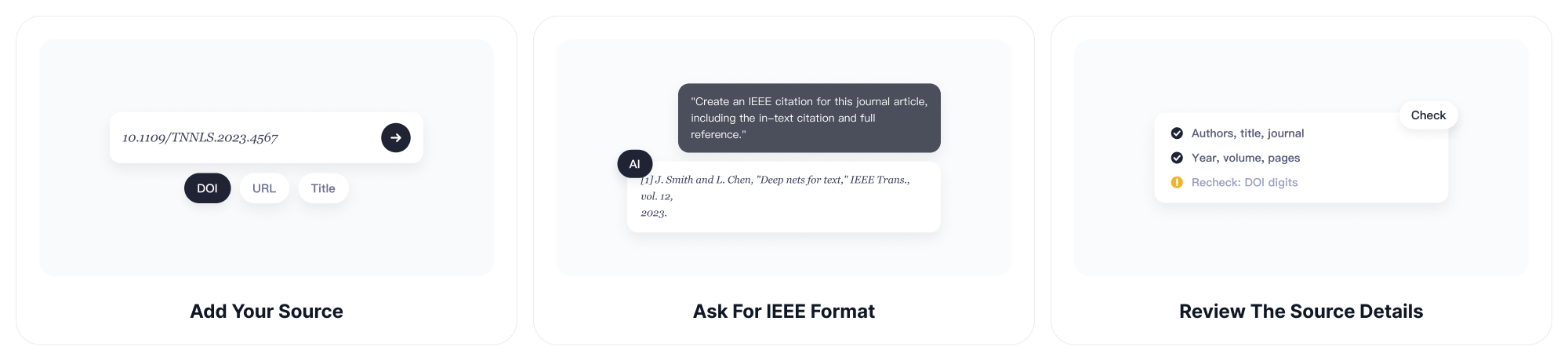
Step 1: Add Your Source
Provide a DOI, URL, title, or the bibliographic information you have.
Step 2: Ask for IEEE Format
Tell ChatGOAT AI to format the source as an IEEE citation and create the corresponding reference entry.
For example:
Create an IEEE citation for this journal article, including the in-text citation and full reference.
Step 3: Review the Source Details
Check the authors, title, publication, year, volume, issue, pages, DOI, URL, and other details against the original source.
Step 4: Refine the Citation
Ask ChatGOAT AI to add missing information, correct formatting, convert an existing citation, or explain any changes.
Step 5: Add It to Your Paper
Use the numbered in-text citation in your writing and add the corresponding reference to your IEEE bibliography in the order the sources first appear.
Cite Different Types of Sources
IEEE citations are structured differently depending on the type of source. ChatGOAT AI can help format common academic, technical, and online sources based on the information available.
Journal Articles
Format journal articles with details such as authors, article title, journal name, volume, issue, page range, publication date, and DOI when available.
Conference Papers
Create references for papers published in conference proceedings, including the authors, paper title, conference name, location, date, and relevant publication details.
Books
Format books using the author, book title, edition when applicable, publisher, publication location, and year.
Book Chapters
Cite a chapter within an edited or published book by including the chapter author and title along with the relevant book and publication details.
Websites
Format online sources using details such as the author or organization, page title, website name, publication or update date, access date, and URL when applicable.
Technical and Other Sources
ChatGOAT AI can also help structure citations for technical reports, standards, patents, preprints, and other specialized sources using the information needed to identify each work accurately.
Because the required details vary by source type, review the original source and your institution's citation requirements before finalizing your IEEE references.
Example: Generate an IEEE Citation from a Journal Article
Source Information
Deep learning
Y. LeCun, Y. Bengio, and G. Hinton
Nature, vol. 521, no. 7553, pp. 436–444, 2015
DOI: 10.1038/nature14539
ChatGOAT AI IEEE Citation
Reference
[1] Y. LeCun, Y. Bengio, and G. Hinton, “Deep learning,” Nature, vol. 521, no. 7553, pp. 436–444, 2015, doi: 10.1038/nature14539.
IEEE In-Text Citation
[1]
This example demonstrates the basic IEEE citation format: the source is assigned a number, the full reference appears in the numbered reference list, and the same number is used as the in-text citation. Always check the generated details against the original publication and the requirements for your assignment or publication.
Check and Refine Your Citation
An IEEE citation generator can save time, but generated references should still be checked against the original source. Missing, outdated, or incorrect publication details can affect the accuracy of your final citation.
With ChatGOAT AI, you can review and refine a citation through follow-up prompts.
Check the Author Format
Check whether these author names are formatted correctly for IEEE style.
Identify Missing Details
What information is missing from this IEEE journal citation?
Add or Verify a DOI
Check whether a DOI is included in the source information and add it to this IEEE reference if appropriate.
Convert Another Citation Style
Convert this APA reference to IEEE format.
Review the Formatting
Check this citation for IEEE formatting errors and explain what needs to be changed.
You can use ChatGOAT AI to review an existing reference, correct specific details, and refine the formatting instead of relying on a one-click citation result.
Why Use ChatGOAT AI as Your IEEE Citation Generator?
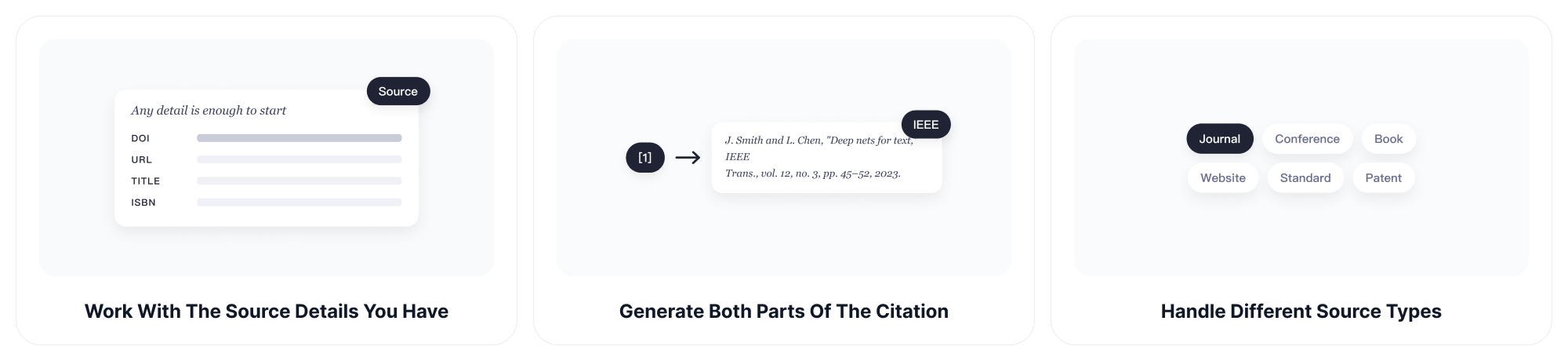
Work with the Source Details You Have
Provide a DOI, URL, title, ISBN, or available bibliographic information and ask ChatGOAT AI to structure the source in IEEE style.
Generate Both Parts of the Citation
Use ChatGOAT AI as an IEEE citation maker to create the numbered in-text citation and corresponding reference entry together, helping keep the two parts consistent.
Handle Different Source Types
Format citations for journal articles, conference papers, books, websites, technical reports, standards, patents, and other academic or technical sources.
Understand How IEEE Works
Ask ChatGOAT AI why a citation is formatted a certain way, how IEEE numbering works, or which source details may be required.
Review and Refine Your References
Correct metadata, add missing details, convert citations from another style, or check an existing reference for potential IEEE formatting issues.
Support the Rest of Your Research Workflow
Citation formatting is only one part of academic research. You can also use ChatGOAT AI to organize your research materials and generate a structured report with the report generator when you need to turn your findings into a longer document.
Make IEEE Referencing Easier
Managing citations for a large research project can be time-consuming. You may need to keep track of reference numbers while checking authors, publication details, page ranges, DOI information, and other source-specific requirements.
ChatGOAT AI helps you structure and review IEEE citations while you work. Provide the source information, check the generated reference, and refine it through follow-up questions instead of formatting every citation manually.
For larger research projects, you can also use ChatGOAT AI to summarize, compare, and organize the research behind your citations. Use the AI schedule maker to plan research sessions, reading tasks, and deadlines when you need to manage a longer academic project.
FAQ
1. What is an IEEE citation?
An IEEE citation is a numbered citation style commonly used in engineering, computer science, electronics, and other technical fields. Sources are cited with numbers in square brackets, such as [1], which correspond to entries in a numbered reference list.
2. What is an IEEE citation generator?
An IEEE citation generator is a tool that helps format source information according to IEEE citation conventions. Depending on the tool, you may be able to provide a DOI, URL, title, ISBN, or other bibliographic details.
3. How does an IEEE citation generator work?
Provide the source information you have and ask the generator to format it in IEEE style. You can then review the authors, publication details, DOI, URL, and other fields against the original source.
4. How to Cite in IEEE?
To cite a source in IEEE, assign it a number based on where it first appears in your paper and place that number in square brackets, such as [1]. Use the same number for later citations of the same source, with the full reference included in the numbered reference list.
5. How do IEEE in-text citations work?
IEEE in-text citations use numbers in square brackets, such as [1] or [2]. A source receives a number when it is first cited, and that same number is used whenever you cite the source again.
6. How is an IEEE reference list organized?
IEEE references are numbered according to the order in which sources first appear in the paper. Unlike styles that use alphabetical order, an IEEE reference list is not arranged alphabetically by author.
7. What is the difference between an IEEE citation and an IEEE reference?
An IEEE in-text citation is the numbered marker that appears in your paper, such as [1]. An IEEE reference is the full bibliographic entry in the reference list. The number connects the in-text citation to its corresponding reference.