


Fantasy Story Generator
Turn a simple premise or a detailed fantasy setting into story prose with scenes, character actions, and dialogue. Generate a complete short story or request a specific chapter while keeping control of the world, magic, conflict, point of view, and ending.
What Is a Fantasy Story Generator?
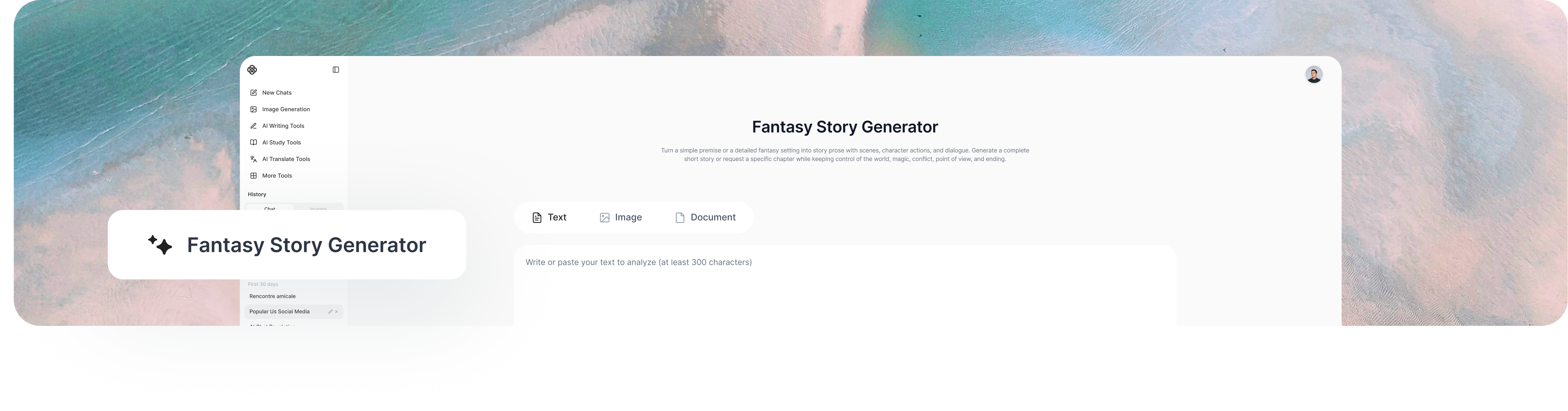
Give a fantasy story generator a hero, a world, or a single strange idea, and it writes the story out in full: scenes, dialogue, and magic with real consequences. You can ask for one chapter or a complete short story, set how the magic works, and choose the tone. With ChatGOAT AI, you can also rework any scene while keeping the rest of the draft intact.
How to Use ChatGOAT AI's Fantasy Story Generator
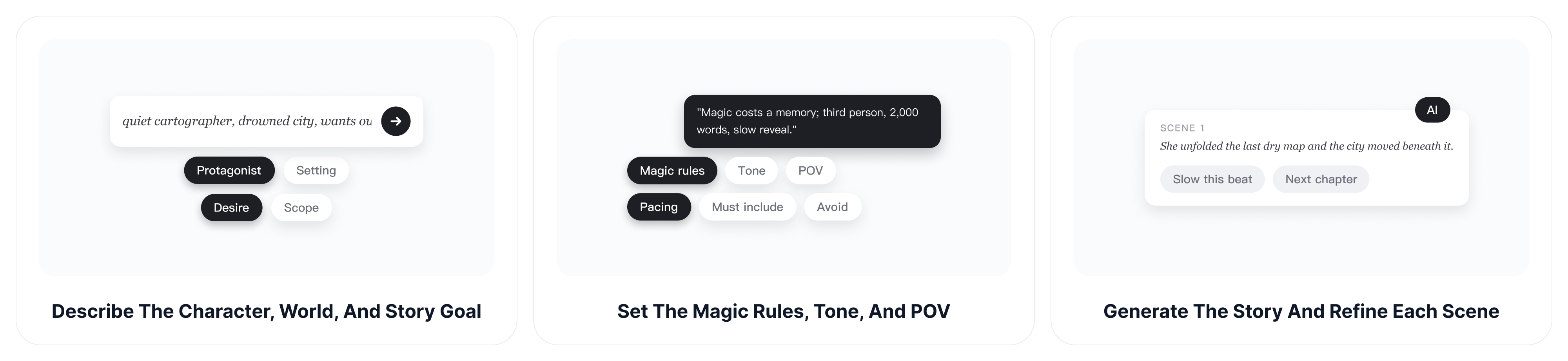
Start with only the details you already know. A short premise can produce a first draft, while a fuller brief gives you tighter control over the characters, world, and direction of the story.
Step 1: Describe the Character, World, and Story Goal
Name the protagonist, setting, central desire, and problem that should drive the story. State whether you want a complete short story, an opening scene, or one chapter of a longer novel so the output matches the scope you need.
Step 2: Set the Magic Rules, Tone, and Point of View
Add the rules that must remain consistent: where magic comes from, what it costs, who can use it, and what happens when it fails. Then choose a subgenre, tone, first- or third-person narration, approximate length, pacing, and any events the story must include or avoid.
Step 3: Generate the Story and Refine Each Scene
Read the result as narrative, not just as an idea list. Ask ChatGOAT AI to slow down a turning point, add character action between lines, rewrite an inconsistent choice, strengthen the ending, or continue into the next chapter while preserving established facts.
Write Full Fantasy Stories, Not Just Plot Ideas
A useful fantasy story generator should move beyond a premise or beat sheet. It should turn your instructions into readable scenes in which characters make decisions, magic changes what is possible, conflict develops, and dialogue carries the story forward.
Turn a Simple Premise into a Complete Narrative
Begin with one unusual situation and let the generator supply a beginning, development, central conflict, climax, and resolution. You can specify the ending in advance or leave it open when you want the first draft to surprise you.
Example prompt: "Write a tense fantasy story about a royal cartographer who discovers that her map redraws itself whenever someone lies." A representative opening could begin: "The western road moved again," Mara said. Ink crept across the parchment toward the king's sealed chamber, and every adviser around the table stopped breathing.
Make Magic Affect the Character and Conflict
Treat magic as part of the cause-and-effect chain rather than decoration. A cost, limit, or consequence gives each spell weight and helps prevent easy solutions from weakening the conflict.
Example prompt: "In this world, every spell erases one memory. Write the moment an apprentice must choose whether to protect the city gate." The scene might continue: Taren raised the blue flame, and his sister's face vanished from his mind before the creature reached the wall. He still knew he had promised someone he would return; he no longer knew whom.
Generate a Chapter from Existing Story Details
When the world and characters already exist, provide a compact recap, the chapter objective, the desired emotional turn, and the point where the chapter should end. This gives the AI enough direction to write a scene without resetting the entire novel.
Example prompt: "Write the chapter where an exiled witch returns to a floating city to steal its storm engine. Use first person, keep the pace tense, and end with a betrayal." The chapter could open: I entered Veyra beneath a borrowed name and a sky full of chained lightning. "You're late," my oldest friend whispered, then handed my wanted poster to the guards.
Write Dialogue That Changes the Scene
Give each character a goal, a reason to conceal information, and a distinct way of speaking. If an important exchange needs more alternatives, the AI dialogue generator can help you compare lines before folding the strongest version back into the chapter.
Build a Fantasy Novel Plot into Scenes and Chapters
A fantasy novel plot generator can provide the backbone of a longer narrative, but the draft still needs scene-level progression. Use each major beat as a destination, then generate the decisions, obstacles, discoveries, and consequences that make the route toward it feel earned.
Move from an Opening Disruption to Escalating Conflict
Identify what breaks the protagonist's normal life, what they decide to do about it, and why turning back becomes harder after each step. Ask for setbacks that change the plan instead of repeating the same danger at a larger scale.
Balance Worldbuilding with Character Action
Reveal the world when a character needs to use, question, fear, or break one of its rules. This keeps history, factions, creatures, and geography connected to what is happening now instead of pausing the story for an encyclopedia entry.
Plan the Climax and Resolution before Expanding Every Chapter
Decide what final choice proves the protagonist has changed and what consequence follows that choice. A clear destination helps earlier chapters plant the right promises, sacrifices, rivalries, and unresolved questions.
Review Continuity before Continuing the Draft
Keep a short record of names, relationships, locations, magic costs, injuries, objects, and unresolved plot threads. When a draft already exists, the AI story continuer can help move into the next scene while using the supplied text as context for tone and established events.
Use a Fantasy Story Generator for Different Creative Projects
The same workflow can produce a finished short story, a chapter draft, a campaign scene, or a writing exercise. Change the scope and format rather than forcing every idea into the same type of output.
Draft Short Stories and Fantasy Novels
Generate a self-contained tale with a resolved conflict, or develop a longer manuscript one chapter at a time. Novel writers can supply summaries of earlier chapters and future milestones to keep each new scene connected to the larger arc.
Create Scenes for Roleplaying Games
Turn a location, faction conflict, or player decision into narrated setup, NPC actions, and dialogue. Keep multiple possible outcomes when the next event depends on what players choose rather than on a fixed ending.
Explore a Story Idea Generator Fantasy Prompt
If you searched for a story idea generator fantasy tool, you can still begin with a loose premise. Instead of stopping at a list of ideas, ask ChatGOAT AI to select one direction and write the scene in full so you can judge the voice, tension, and character behavior on the page.
Practice Specific Storytelling Skills
Use a focused request to practice an argument scene, a reveal, a chase, an unreliable narrator, or a quiet ending. Comparing several versions can help you notice how pacing, point of view, sensory detail, and withheld information change the effect of the same event.
Why Choose ChatGOAT AI's Fantasy Story Generator?
ChatGOAT AI gives fantasy writers room to begin quickly, develop the world around the draft, and reshape scenes as the story evolves. Its brand-level flexibility supports the creative process, while its writing controls help the generated prose stay closer to your intended narrative.
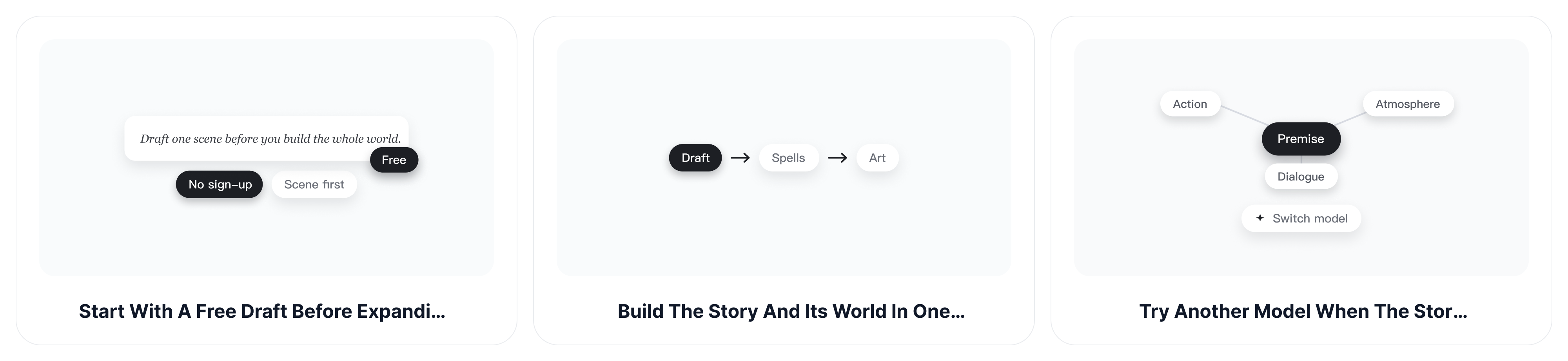
Start with a Free Draft before Expanding the Story
You do not need a complete world bible before testing an idea. Free access and no sign-up let you generate an opening or short scene first, decide whether the premise works in prose, and add deeper character or world details only when they improve the next draft.
Build the Story and Its Supporting World in One Place
Writing, revision, analysis, image creation, and other creative tools are available within ChatGOAT AI. If a scene depends on more convincing magical language or limitations, the AI spell generator can help develop names, effects, costs, and lore before those details are worked back into the story.
Try Another Model When the Story Takes the Wrong Direction
One model may favor fast action while another gives more attention to atmosphere, motivation, or dialogue. Because ChatGOAT AI provides access to multiple AI models, you can compare a different interpretation when a chapter feels predictable without rebuilding the premise from the beginning.
Revise Specific Story Problems without Rewriting Everything
Feedback can stay tied to the actual draft: preserve the opening, delay the reveal, make the magic cost matter, restore a character's motive, or replace only the final exchange. This conversational process lets you keep strong passages while correcting the scene that moved away from your plan.
Fantasy Story Generator FAQs
Find quick answers about generating complete fantasy prose, controlling story details, writing chapters, and revising the result.
Does the fantasy story generator write a full story or only a plot?
It can write complete narrative prose with scenes, actions, description, and dialogue. State the desired scope clearly: a full short story, an opening, a single scene, or one chapter of a longer novel.
Can I generate one chapter instead of an entire story?
Yes. Provide a recap of what has already happened, the characters present, the chapter objective, the required turning point, and where the chapter should end. This keeps the request focused without retelling the whole book.
What details should I include in a fantasy story prompt?
Include the protagonist, setting, central desire, main obstacle, magic rules, tone, point of view, approximate length, and any required or forbidden events. You can omit details when you want the generator to make creative choices.
Can ChatGOAT AI follow a custom magic system?
Yes. Explain the source, users, limits, costs, and consequences of magic, then point out any rule the draft breaks. Clear constraints help the story use magic as part of the conflict instead of as an unlimited shortcut.
Can the generator include character action and dialogue?
Yes. Ask for scene-based prose and specify what each character wants from the encounter. You can also request more action between lines, stronger subtext, distinct voices, or fewer explanatory passages after reviewing the first draft.
Can I continue an existing fantasy draft?
Yes. Paste the most relevant passage or provide a concise recap, then explain what should happen next and what must remain consistent. Include character motives, unresolved clues, injuries, objects, and world rules that affect the new scene.
Which fantasy subgenres can I write?
You can request epic fantasy, urban fantasy, dark fantasy, cozy fantasy, sword and sorcery, portal fantasy, fairy-tale retellings, myth-inspired fiction, or a hybrid. Add tone and scale because two stories in the same subgenre can still feel very different.
How do I keep a longer AI-generated story consistent?
Maintain a compact story bible and update it after each chapter. Before generating the next section, provide the relevant facts and ask the AI to check names, chronology, magic rules, character knowledge, and unresolved plot threads.
Can I start with only one story idea?
Yes. A single character, image, conflict, or magical rule can be enough for a first draft. If the output is too broad, add the intended ending, point of view, scene goal, or emotional change rather than rewriting the entire prompt.