


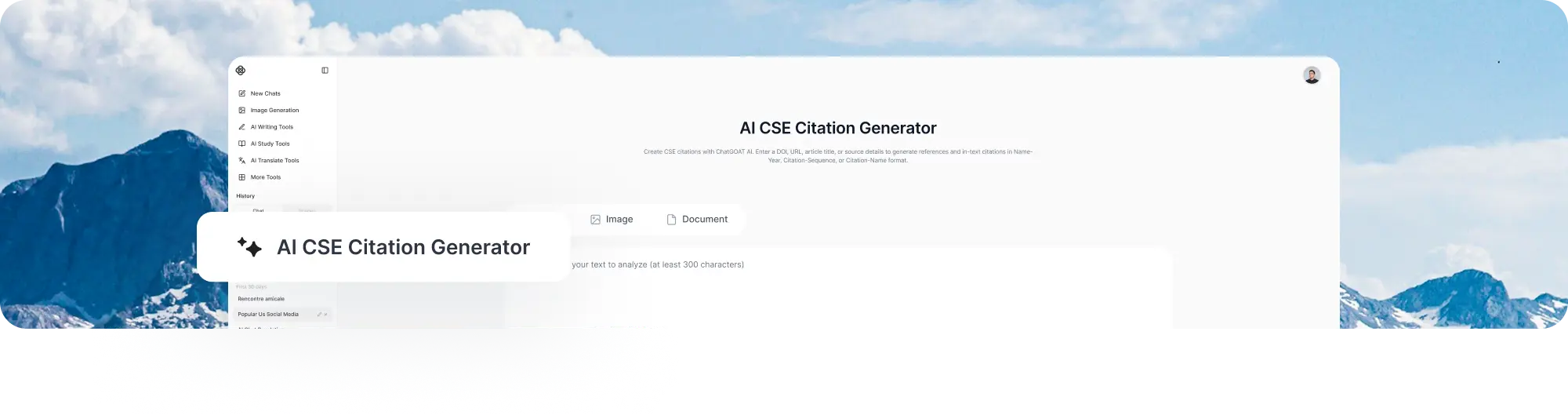
AI CSE Citation Generator
Create CSE citations with ChatGOAT AI. Enter a DOI, URL, article title, or source details to generate references and in-text citations in Name-Year, Citation-Sequence, or Citation-Name format.
Create CSE Citations Without Formatting Everything Manually
Creating scientific references can be time-consuming, especially when source information is incomplete.
ChatGOAT AI's CSE Citation Generator lets you start with a DOI, URL, title, or partial source information and turn it into a structured CSE citation without manually formatting every detail.
CSE style uses three documentation systems: Name-Year, Citation-Sequence, and Citation-Name. ChatGOAT AI helps you generate and review citations based on the system required for your course, journal, or institution.
Whether you are writing a biology paper, ecology assignment, research report, thesis, or scientific manuscript, ChatGOAT AI makes CSE citation formatting easier.
What ChatGOAT AI's CSE Citation Generator Can Do
CSE citation is not just about formatting a reference. The documentation system you choose affects both your in-text citations and reference list. As a CSE style citation generator, ChatGOAT AI helps you format references and in-text citations according to the documentation system required for your work.
Choose the CSE System That Fits Your Requirements
CSE supports three documentation systems:
- Name-Year: Uses the author name and publication year in the text.
- Citation-Sequence: Numbers sources according to their first appearance.
- Citation-Name: Numbers sources based on an alphabetically ordered reference list.
Choose the system specified by your instructor, journal, or institution before generating your citations.
Generate the Matching In-Text Citation
The same source can look different depending on the CSE system you use. ChatGOAT AI helps generate the corresponding CSE in-text citation along with the reference entry, so you do not have to adapt each citation manually.
Work with Different Scientific Sources
Create CSE-style references for journal articles, books, websites, reports, theses, dissertations, and other scientific sources. The required information can vary by source type, so review the result against the original source.
Review and Refine Existing Citations
Already have a reference? Paste it into ChatGOAT AI's CSE citation tool to review missing or inconsistent details and refine the formatting before adding it to your paper.
When developing the paper itself, you can also use our AI academic writer to develop and refine your academic content.
Example: Create a CSE Citation from a Journal Article
See how ChatGOAT AI turns a single DOI into a CSE reference and formats the in-text citation according to your selected documentation system.
Input
DOI: 10.1038/s43588-024-00634-2
Source Type: Journal Article
CSE System: Name-Year
Generated CSE Reference
Wang L, Ma R, Liu C. 2024. A taxonomy and survey of retrieval-augmented generation. Nature Computational Science. 4:314–327. DOI: 10.1038/s43588-024-00634-2.
In-Text Citation
(Wang et al. 2024)
The Same Source in Different CSE Systems
The source stays the same, but its in-text citation and reference-list position change depending on the CSE documentation system.
In-text citation: (1)
Reference:
- Wang L, Ma R, Liu C. A taxonomy and survey of retrieval-augmented generation. Nature Computational Science. 2024;4:314–327. DOI: 10.1038/s43588-024-00634-2.
The source information stays the same, but the citation format changes with the selected CSE system. Name-Year uses author and year, while Citation-Sequence uses numbered references in order of appearance.
ChatGOAT AI helps you choose the CSE documentation system required for your work, generate the corresponding citation, and review the result before submission.
How to Use ChatGOAT AI's CSE Citation Generator

Step 1: Add Your Source
Enter a DOI, URL, article title, ISBN, or other source information.
You can also provide publication details manually if you already have them.
Step 2: Select the CSE System
Choose the documentation system required by your instructor, journal, or institution:
Name-Year, Citation-Sequence, or Citation-Name.
Step 3: Generate and Refine
Generate your CSE reference and corresponding in-text citation, then review the source details and make any necessary adjustments.
Why Choose ChatGOAT AI's CSE Citation Generator?

CSE references are not one-size-fits-all. Once you know which documentation system your course or publication requires, ChatGOAT AI helps you apply that choice consistently across your references and in-text citations.
Work with the CSE System Required by Your Assignment
Instead of manually adapting references between Name-Year, Citation-Sequence, and Citation-Name, you can work from the documentation system specified by your instructor or target journal.
This is especially useful when switching between numbered and author-year citation formats during different stages of academic writing.
Keep Your Citation Structure Consistent
With CSE, changing the documentation system can affect both your CSE in-text citation and the order of your reference list. Keeping those two parts aligned becomes especially important when a paper contains many sources.
ChatGOAT AI helps keep these elements aligned as you build and revise your reference list.
Handle Sources Across Scientific Research
Scientific papers often draw on journal articles, reports, books, websites, and other research materials. You may begin with a DOI or partial source information and add details later as you verify each reference. ChatGOAT AI helps you turn those details into structured CSE references without rebuilding the citation from scratch.
Review Before You Submit
CSE references should still be checked against the original source and the requirements of your course or publication.
Review author names, journal details, dates, page ranges, source-specific information, and the selected documentation system before submission.
For the writing itself, you can also use our free AI humanizer to refine your draft or our AI essay grader to review your academic writing.
Use Cases
Biology and Life Sciences
Prepare CSE references for research in biology, genetics, zoology, botany, and related life sciences.
Ecology and Environmental Science
Organize sources for research on ecosystems, biodiversity, conservation, climate, and environmental studies.
Scientific Literature Reviews
Keep references consistent while comparing studies and building evidence across a research topic.
Laboratory and Research Reports
Format sources supporting experimental methods, background research, findings, and discussion.
Theses and Dissertations
Manage CSE references across literature reviews, research chapters, and large bibliographies.
FAQ
1. What is a CSE citation generator?
A CSE citation generator is a tool that formats references and in-text citations according to Council of Science Editors (CSE) style. It organizes source details into a structured citation for academic and scientific writing.
2. What is the difference between a CSE citation maker and a CSE citation generator?
A CSE citation maker and CSE citation generator generally refer to tools that create references in CSE style. The important difference is usually the features offered by the tool, such as support for different CSE documentation systems, source types, and in-text citations.
3. What are the three CSE documentation systems?
CSE offers three documentation systems: Name-Year, Citation-Sequence, and Citation-Name. They differ in how sources appear in the text and how the reference list is organized.
4. How do I know which CSE system to use?
Follow the requirements of your instructor, institution, or target journal. If no system is specified, check the relevant CSE or publication guidelines before preparing your references.
5. Can I create a CSE reference from a DOI?
Yes. A DOI can provide a useful starting point for citing a journal article. You can also use a URL, article title, ISBN, or other available publication information.
6. Can I create a CSE citation from a URL?
Yes. A URL can be used to cite webpages and other online sources. Depending on the source, you may also need details such as the author, page title, publication date, or access information.
7. What sources can I cite in CSE style?
CSE can be used for journal articles, books, book chapters, websites, reports, theses, dissertations, and other scientific sources. The required information depends on the source type.
8. Does CSE use in-text citations?
Yes. The format depends on the documentation system. Name-Year uses the author and year, while Citation-Sequence and Citation-Name use numbered citations.
9. What is a CSE reference generator?
A CSE reference generator is a tool that formats source information into references that follow Council of Science Editors guidelines. Depending on the tool, it may also generate the corresponding in-text citation and support different CSE documentation systems.
10. Is ChatGOAT AI's CSE Citation Generator free?
Yes. You can use ChatGOAT AI without signing up. Free daily usage is available, while creating an account provides access to additional features.