


AI Story Continuer
Paste your unfinished story into ChatGOAT AI and tell it where you're stuck. The AI story continuer reads what you've already written and helps move the plot forward while keeping your characters, setting, tone, and existing story in mind.
What Is an AI Story Continuer?
.webp)
An AI story continuer helps you pick up an unfinished story from where you stopped.
Instead of starting a completely new story, it uses the text you provide as context. That might include your characters, what has already happened, where the scene takes place, the mood, and clues you've planted earlier.
For example, you could paste the end of a mystery chapter:
Maya found the missing photograph inside her father's desk. On the back, someone had written tomorrow's date.
Then ask:
"Continue the story without revealing who wrote the date yet. Keep the scene tense and in third person."
ChatGOAT AI can take that direction and write what comes next.
You can provide a few sentences or more of your existing draft. The clearer the context, the easier it is for the AI to understand where your story is going.
How to Use ChatGOAT AI Story Continuer
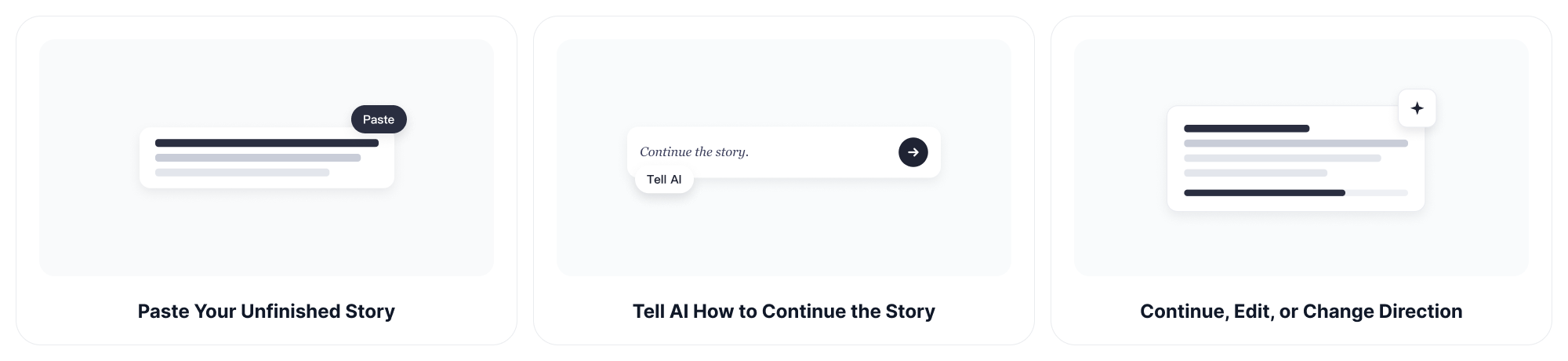
Step 1: Paste Your Unfinished Story
Start with the part you have already written.
It could be an opening paragraph, an unfinished scene, a conversation, or the end of your latest chapter.
Giving ChatGOAT AI enough context helps it understand who the characters are, what has happened, and what kind of story you are telling.
Step 2: Tell AI How to Continue the Story
You can simply say:
"Continue the story."
Or give ChatGOAT AI more direction.
For example:
"Continue this scene with a plot twist."
"Keep the same first person point of view."
"Make the next part more suspenseful."
"Continue the conversation without changing either character's personality."
"Move the characters toward the abandoned house, but don't reveal what is inside yet."
You can also mention the genre, tone, setting, important character details, or anything the continuation should avoid.
Step 3: Continue, Edit, or Change Direction
Read the continuation and decide whether it feels right.
You do not have to accept everything the AI writes.
Keep one paragraph and rewrite another. Ask for a slower scene. Change the dialogue. Remove a plot twist. Tell ChatGOAT AI that a character would never behave that way.
If you like the direction, ask it to continue writing the story again and move into the next scene.
What Can You Do with an AI Story Continuer?
Get Past Writer's Block
Sometimes the problem is not that you have no story. You just cannot see the next scene.
Paste the last part you wrote and ask ChatGOAT AI for a possible continuation.
You can use the result directly, rewrite it in your own words, or simply use it to get your brain moving again.
The goal does not have to be "let AI finish my story." Sometimes one unexpected sentence is enough to get you writing again.
Continue the Plot
You have introduced the characters. The conflict has started. Now what?
Tell ChatGOAT AI what has happened so far and ask it to move the plot toward your next important event.
If you already know where the story needs to go, include that too:
"Continue the story until Elena reaches the train station, but she should not meet Daniel yet."
This gives the continuation a destination without dictating every sentence along the way.
Explore Different Plot Directions
You do not have to commit to the first idea.
Ask for three possible ways the same scene could continue:
"Give me one realistic continuation, one darker version, and one unexpected plot twist."
You can compare them, combine parts from different versions, or reject all three and try something else.
Continue Character Dialogue
Dialogue can stall even when you know what the characters are arguing about.
Paste the conversation and explain what each person wants from the scene.
ChatGOAT AI can suggest what they say next while taking the existing exchange into account.
If a line feels wrong for the character, say so. You can ask for dialogue that is more awkward, restrained, angry, playful, romantic, or indirect.
Keep the Same Tone and Point of View
A continuation should feel connected to what came before it.
Tell ChatGOAT AI to preserve first or third person, keep a particular tone, or avoid suddenly changing the pace.
You can ask it to continue the story as a quiet romance, tense mystery, fast adventure, dark fantasy, humorous scene, or another style that fits your draft.
Develop Characters Through the Next Scene
Sometimes the next plot event is clear, but the character's reaction is not.
Ask:
"How would this character react after discovering her best friend lied to her?"
Then provide what ChatGOAT AI needs to know about the character.
This can help you explore reactions, decisions, conflicts, and dialogue without rewriting the character from scratch.
Continue Different Story Genres
The AI story continuer can work with fantasy, romance, mystery, horror, science fiction, adventure, fan fiction, and other types of creative writing.
Genre alone is not always enough, though.
"Romance" could be sweet and funny or slow and painful. "Fantasy" could mean cozy village magic or an empire collapsing under an ancient curse.
Add a little context about the kind of story you are actually writing.
Why Choose ChatGOAT AI Story Continuer?
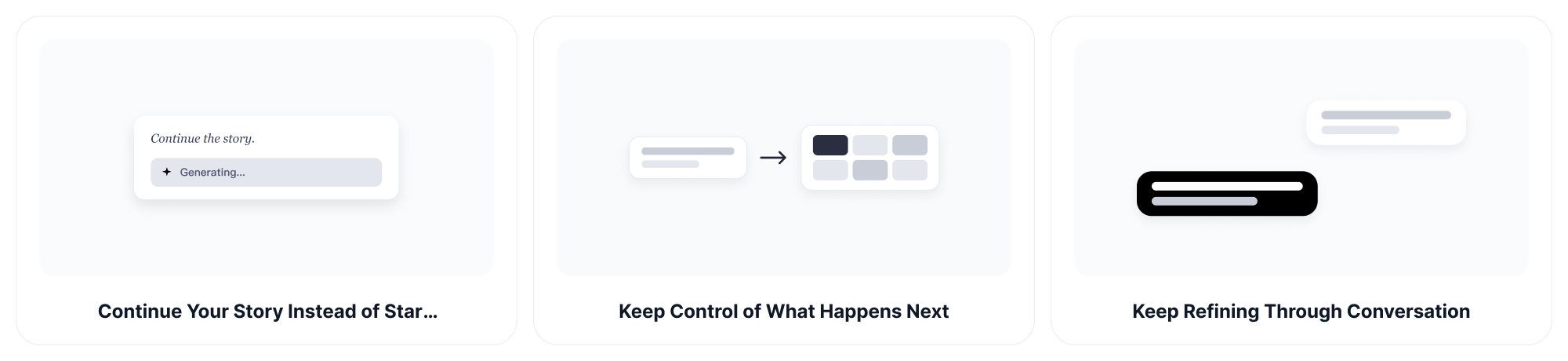
Continue Your Story Instead of Starting Over
You already did the hard part: you wrote something.
ChatGOAT AI works from your existing text so you do not have to turn an unfinished story into a brand new prompt every time you get stuck.
Paste what you have and pick up from there.
Give the AI the Context That Matters
Characters, setting, genre, tone, point of view, previous events, hidden motives, future plot points: include whichever details matter to your scene.
This becomes especially useful in mystery, fantasy, and longer stories where the next paragraph needs to respect information established earlier.
Keep Control of What Happens Next
AI suggestions are not decisions.
If ChatGOAT AI sends your character into the woods and you need them on a train, tell it.
If a plot twist arrives too early, remove it.
If the continuation is too dramatic, ask for something quieter.
You remain the person deciding where the story goes.
Try Different AI Models
Different stories sometimes benefit from different ways of thinking and writing.
ChatGOAT AI gives you access to multiple AI models in one platform, so you can experiment when one continuation is not giving you the direction you want.
For example, you can try GPT-5.6 Sol when you want another model to work through your plot, characters, and writing direction.
Keep Refining Through Conversation
A static generator gives you an answer. A conversation lets you react to it.
After ChatGOAT AI continues your story, tell it exactly what worked and what did not:
"Keep the first paragraph."
"Rewrite the dialogue."
"The villain shouldn't appear yet."
"Slow down this scene."
"Give me another ending."
That back and forth makes it easier to shape the continuation around your original idea instead of settling for the first generated result.
Use the Continuation as Inspiration
You do not have to copy AI generated prose into your draft.
Generate a continuation, read it, close it, and write your own version.
For writers who want to keep their personal voice, AI can be useful as a way to test possibilities rather than as the final author.
Who Can Use an AI Story Continuer?
Fiction Writers
Use ChatGOAT AI when a novel, novella, or short story stalls halfway through a scene.
You can explore what happens next without abandoning the characters and plot you have already built.
Fan Fiction Writers
Continue an unfinished chapter, explore an alternate scene, or test several directions for the next part of your fan fiction.
Give ChatGOAT AI enough information about the situation and character dynamics so the continuation has context to work from.
Students
Creative writing assignments become much harder when the opening is finished but the rest of the page is still empty.
Use the AI story continuer to brainstorm possible next events, dialogue, or endings, then develop the ideas into your own draft.
Roleplayers
Paste a scene or recap and explore how the narrative could move forward.
You can specify the setting, characters, current conflict, and tone so ChatGOAT AI has a clearer picture of the situation.
Screenwriters and Comic Creators
Story continuation is not limited to prose.
Use the tool to brainstorm what happens after a scene, develop character interactions, or test alternate plot directions before turning them into your preferred script or comic format.
If a scene gives you a strong visual idea, you can also explore the setting or character visually with the AI image generator.
Writers Who Are Just Stuck
You do not need to be writing a book.
Maybe you started a story at 1 a.m., wrote 600 words, went to sleep, and woke up with absolutely no idea what Past You was planning.
Paste it in.
Past You does not have to explain.
AI Story Continuer FAQ
What Is an AI Story Continuer?
An AI story continuer is a writing tool that uses an unfinished story as context and generates ideas or prose for what could happen next. It can help with plot development, scenes, dialogue, character reactions, and other parts of narrative writing.
How Do I Continue the Story with AI?
Paste the part of your story you have already written and tell ChatGOAT AI what you want to happen next.
You can simply ask it to continue, or specify details such as genre, tone, point of view, characters, setting, or a future plot event.
How Much of My Story Should I Provide?
Give the AI enough text to understand the current scene. If important information happened earlier, you can also briefly explain it in your instructions. Character relationships, hidden motives, previous events, and rules of your fictional world can all matter to the next scene.
Can AI Continue Writing the Story in the Same Style?
You can ask ChatGOAT AI to follow the tone, point of view, pacing, and general writing characteristics of the text you provide. If something in the generated continuation does not fit, point it out and ask for a revision rather than starting over.
Can I Choose What Happens Next?
Yes. Tell ChatGOAT AI about events that must happen, things that should not happen yet, characters who need to appear, or the direction you already have planned. You can make the instructions as loose or specific as your story needs.
Can I Generate Several Different Continuations?
Yes. Ask for multiple possible directions for the same scene. For example, you could request a dramatic version, a subtle version, and one with an unexpected twist, then choose or combine the ideas you prefer.
Can the AI Story Continuer Help with Dialogue?
Yes. Paste the existing conversation and explain the characters or situation if necessary. ChatGOAT AI can suggest how the dialogue might continue, and you can ask it to change the mood, pacing, subtext, or individual lines afterward.
What Genres Can I Continue?
You can use the AI story continuer for genres such as fantasy, romance, mystery, horror, science fiction, adventure, comedy, drama, and fan fiction. Providing genre and tone information helps ChatGOAT AI understand what kind of continuation you want.
Can I Use AI When I Only Need Ideas, Not Finished Writing?
Yes. Ask for plot options, character reactions, possible conflicts, scene ideas, or different ways the story could move forward. You can use those suggestions as brainstorming material and write the actual continuation yourself.
Can I Check Creative Writing after I Finish It?
Yes. If your story includes poetry, songs, prophecies, or verse, you can use the AI poem checker to review those sections for rhythm, tone, imagery, and poetic structure.