


AI Script Generator
Give ChatGOAT AI your context, source material, and desired outcome. The AI agent analyzes the task, considers the important constraints, plans the response, and executes an editable result you can improve through follow-up instructions.
What Is an AI Script Generator?
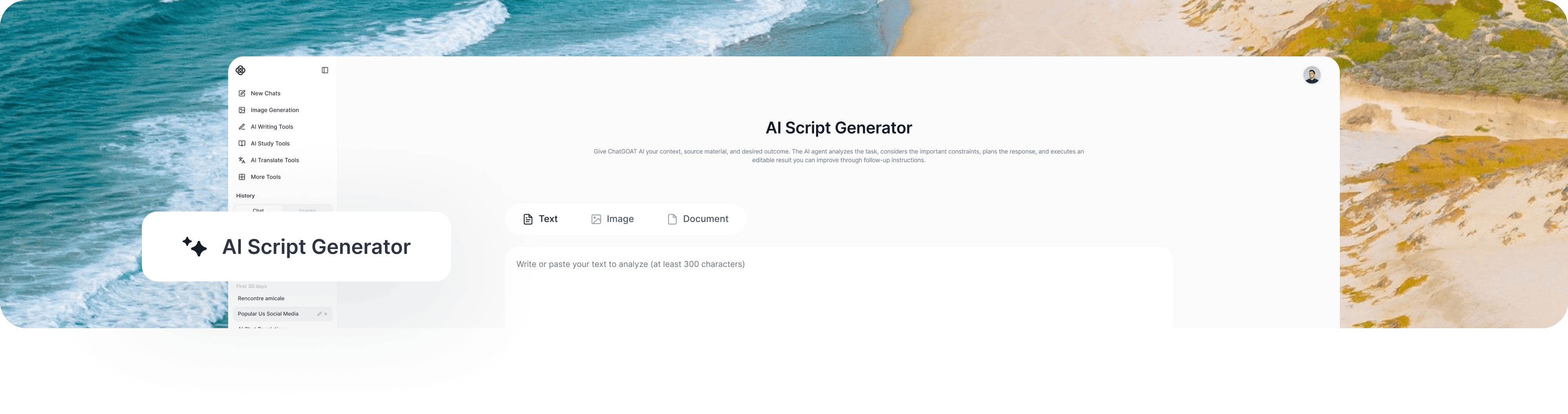
An AI script generator turns a concept, audience, format, and target length into a structured script draft. It can organize hooks, scenes, narration, dialogue, transitions, timing, and calls to action so creators can move from an idea to a production-ready outline and editable script.
With ChatGOAT AI, start with the topic, audience, platform, genre, duration, characters, key message, desired action, tone, and any scenes or facts that must appear. The AI agent analyzes the information, considers the task and constraints, summarizes the important direction, and executes a draft you can refine through follow-up instructions.
What Can the AI Script Generator Create?
The AI script generator supports several related outputs without treating every request as the same template. Choose the capabilities that match the result you actually need.
Short-form Video and TikTok Scripts
ChatGOAT AI can create short-form video and tiktok scripts from the details you provide. It analyzes how this element supports the main task, keeps it aligned with the requested audience and format, and lets you revise individual parts without discarding the entire result.
YouTube, Explainer,and Educational Scripts
Use the AI script generator to develop youtube, explainer, and educational scripts. Specify what must remain accurate, what can be invented or adjusted, and how detailed the output should be so the result serves a real next step. Use the AI Dialogue Generator when a scene needs sharper character voices and more natural exchanges.
Film Scenes, Dialogue, and Screenplay Outlines
ChatGOAT AI can create film scenes, dialogue, and screenplay outlines from the details you provide. It analyzes how this element supports the main task, keeps it aligned with the requested audience and format, and lets you revise individual parts without discarding the entire result.
Podcast, Voiceover, and Interview Scripts
Use the AI script generator to develop podcast, voiceover, and interview scripts. Specify what must remain accurate, what can be invented or adjusted, and how detailed the output should be so the result serves a real next step.
Product Demos, Advertisements, and Promotional Scripts
ChatGOAT AI can create product demos, advertisements, and promotional scripts from the details you provide. It analyzes how this element supports the main task, keeps it aligned with the requested audience and format, and lets you revise individual parts without discarding the entire result.
How to Use the AI Script Generator
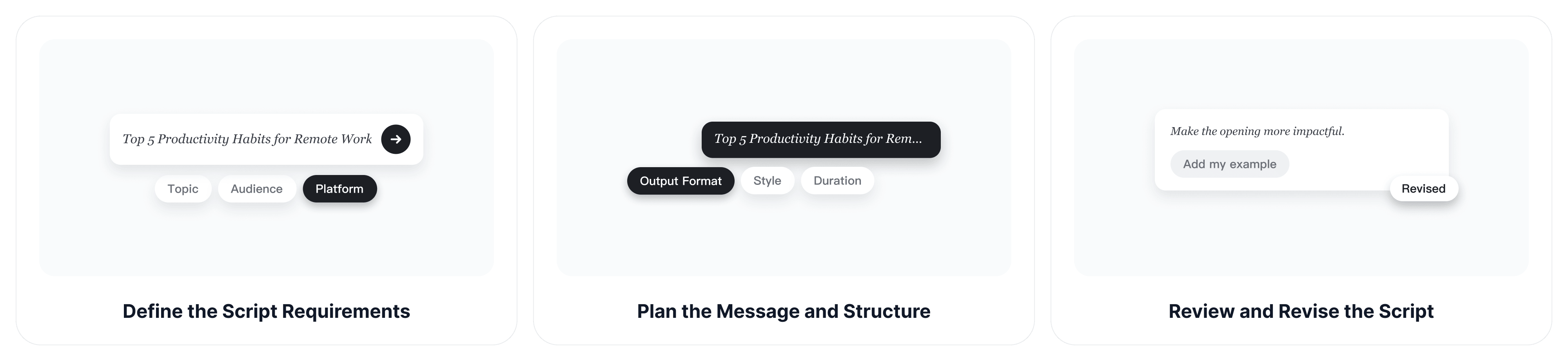
Create a useful result in three steps. Specific context helps ChatGOAT AI make better decisions before it writes or solves.
Step 1: Define the Script Requirements
Provide the topic, audience, platform, genre, duration, characters, key message, desired action, tone, and any scenes or facts that must appear. Include source material when the answer must remain grounded in particular facts or wording.
Step 2: Plan the Message and Structure
Explain who will use the result, what it should accomplish, the preferred length and format, and any requirements or boundaries. Ask for alternatives when you want to compare different directions.
Step 3: Review and Revise the Script
Check accuracy, relevance, tone, and completeness. Ask ChatGOAT AI to revise only the parts that need improvement, add missing context, remove unsupported claims, or create another version with a different emphasis.
AI Script Generator vs. AI Story Generator
Both can provide a starting point, but they solve different problems. An AI story generator prioritizes narrative prose and reading experience, while ChatGOAT AI plans spoken lines, scenes, timing, transitions, and production cues.
| AI Story Generator | AI Script Generator |
| Prioritizes narrative prose and reading experience | Plans spoken lines, scenes, timing, transitions, and production cues |
| Useful for a broad or random starting point | Useful when the output must follow your context, goal, and constraints |
AI Script Generator Use Cases
Use the AI script generator when the output needs to support a specific real-world task. The following examples show how different users can define a clearer goal.
Video Creators
Video Creators can use ChatGOAT AI to turn a topic into a hook, clear sequence, spoken narration, visual cues, and closing action for short or long-form video. The result remains an editable starting point, so users can preserve their own judgment, subject knowledge, and final voice.
Marketing Teams
Marketing Teams can use ChatGOAT AI to draft product demonstrations, ads, testimonials, explainers, and campaign scripts around one audience and conversion goal. The result remains an editable starting point, so users can preserve their own judgment, subject knowledge, and final voice. Writers can use the AI Story Continuer to explore what happens before or after a scripted scene without forcing those ideas into production format immediately.
Writers and Filmmakers
Writers and Filmmakers can use ChatGOAT AI to explore scenes, character objectives, conflict, dialogue, and pacing before revising the draft into the required screenplay format. The result remains an editable starting point, so users can preserve their own judgment, subject knowledge, and final voice.
Educators and Trainers
Educators and Trainers can use ChatGOAT AI to convert a lesson or process into a concise teaching script with examples, transitions, recaps, and learner prompts. The result remains an editable starting point, so users can preserve their own judgment, subject knowledge, and final voice.
Why Choose ChatGOAT AI
Create Scripts for the Target Platform
ChatGOAT AI can adapt the hook, pacing, scene length, dialogue, and call to action to the intended platform, audience, and runtime.
Develop an Idea into a Structured Draft
Turn an initial concept into scenes, narration, dialogue, transitions, and visual cues that make the script easier to review and prepare for production.
Revise Specific Parts of the Script
Ask ChatGOAT AI to change the hook, tighten a scene, adjust a character’s voice, or create a different ending while preserving the parts of the script that already work.
Before recording or publishing, use the AI Grammar Checker to review the narration, dialogue, and on-screen text for language errors.
AI Script Generator FAQ
1. What is an AI script generator?
An AI script generator turns a concept, audience, format, and target length into a structured script draft. It can organize hooks, scenes, narration, dialogue, transitions, timing, and calls to action so creators can move from an idea to a production-ready outline and editable script.
2. What information should I provide?
Start with the topic, audience, platform, genre, duration, characters, key message, desired action, tone, and any scenes or facts that must appear. Add the audience, goal, length, format, and any facts or wording that must be preserved. More specific instructions usually produce a more relevant first draft.
3. Can I revise the generated result?
Yes. Ask ChatGOAT AI to change the length, tone, structure, difficulty, detail, or selected sections. Targeted follow-up instructions are usually more efficient than generating an unrelated result from the beginning.
4. Is the AI script generator free?
ChatGOAT AI is free to try. Current usage limits and advanced features may vary by account or plan, so check the live product interface for the latest availability.
5. How accurate is AI-generated content?
Accuracy depends on the task, prompt, and source material. Verify important facts, calculations, citations, safety information, and specialized claims with authoritative sources or qualified people before relying on the result.
6. Can I use my own notes or documents?
Yes. Provide relevant text or a readable document and explain which sections matter. Ask the AI to stay grounded in the supplied source when outside information would be inappropriate or confusing.
7. Who should review the final output?
The person responsible for using or publishing the result should review it. AI can accelerate analysis and drafting, but it does not replace subject expertise, professional judgment, institutional rules, or final editorial control.
Create with the AI Script Generator
Add the topic, audience, platform, genre, duration, characters, key message, desired action, tone, and any scenes or facts that must appear, then tell ChatGOAT AI what the final result must accomplish. It will analyze the context, plan the response, execute the task, and help you refine the output in one conversation.