


AI Quiz Generator
Create a focused quiz from notes, text, a PDF, or any topic. ChatGOAT AI analyzes the source, selects quiz-worthy concepts, writes clear questions and answers, and lets you refine the result in conversation instead of building every item by hand.
What Is an AI Quiz Generator?
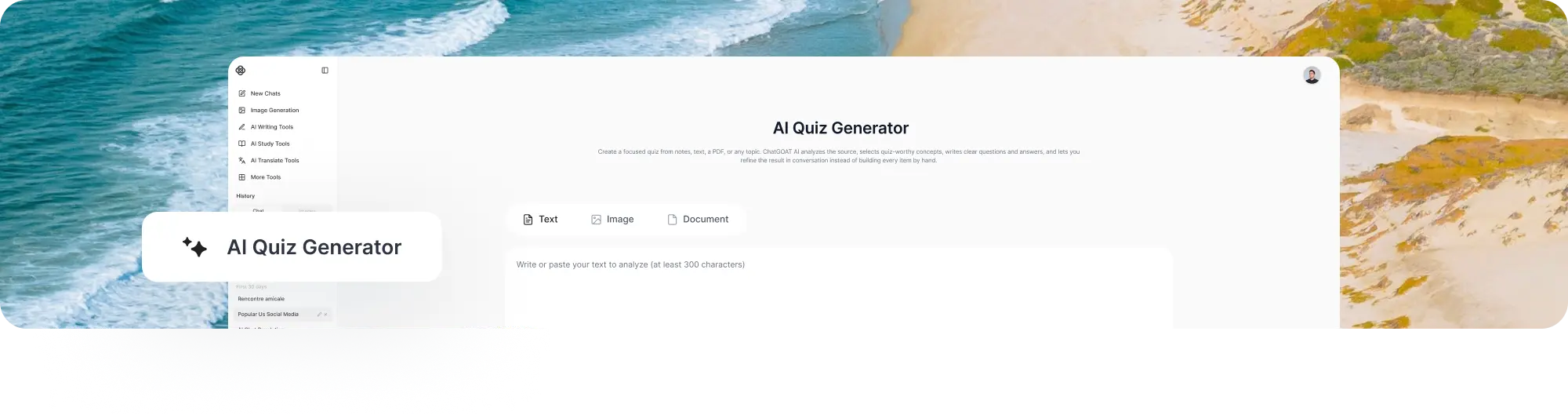
An AI quiz generator turns a topic or source material into a short set of questions and answers. It is designed for quick knowledge checks, lesson review, training reinforcement, and audience interaction, so it usually focuses on a narrower scope than a full practice exam.
ChatGOAT AI can work from text, notes, readable PDFs, or a topic. It analyzes the input, identifies quiz-worthy points, considers the learner and requested question formats, and creates a draft that you can revise in the same conversation.
What Can You Create with the AI Quiz Generator?
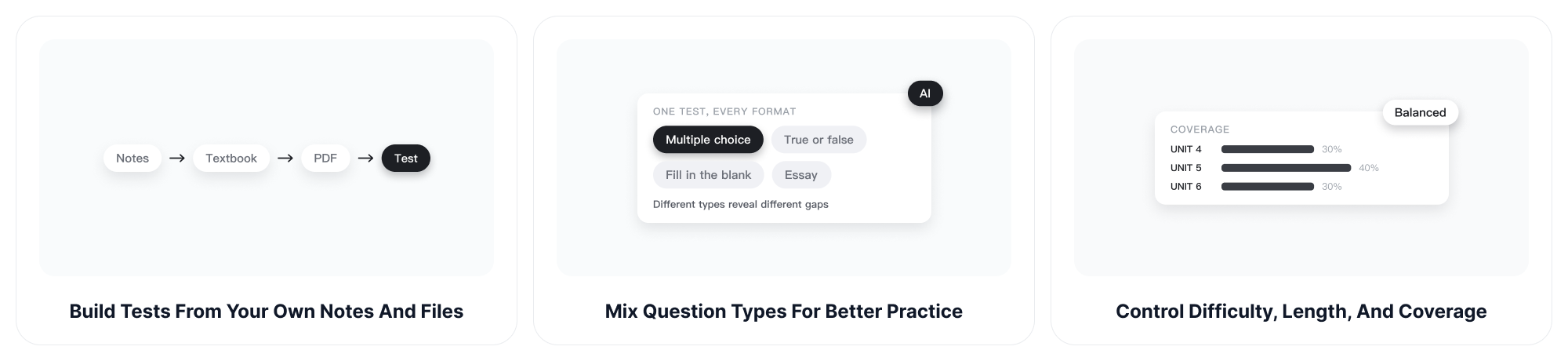
Use the quiz generator for quick checks or more structured review. ChatGOAT AI can summarize the source, identify central facts and relationships, choose suitable question formats, and execute the quiz-writing task while keeping your instructions in view.
Generate a Quiz from Text, Notes, or PDFs
Paste a paragraph, add lesson notes, upload a readable PDF, or name a topic. The AI quiz maker turns the source into answerable questions, helping you move from passive reading to active recall without manually extracting every key point first.
Choose the Question Formats You Need
Request multiple-choice, true-or-false, fill-in-the-blank, short-answer, or open-ended questions. Combine formats in one quiz or keep the entire set consistent. You can also define the number of options, ask for plausible distractors, and decide whether learners see explanations immediately.
Adjust the Quiz for Your Audience
Specify age, grade, course level, prior knowledge, tone, and difficulty. A quiz for middle-school review should not read like a professional certification check. ChatGOAT AI uses these details to shape wording, depth, examples, and the reasoning required from each learner.
Add Answers, Feedback, and Explanations
Create a separate answer key or place feedback under each question. Ask for concise explanations that reinforce the underlying concept, not just the correct letter. For writing-focused activities, the AI Grammar Checker can help polish instructions after the quiz content is finalized.
Refresh a Quiz without Rebuilding It
Ask ChatGOAT AI to replace repeated questions, correct an unclear answer, make selected items harder, or generate an alternate version. The conversational workflow is especially useful when the first draft has good coverage but needs better wording, balance, or challenge.
Use Quizzes as Part of a Larger Learning Flow
A quiz can reveal what to study next. After learners respond, ask ChatGOAT AI to group mistakes by concept, explain the weak areas, and create a short follow-up set. For dense material, use Dumb It Down AI once to clarify a difficult passage before turning it into questions.
How to Create a Quiz with ChatGOAT AI
.png)
The workflow takes three steps and remains flexible after generation. You can revise individual questions without discarding the entire quiz.
Step 1: Add a Topic or Source Material
Enter the subject, paste text or notes, or upload a readable document. Point to the exact chapter, lesson, or concepts you want the quiz to cover.
Step 2: Set the Quiz Requirements
Choose the number of questions, question types, difficulty, audience, and answer format. Mention whether the quiz is for self-study, a classroom check, onboarding, training, or audience engagement.
Step 3: Generate and Refine Your Quiz
Review every question and answer, then ask ChatGOAT AI to revise weak items, rebalance topics, add explanations, or create another version. Copy the finished quiz into the platform or document where you plan to use it.
AI Quiz Generator vs. Manual Quiz Writing
Manual writing gives full control but requires time to identify key points, draft questions, invent distractors, and prepare an answer key. ChatGOAT AI accelerates that first draft while preserving your role as reviewer and subject expert.
| AI Quiz Generator | Manual Quiz Writing |
| Analyzes source material and drafts questions quickly | Requires the author to extract every key point |
| Creates several question formats on request | Each format must be designed separately |
| Can revise selected items through follow-up prompts | Revisions are handled manually |
| Still requires human accuracy and quality review | Quality depends directly on the author |
Quiz Ideas for Study, Teaching, and Training
A quiz generator becomes more useful when the output is connected to a real task. Define what learners should know or do after the quiz, then choose the format that best reveals whether they can do it.
Students Checking a Lesson Quickly
Turn one chapter, lecture, or vocabulary list into a short knowledge check before class or an exam. Use missed answers to decide what to review next, then build a broader overview with the AI Study Guide Maker if the topic needs more structure.
Teachers Creating Formative Assessments
Draft exit tickets, warm-ups, lesson checks, homework questions, or revision activities. Specify learning objectives and grade level, then review the result for accuracy, fairness, accessibility, and alignment. AI-generated quizzes should support professional judgment, not replace it.
Teams Building Training Checks
Turn onboarding material, product documentation, policies, or process guides into short checks for understanding. Ask for scenario questions when learners need to apply a rule, and verify the answer key against the current approved source before distribution.
Creators Engaging an Audience
Create trivia, personality-style prompts, or knowledge questions related to an article, video, community topic, or event. Adjust tone and difficulty for the audience, and review the wording carefully when the quiz covers sensitive, factual, or rapidly changing subjects.
How to Make AI-Generated Quizzes More Effective
A fast draft still needs clear constraints and human review. These practices help the AI quiz generator produce questions that test the intended knowledge instead of merely copying phrases from the source.
Limit Each Quiz to a Clear Scope
Choose one lesson, chapter, skill, or training objective when you need a quick check. A focused source makes it easier to avoid repetitive questions and gives every item a clear reason to be included.
Request Plausible Distractors and Explanations
For multiple-choice questions, ask for incorrect options that reflect realistic misunderstandings rather than obvious nonsense. Add short explanations so learners can understand the concept after answering, not just see the correct letter.
Review Clarity, Accuracy, and Fairness
Check that each question has one defensible answer, uses language appropriate for the audience, and does not depend on missing context. Revise ambiguous items and verify factual claims against the original source before publishing or assigning the quiz.
AI Quiz Generator FAQ
1. What is an AI quiz generator?
An AI quiz generator turns a topic or source material into quiz questions and answers. Depending on your instructions, it can create several question formats, adjust difficulty, provide explanations, and revise individual items after the first draft.
2. Can I generate a quiz from text or notes?
Yes. Paste the text or notes, identify the learner level and key objectives, and choose the number and type of questions. Focused source material usually produces a more relevant quiz than a broad topic alone.
3. Can ChatGOAT AI turn a PDF into a quiz?
Yes. Upload a readable PDF and specify the pages or sections to cover. Check every generated question and answer against the document, especially when the file contains scanned pages, complex tables, formulas, or specialized terminology.
4. What question types can I generate?
You can request multiple-choice, true-or-false, fill-in-the-blank, short-answer, open-ended, scenario, or mixed-format questions. State the format clearly and describe how answers should be presented.
5. Can the quiz generator include an answer key?
Yes. Ask for a separate answer key, the correct option under each question, or explanations for every answer. You can also hide the key until after you complete the quiz for a more realistic self-test.
6. Is the AI quiz generator free?
ChatGOAT AI is free to try for quiz creation and other study tasks. Usage limits and additional features can vary by account or plan, so refer to the current product interface for the latest availability.
7. Can teachers use the generated quizzes?
Teachers can use them as drafts for low-stakes checks, homework, or review. Before assigning a quiz, verify facts and answers, remove ambiguity, confirm curriculum alignment, and adapt the language for learner needs and institutional policy.
8. How can I make AI-generated quizzes more challenging?
Define the cognitive task instead of only saying “hard.” Ask learners to compare, explain, apply, diagnose, calculate, justify, or choose between plausible scenarios. Request strong distractors and a balanced mix of recall and reasoning questions.
9. What is the difference between a quiz and a practice test?
A quiz is usually shorter and focused on one lesson, concept, or quick check. A practice test is typically broader and structured to resemble a larger exam, with planned coverage, difficulty, sections, and timing.
Create a Quiz from Your Content with AI
Add a topic, notes, text, or a PDF and describe the quiz you need. ChatGOAT AI will analyze the source, choose useful concepts, draft questions and answers, and refine the result with you until it fits the learner and the purpose.