


AI Code Detector
Review source code for patterns that may be associated with AI generation. Paste the relevant code, add its language and context, and use ChatGOAT AI to examine the result before making any academic or professional decision.
What Is an AI Code Detector?
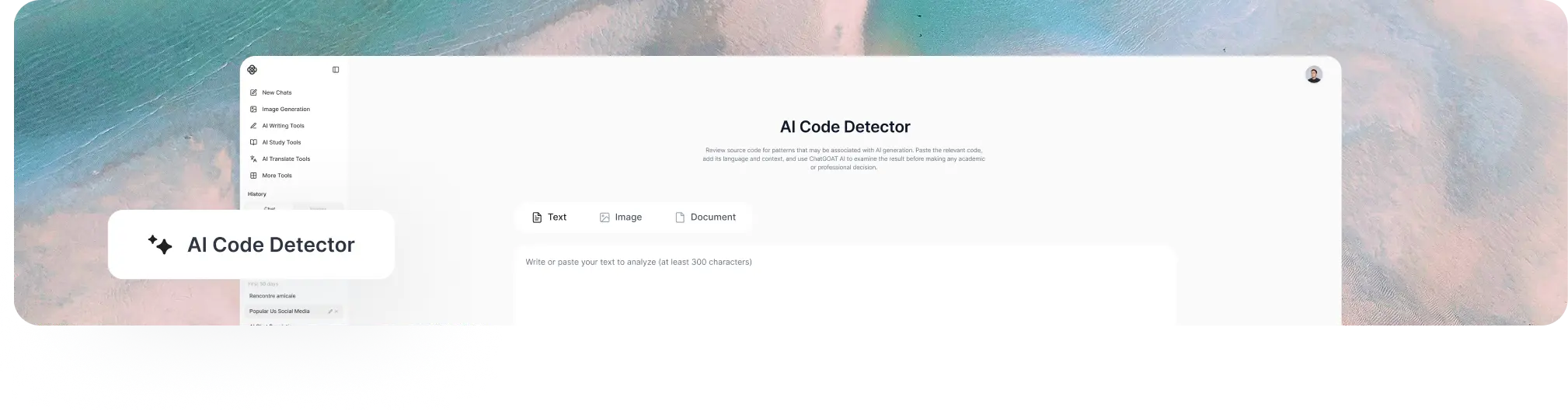
An AI code detector analyzes source code for patterns that may suggest it was generated or heavily assisted by an AI model. It may examine naming conventions, comment style, formatting consistency, structural repetition, error handling, and other signals that appear across the sample.
An AI detector for code does not uncover a hidden label proving who wrote a program. Human developers may write clean, consistent code, while AI-assisted code may be edited until it resembles a person's usual style. Short snippets, classroom templates, framework conventions, and auto-formatting can also affect the result.
For that reason, an AI generated code detector should be treated as a screening aid rather than definitive evidence. Detection results are most useful when combined with version history, assignment requirements, documentation, a code walkthrough, and a review of whether the author can explain the logic.
How to Use ChatGOAT AI's AI Code Detector
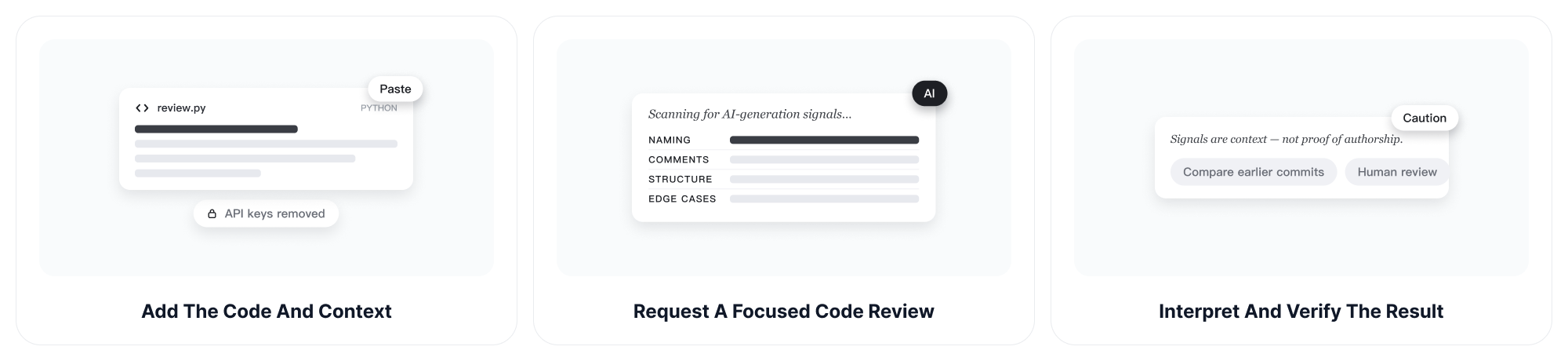
Step 1: Add the Code and Context
Paste the code you want to review and identify the programming language. Include enough surrounding logic for meaningful analysis, along with relevant context such as the assignment instructions, coding standard, framework, or expected level of experience.
Remove passwords, API keys, private repository details, customer data, and proprietary information before sharing any code.
Step 2: Request a Focused AI Code Review
Ask ChatGOAT AI to inspect possible AI-generation signals and explain the reasoning. You can request attention to naming, comments, repeated structures, formatting, abstractions, edge cases, or sudden changes from another sample.
Example: "Review this Python code for patterns that may be associated with AI generation. Explain each signal and avoid treating the result as proof of authorship."
Step 3: Interpret and Verify the Result
Read the analysis in context rather than relying on a single label or percentage. Compare the code with earlier commits, surrounding files, course expectations, and the author's explanation. If the decision affects a grade, job, or disciplinary process, require additional human review.
What Can an AI Detector for Code Analyze?
Naming Conventions
Review whether variable, function, and class names are unusually verbose, generic, repetitive, or inconsistent with the rest of a project. Naming patterns can offer context, but they also vary by team standards, experience level, and personal style.
Comment Style and Density
Examine whether comments are frequent, formulaic, overly explanatory, or disconnected from the actual implementation. AI-generated code may contain generic comments, but documentation tools and strict classroom requirements can create similar patterns.
Formatting and Structural Consistency
Look for uniform indentation, repeated blocks, predictable organization, and similar function structures. Automatic formatters, linters, templates, and style guides can produce the same consistency, so this signal should never stand alone.
Error Handling and Edge Cases
Check whether the code handles only the most obvious path, overlooks unusual inputs, or uses generic validation. Missing edge cases may indicate rushed or generated work, but they can also reflect incomplete requirements or an early development stage.
Language and Framework Patterns
Consider whether syntax, libraries, or design choices fit the stated language, framework, and environment. A copied tutorial pattern or framework scaffold may look generic without being AI-generated.
Differences between Code Samples
Compare two samples for changes in naming, comment style, complexity, formatting, or problem-solving approach. A major difference may justify further questions, but it does not establish how either sample was produced.
Code Quality and Readability Signals
Identify unclear logic, duplicated code, unused variables, inconsistent naming, or sections that deserve closer review. For dense written documentation accompanying the project, the AI sentence simplifier can help make technical explanations clearer separately from code-authorship analysis.
For written explanations, reports, or documentation, an AI detector can be used separately to review possible AI-generated writing patterns rather than applying code signals to prose.
Explanations for Further Review
Ask the tool to explain why a section appears unusual and which evidence would help verify it. The goal is to support a fairer manual review, not to turn uncertain patterns into an automatic accusation.
Why Choose ChatGOAT AI's AI Code Detector?
Start with Free Access and No Sign-Up
ChatGOAT AI lets you begin common analysis tasks for free without creating an account or logging in first. This reduces setup when you want to review a small code sample or test a second interpretation before investing more time.
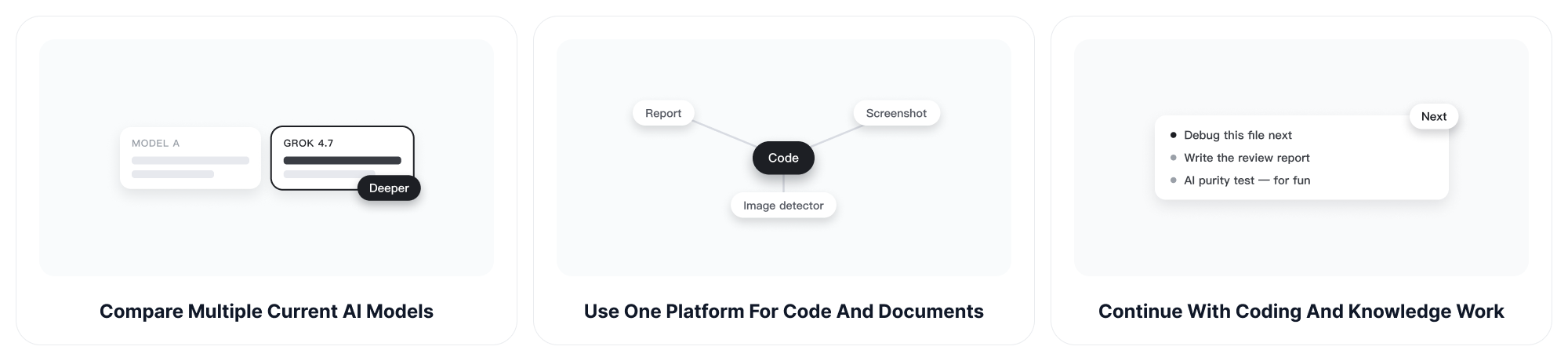
Compare Multiple Current AI Models
ChatGOAT AI brings multiple models into one platform, allowing you to compare different analyses when the first answer feels too certain or misses important context. Grok 4.7 is a current option for code and reasoning tasks that require detailed follow-up.
Use One Platform for Code and Documents
Across ChatGOAT AI, compatible models can work with text, readable images, and documents. This makes it easier to move from a code discussion to supporting instructions, reports, screenshots, or related project material. If you also need to check whether an image shows signs of AI generation, use the AI image detector to review it separately from the source code.
Continue with Coding and Knowledge Work
Detection is often only the first step. ChatGOAT AI also supports coding, debugging, writing, research, study, translation, and document analysis in one place. If you are curious about how much AI has become part of your own study, work, and everyday routine, the AI purity test offers a lighter way to reflect on your AI usage.
Who Can Use an AI Generated Code Detector?
Programming Instructors
Use detection signals to identify submissions that may need a closer discussion. Ask students to explain design choices, modify the solution, or reproduce key logic rather than treating an automated score as sufficient evidence.
Computer Science Students
Review whether a generated or assisted draft contains patterns that need revision, weak explanations, or missing edge cases. Students should follow course policies and clearly disclose AI assistance when required.
Software Developers
Examine unfamiliar code, generated prototypes, or contributions before integrating them into a project. Authorship detection does not replace testing, security review, licensing checks, or maintainability assessment.
Engineering Teams
Use the analysis as an additional signal during code review, especially when a contribution differs sharply from surrounding work. Team policies should define acceptable AI assistance and the evidence required for escalation.
Freelance Developers and Clients
Discuss whether delivered work follows the agreed development process and whether the developer can maintain it. A detector result alone cannot confirm a contract violation or establish code ownership.
Reviewers of Open-Source Contributions
Flag sections that deserve closer examination for quality, provenance, or consistency. Reviewers should also check licensing, copied code, tests, security, and contributor explanations through established project processes.
Recruiters and Technical Interviewers
Use the tool cautiously when reviewing take-home exercises. Candidates should have a fair opportunity to explain their solution, and organizations should disclose relevant AI-use rules before the assessment.
AI Code Detector FAQs
How Does an AI Code Detector Work?
It looks for statistical, stylistic, and structural patterns that may occur in AI-assisted code. These can include naming choices, comment density, repeated structures, formatting consistency, abstractions, and missing edge cases.
Can an AI Code Detector Prove Who Wrote the Code?
No. Detection cannot conclusively prove authorship. It can only identify patterns that may justify additional review, comparison, or discussion.
How Accurate Is an AI Detector for Code?
Accuracy depends on the language, snippet length, detector, editing history, templates, and context. No detector should be assumed to be completely accurate, especially for short or heavily edited samples.
Can It Detect Code from ChatGPT, Claude, or Copilot?
It may identify patterns commonly associated with code produced by large language models and coding assistants, but it cannot reliably determine the exact model that created a particular sample.
Which Programming Languages Can It Review?
You can ask ChatGOAT AI to examine code in common languages, but the quality of the analysis may vary by language, framework, sample length, and model. Include the language and environment to improve context.
Can I Detect AI Generated Code from a Short Snippet?
You can submit a short snippet, but limited context makes conclusions less reliable. Include a larger logical section and relevant project information when possible.
What Signals Can Suggest AI-Generated Code?
Possible signals include highly uniform formatting, verbose names, generic comments, repeated structures, broad abstractions, or incomplete handling of domain-specific edge cases. None of these signals is unique to AI.
Can Human-Written Code Be Flagged as AI-Generated?
Yes. Clean formatting, detailed documentation, framework conventions, classroom templates, and common algorithms can create false positives.
Can AI-Generated Code Avoid Detection after Editing?
Editing may change many of the patterns a detector examines. Human-written code can also resemble AI output, so detection should not be used as a simple contest between writers and detectors.
Should Teachers Use an AI Code Detector for Grading?
It can help identify work that needs further review, but it should not be the sole basis for a grade or misconduct finding. A code walkthrough, version history, course policy, and student explanation provide essential context.
Can Developers Use It for Professional Code Review?
Yes, as an additional screening tool. Professional review should still include tests, security analysis, licensing checks, performance evaluation, and human examination of the logic.
Is It Safe to Paste Private Source Code?
Do not paste secrets, credentials, personal data, confidential algorithms, or proprietary source code unless you have confirmed that the selected service and workflow meet your organization's security requirements.
Is ChatGOAT AI's AI Code Detector Free?
You can start using ChatGOAT AI for free without signing up first. Available usage and advanced features may vary by model, task, account, or plan.