


AI Detection Remover
Turn stiff, repetitive AI-assisted drafts into clearer writing that better reflects your intended voice. Paste the text, describe the audience and tone, and revise the result carefully before publishing or submitting it.
What Is an AI Detection Remover?
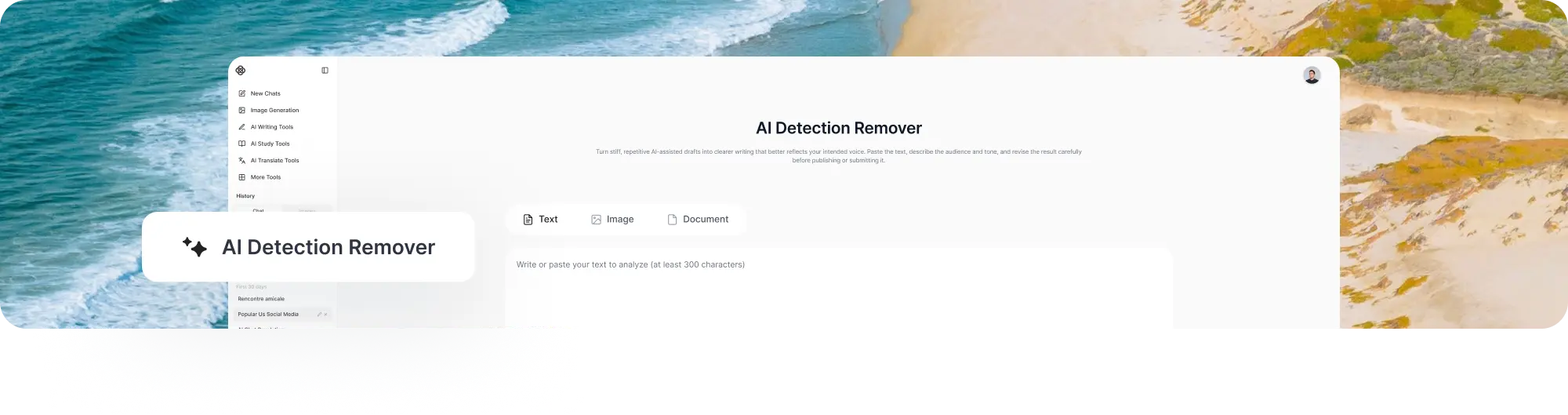
An AI detection remover is commonly described as a rewriting tool that changes predictable wording, sentence structure, rhythm, and transitions in AI-assisted text. A responsible use is to improve readability and add genuine human judgment, not to disguise prohibited work or make false claims about authorship.
The phrase can also refer to a different type of utility: an AI metadata cleaner that removes hidden information from image files. Image metadata may include EXIF camera details, GPS coordinates, editing history, XMP or IPTC fields, C2PA provenance records, and generator settings. Cleaning those records is a file-privacy task and is not the same as rewriting text.
No tool can guarantee that revised writing will receive a particular score from every AI detector. Detection systems use different methods, change over time, and can flag human writing incorrectly. A lower detection score also does not prove originality, accuracy, or compliance with school, workplace, client, or publishing rules.
How to Use ChatGOAT AI's AI Detection Remover
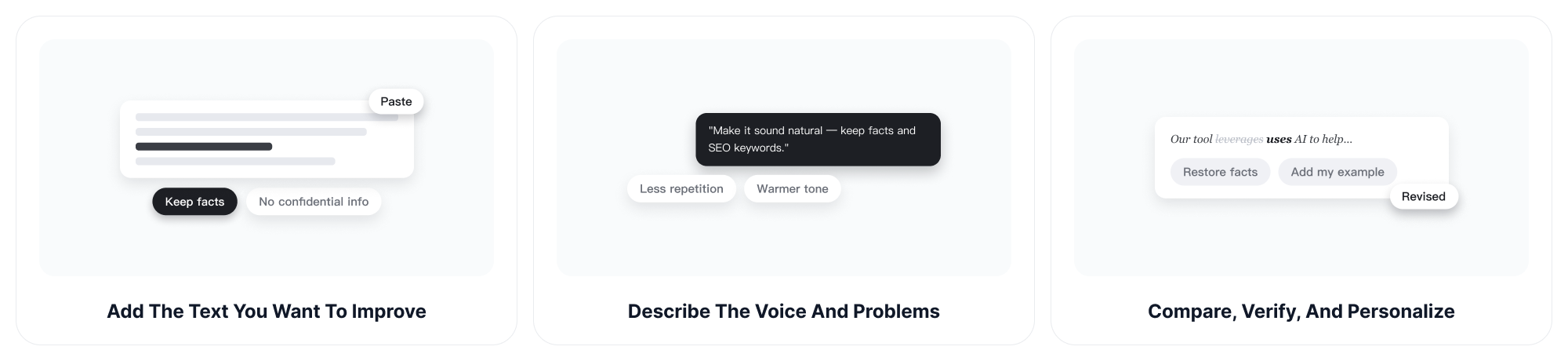
Step 1: Add the Text You Want to Improve
Paste the AI-assisted draft or the section that sounds unnatural. Include the intended audience, purpose, required facts, keywords, quotations, and any wording that must remain unchanged.
Do not include confidential information, private customer data, passwords, unreleased research, or material you are not authorized to share.
Step 2: Describe the Voice and Problems
Explain what needs improvement instead of asking only to remove AI detection. You can request less repetition, more varied sentence structures, clearer transitions, a warmer tone, simpler wording, or closer alignment with your own voice.
Example: "Rewrite this paragraph so it sounds clear and natural. Keep the facts and SEO keywords, remove generic filler, and do not invent personal experience."
Step 3: Compare, Verify, and Personalize
Read the revision beside the original. Restore any changed facts, names, quotations, technical terms, links, or citations. Add your own examples, reasoning, and experience where appropriate, then follow the disclosure and authorship rules that apply to the content.
What Can an AI Detection Remover Improve?
Robotic or Formulaic Language
Replace generic openings, exaggerated transitions, and phrases that could fit almost any topic. The goal is more direct and relevant writing, not random synonym replacement.
Repeated Sentence Patterns
Vary sentence length and structure when every line follows the same rhythm. Controlled variation can improve readability while keeping the original message intact.
Flat or Unclear Tone
Adjust the level of formality for a customer email, article, report, social post, or creative draft. For broader control over natural voice and rhythm, the AI humanizer can help refine AI-assisted text around a stated audience and tone.
Excessive Filler and Redundancy
Remove repeated explanations, broad claims, and unnecessary setup. Shorter writing is not automatically better, so keep details that support the reader's goal.
Transitions and Paragraph Flow
Improve how ideas connect across sentences and paragraphs. A revision should make the logic easier to follow without creating relationships that the original material does not support.
Grammar and Sentence-Level Errors
Correct grammar, spelling, punctuation, and awkward wording after the larger rewrite is complete. The AI grammar checker can help review language issues separately so they are not confused with AI-detection signals.
SEO and Brand Requirements
Preserve required keywords, product names, calls to action, and brand terminology while improving the surrounding language. Recheck every keyword after rewriting because a smoother sentence may accidentally remove an exact phrase.
Original Meaning and Important Details
Keep facts, arguments, numbers, citations, and technical terminology stable unless you deliberately want to revise them. Human review remains necessary because automated rewriting can subtly change meaning.
Text Rewriting versus Metadata Cleaning
Text rewriting changes visible language. An ai metadata cleaner removes hidden file information from an image or another supported file type. It may clear EXIF, GPS, XMP, IPTC, C2PA, or generator fields, but it does not rewrite an essay or guarantee that image-based detection systems will treat the file differently.
Why Choose ChatGOAT AI's AI Detection Remover?
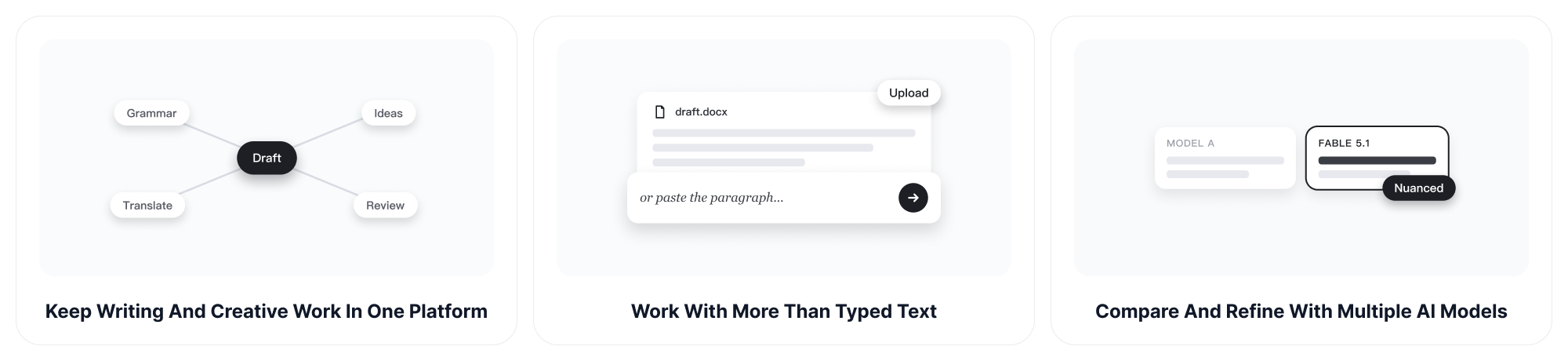
Keep Writing and Creative Work in One Platform
ChatGOAT AI combines writing, analysis, study, translation, image, and creative tools in one place. You can move from revising a draft to checking grammar, developing ideas, or reviewing supporting material without rebuilding the project across unrelated services.
Work with More than Typed Text
Across the ChatGOAT AI platform, compatible models can work with text, readable screenshots, images, and documents. This is useful when the draft or reference material is already stored in another format, although available inputs depend on the selected model and task.
Compare and Refine with Multiple AI Models
Different models may rewrite the same passage with different levels of formality, detail, and sentence variation. ChatGOAT AI lets you compare approaches and continue refining the result through conversation. Claude Fable 5.1 is a current option for longer drafts and detailed document work.
Begin Free without Creating an Account
ChatGOAT AI offers a free entry point for everyday writing tasks without requiring sign-up or login first. You can test a revision, review the result, and decide what additional editing is needed before committing more time.
Who Can Use an AI Detection Remover?
Content Writers and Bloggers
Revise AI-assisted drafts that contain predictable openings, repetitive explanations, or generic conclusions. Writers should still add research, examples, experience, and editorial judgment.
SEO and Marketing Teams
Improve landing pages, articles, emails, and campaign copy while preserving target keywords and brand terminology. Removing familiar AI phrasing does not replace search intent, useful information, factual support, or original insight.
Business Professionals
Make reports, proposals, presentations, and customer communication sound clearer and more specific. Check names, numbers, commitments, and technical details after every rewrite.
Non-Native English Writers
Smooth out awkward phrasing while preserving the intended message. Personal expressions and cultural context should be reviewed so the revision does not replace the writer's natural voice with generic language.
Students and Researchers
Use the tool only when AI-assisted editing is permitted. It should not be used to disguise prohibited generated assignments, avoid required disclosure, or misrepresent another person's work as original authorship.
Editors and Reviewers
Use a rewrite as a starting point, then apply human editorial judgment to accuracy, logic, evidence, tone, and audience fit. Detector scores should not be treated as a substitute for reviewing the work itself.
Privacy-Conscious Image Creators
People searching for metadata removal may want to clear GPS coordinates, camera details, timestamps, or provenance records before sharing an image. That requires a dedicated metadata-cleaning workflow and should not be confused with a text humanizer.
AI Detection Remover FAQs
How Does an AI Detection Remover Work?
A text-focused tool revises wording, sentence structure, transitions, and tone to reduce repetitive or mechanical patterns. The exact changes depend on the original draft and the instructions you provide.
Can It Guarantee Undetectable Writing?
No. AI detectors use different methods and can change at any time. No rewriting tool can guarantee a specific score or reliable passage across every detector.
How Do I Remove AI Detection Responsibly?
Focus on improving clarity, accuracy, specificity, and personal voice. Add your own analysis and examples, verify the facts, and disclose AI assistance whenever the relevant rules require it.
Is an AI Detection Remover the Same as an AI Humanizer?
The terms often overlap. An AI humanizer generally emphasizes natural tone and readability, while an AI detection remover is marketed around reducing detectable writing patterns. Neither should be used to misrepresent authorship.
What Is an AI Metadata Cleaner?
An AI metadata cleaner removes hidden file information such as EXIF, GPS, XMP, IPTC, C2PA, editing history, or generator settings. It is different from a text rewriting tool.
Does Removing Image Metadata Change the Visible Image?
Some metadata tools remove only file-header information, while others re-encode the image or make small pixel changes. Check the specific tool's process before relying on it.
Can Metadata Cleaning Remove Every AI Signal?
No. Removing embedded metadata does not necessarily remove visible watermarks, pixel-level patterns, platform records, or copies of provenance information stored elsewhere.
Will Rewriting Keep My Original Meaning?
It should aim to preserve the main message, but facts, emphasis, and technical meaning can change. Compare the revised version with the original and restore any altered details.
Can I Keep SEO Keywords during the Rewrite?
Yes. List the exact keywords in your instruction and verify them afterward. Required phrases should remain natural, accurate, and relevant to the page.
Does It Check Grammar Too?
You can request language corrections, but grammar review and detection-related rewriting are different tasks. A separate grammar check makes it easier to evaluate each change.
Can Students Use an AI Detection Remover?
Only when their institution permits the type of AI-assisted editing involved. Students should not use it to conceal prohibited assistance, bypass academic integrity rules, or avoid required attribution.
Is Rewritten AI Text Automatically Original?
No. Changing wording does not make copied ideas, unsupported claims, or uncredited sources original. Check plagiarism, citations, facts, and ownership separately.
Can I Remove AI Detection from Any Language?
Rewriting quality varies by language, model, and context. Provide the target language, audience, tone, and any regional preferences, then review the result with a fluent speaker when accuracy matters.
Is ChatGOAT AI's AI Detection Remover Free?
You can start using ChatGOAT AI for free without signing up first. Available usage and advanced features may vary by model, task, account, or plan.