


PDF to PPT Converter Online with AI
Turn your PDF into an editable PowerPoint presentation with ChatGOAT AI. Powered by ChatGOAT AI agent, this PDF to presentation tool helps you analyze documents, identify key information, organize content into clear slides, and generate a PPTX deck for further editing.

 Fast

Tired of Rebuilding Presentations from PDF Files?
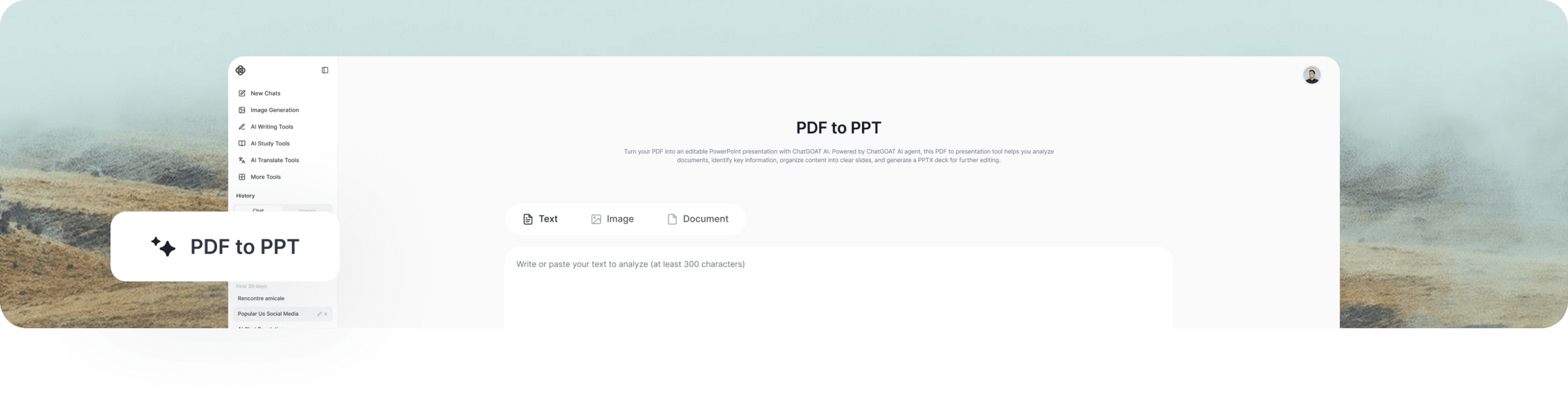
PDF documents often contain more information than a presentation needs. Turning a lengthy report, research paper, or business proposal into slides means identifying key points, organizing information, and designing each page.
ChatGOAT AI simplifies the process. Upload your PDF and let AI extract important details, build a logical slide structure, and generate presentation layouts. You can then review the draft, customize the slides, and export your presentation as a PPTX file.
How to Convert PDF to PPT with ChatGOAT AI in 3 Steps
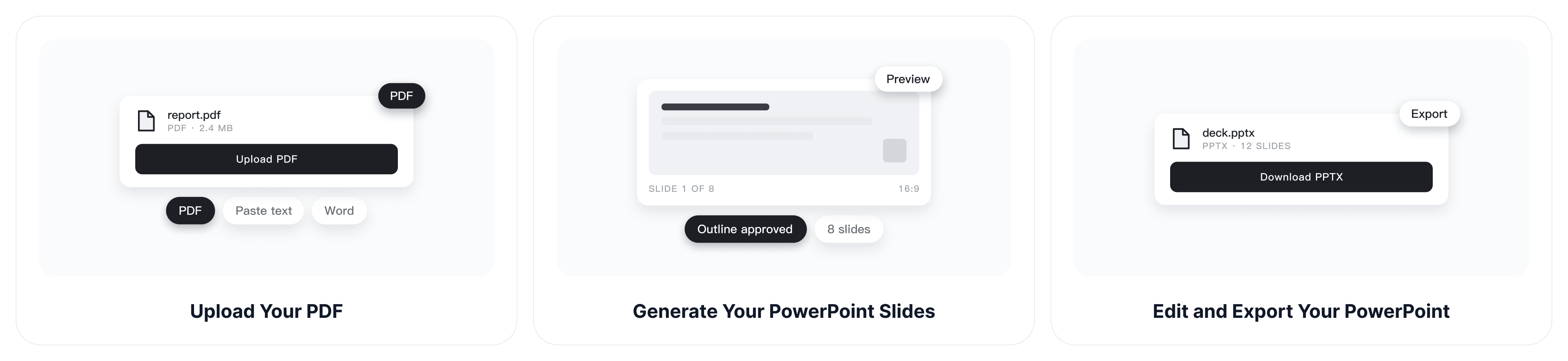
Step 1: Upload Your PDF
Upload your PDF directly on this page. You can also paste text or add other supported documents. Describe your topic, audience, tone, and preferred slide count for better results.
Step 2: Generate Your PowerPoint Slides with AI
ChatGOAT AI agent analyzes your PDF, extracts key information, and creates a structured presentation outline. Review the suggested content and generate slides with suitable layouts and visuals. You can also explore the AI slide generator for more presentation creation options.
Step 3: Edit and Export Your PowerPoint
Review and customize your slides by refining text, replacing images, and adjusting layouts. Export your finished presentation as a PPTX file to continue editing in compatible presentation software.
Core Features of ChatGOAT AI PDF to PPT
Extract Key Information from PDF Documents
Long reports, research papers, and business documents can take hours to review. ChatGOAT AI helps identify the main ideas, important details, and supporting information worth including in a presentation. Spend less time searching through pages and more time preparing your message.
Build a Clear Presentation Outline from Your PDF
A good presentation needs more than a collection of copied text. ChatGOAT AI organizes your source material into a logical slide sequence, with relevant headings and supporting points. This gives your presentation a clear structure before you move on to reviewing and customizing the slides.
Create Fully Editable PPTX Files
Go beyond static PDF screenshots. Customize the generated presentation by editing text, replacing images, adjusting layouts, and reorganizing slides. Export your deck as a PPTX file and continue working on it in Microsoft PowerPoint or other compatible software.
Customize Slides to Match Your Needs
Use prompts to adjust your presentation's content, tone, structure, and level of detail for different audiences. Simplify technical topics, shorten lengthy reports, or adapt key points for a specific purpose.
Present Data and Key Findings More Clearly
Tables, statistics, and research findings can be difficult to explain in a presentation. ChatGOAT AI helps arrange these details into focused slide content, making comparisons and key takeaways easier to understand. You can also use the AI image generator to create visuals that illustrate key findings and make your slides more engaging.
Who Uses Our PDF to PPT Tool?
Business Professionals and Consultants
Turn business reports, market research, project proposals, and client documents into presentation drafts. Organize important findings and recommendations into slides for meetings, internal reviews, and client discussions.
Teachers, Students, and Academic Researchers
Convert course materials, research papers, lecture notes, and study documents into presentation-ready content. Highlight important concepts, organize complex topics, and prepare slides for classroom presentations or academic discussions.
Marketing Teams and Content Creators
Transform product briefs, campaign reports, content plans, and research documents into presentations. Create structured decks for campaign proposals, content strategies, product launches, and team collaboration.
Trainers and Corporate Teams
Turn training manuals, instructional documents, and internal guidelines into presentation materials. Break down lengthy information into manageable sections that are easier to explain and discuss. You can also use the AI schedule maker to organize project timelines and training schedules.
Why Choose ChatGOAT AI for PDF to PPT?
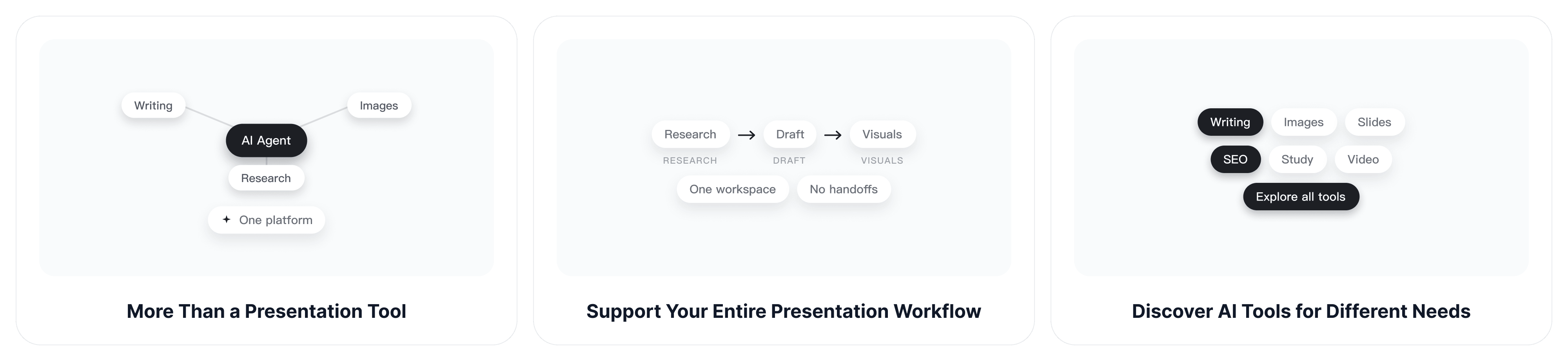
More Than a Presentation Tool with ChatGOAT AI agent
ChatGOAT AI agent supports multiple tasks and workflows beyond PDF conversion. It helps you write content, generate images, refine ideas, and coordinate different AI capabilities to streamline your work, all in one place.
Support Your Entire Presentation Workflow
Presentation creation often involves more than making slides. You may also need to research a topic, draft content, organize information, or prepare visuals. ChatGOAT AI offers tools for different tasks, helping you move from initial ideas to finished content more efficiently. You can also try the AI purity test for a different kind of interactive AI experience.
Discover AI Tools for Different Needs
From writing and image generation to productivity and creative projects, ChatGOAT AI offers a growing collection of tools for different tasks. Explore more AI tools and find additional ways to support your everyday work.
Get Started Right in Your Browser
Access ChatGOAT AI online without installing desktop software. Open the platform, choose the tools you need, and start working on your projects. Free access options are available, with features and usage limits depending on your plan.
FAQ
How Do I Convert PDF to PPT Online?
Upload your PDF directly on this page. ChatGOAT AI will analyze the content and create a presentation outline. Review the structure, generate your slides, and export the finished deck as a PPTX file.
Can I Convert PDF to an Editable PowerPoint?
Yes. ChatGOAT AI uses your PDF as source material to generate an editable PowerPoint presentation. It provides a convenient way to convert PDF to editable PowerPoint without simply turning each page into a static image. You can customize the generated text, images, and layouts, then export your work as a PPTX file.
How Is an AI PDF to PPT Converter Different from a Traditional PDF Converter?
A traditional PDF converter typically turns each PDF page into a PowerPoint slide while trying to preserve the original layout. An AI PDF to PPT tool takes a different approach. ChatGOAT AI extracts key information, reorganizes the content, and generates a new presentation with AI-generated layouts and visuals.
Will the Original PDF Formatting Be Preserved?
Not exactly. ChatGOAT AI reorganizes your PDF content into a new presentation with AI-generated layouts and visuals. The slides may look different from the original document. If you need an exact page-by-page conversion, a traditional PDF converter may be a better choice.
Can I Summarize a PDF Before Converting It to PPT?
Yes. You can prompt ChatGOAT AI to extract key points, summarize lengthy sections, and simplify complex information before generating slides. This is especially useful for research papers, business reports, and other content-heavy documents.
Can I Choose the Number and Structure of Slides?
Yes. You can specify an approximate slide count, target audience, tone, and preferred structure in your prompt. ChatGOAT AI uses these instructions to guide the presentation outline and slide generation.
Can I Customize the Generated PowerPoint Slides?
Yes. You can refine the generated presentation by editing text, replacing images, adjusting layouts, and reorganizing slides. You can also use prompts to revise the content and make the deck better suited to your needs.
Can I Convert a Scanned PDF to PPT?
It depends on the quality and readability of the source document. Text-based PDFs are generally easier to process, while image-only pages, handwritten notes, and complex tables may require additional text recognition or manual adjustments.
Can I Convert a Large PDF into a PowerPoint Presentation?
You can use supported PDF documents as source material for presentation generation. Upload limits and processing capabilities may vary. For lengthy documents, consider using specific chapters or sections and identifying the information you want included.
Is ChatGOAT AI's PDF to PPT Tool Free?
Yes. ChatGOAT AI provides free usage credits, so you can try its PDF to PPT tool without an upfront payment. Additional usage and features may depend on your plan.
Turn Your PDF into a Polished Presentation
Transform your PDF into a clear, professional PowerPoint deck. Let AI organize key information, create engaging slides, and bring your ideas to life. Start creating with ChatGOAT AI today!