


Text to PPT AI Generator Online
Turn your text into an editable PowerPoint presentation with ChatGOAT AI. Powered by ChatGOAT AI agent, this text to PPT tool analyzes your content, identifies key ideas, organizes information into slides, and generates a presentation with suitable layouts and visuals. Refine your deck and export it as a PPTX file.
Give Long Text a Clear Presentation Structure
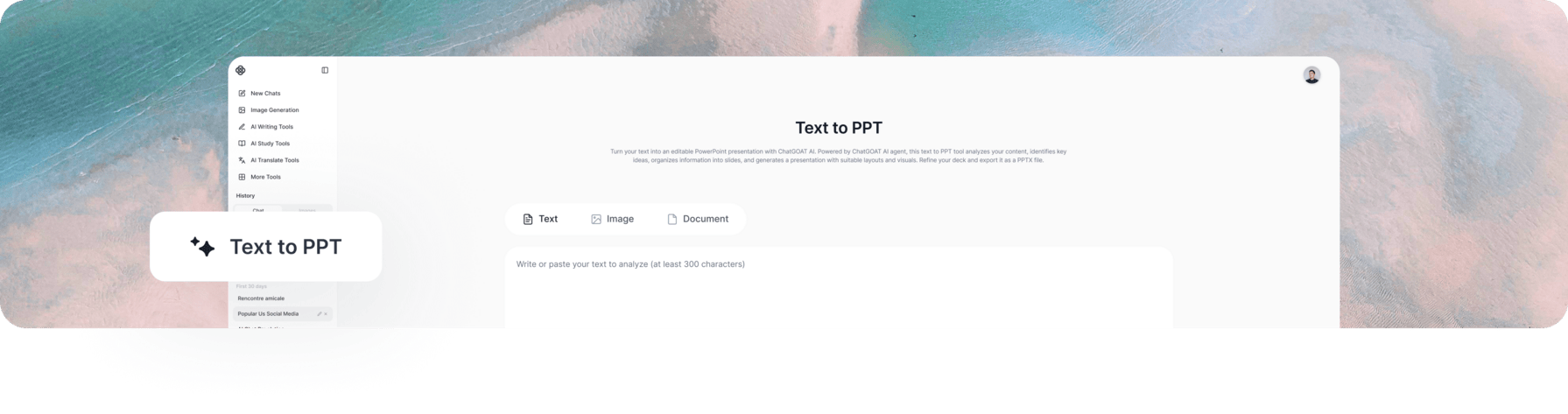 Long-form content is not always easy to present. Articles, reports, and meeting notes often contain more detail than a slide deck needs. Important findings can get buried in lengthy paragraphs, making it harder for your audience to followthe main message.
ChatGOAT AI helps reshape written information into a presentation-friendly format. It condenses key points, groups related ideas, and organizes the content into a logical sequence, giving you a clearer starting point for your slides.
How to Convert Text to PPT with ChatGOAT AI in 3 Steps
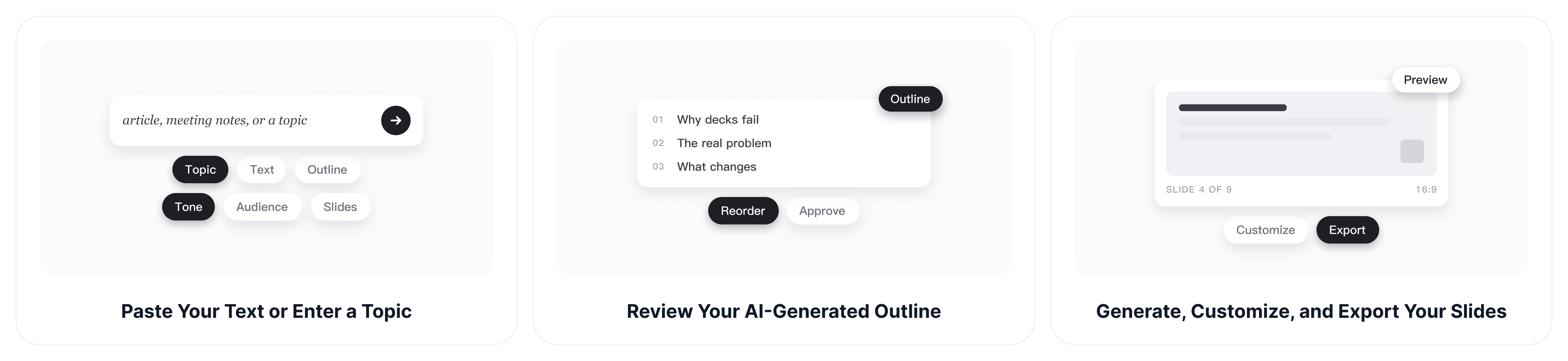
Step 1: Paste Your Text or Enter a Topic
Add an article, report, meeting notes, or an existing outline. You can also enter a presentation topic and provide instructions about your audience, preferred tone, and approximate slide count.
Step 2: Review Your AI-Generated Outline
ChatGOAT AI agent analyzes your text, identifies the main ideas, and organizes them into a logical slide-by-slide outline. Review the suggested titles and content sequence, then make adjustments before generating your slides.
Step 3: Generate, Customize, and Export Your Slides
Create your presentation with AI-generated content, layouts, and visuals. Refine the text and design to fit your needs, then export your finished deck as an editable PPTX file.
Core Features of ChatGOAT AI Text to PPT
Turn Plain Text into Presentation-Ready Content
Start with paragraphs, notes, articles, or other written material. ChatGOAT AI identifies the main ideas, condenses lengthy information, and turns your text into concise slide content. Use our AI essay writer to refine your ideas before creating a presentation.
Refine Your Presentation Outline
ChatGOAT AI creates an outline with suggested slide titles and a logical content sequence. Review and adjust the structure to fit your goals. You can also use our AI mind map generator to brainstorm and organize related ideas.
Create Professional PowerPoint Layouts and Visuals
With text to PowerPoint AI, ChatGOAT AI uses generated layouts, images, icons, and charts to make your slides more engaging and easier to follow. You can also try our AI image generator to create custom visuals that match your presentation topic, highlight key ideas, and give your slides a more polished look.
Customize Your Presentation to Fit Your Audience
Adapt your slides for different purposes and audiences. Use prompts to change the tone, simplify technical language, add details, or revise specific sections. Make your presentation more suitable for business meetings, academic discussions, or training sessions.
Export Editable PPTX Presentations
Take your presentation beyond the AI generation stage. Download your finished deck as a PPTX file and continue editing it in Microsoft PowerPoint or other compatible software. Refine the content and design whenever your project needs change.
Who Uses Our Text to PPT AI Tool?
Business Professionals and Marketing Teams
Create presentations for business proposals, client pitches, campaign plans, and strategy meetings. Turn ideas and key information into clear slides that are easy to share and discuss.
Teachers, Students, and Researchers
Prepare classroom presentations, academic projects, and research summaries. Organize notes and key concepts into slides that make complex topics easier to explain. For additional study support, try AI study buddy to review concepts and work through learning tasks.
Trainers and Content Creators
Build training materials, workshop presentations, and creative proposals. Present instructions, ideas, and information in a structured format that keeps your audience engaged.
Why Choose ChatGOAT AI for Text to PPT?
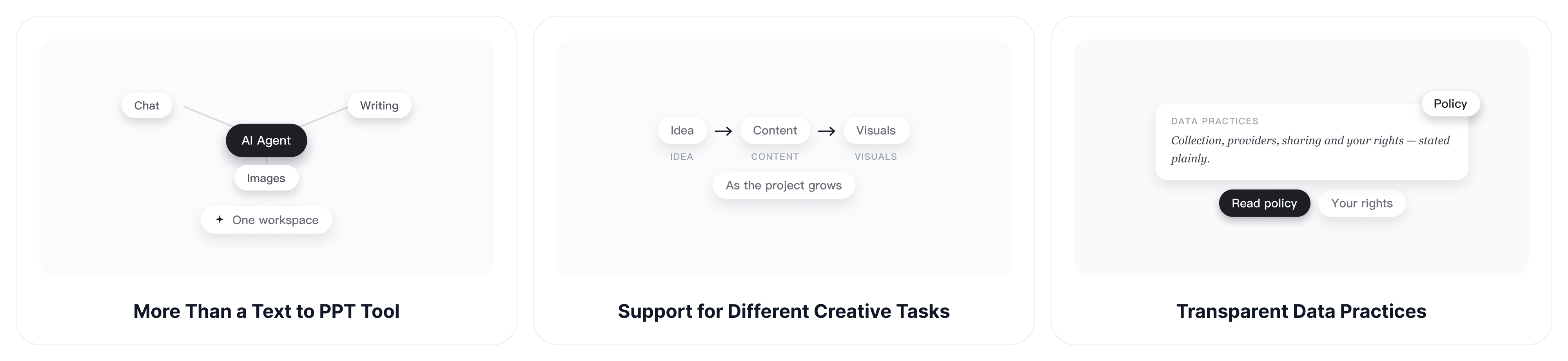
More Than a Text to PPT Tool with ChatGOAT AI agent
ChatGOAT AI agent supports more than presentation generation. It brings together AI chat, writing assistance, image creation, and other capabilities to help you develop ideas, refine content, and prepare visuals. Handle different creative tasks in one platform without switching between multiple services.
Support for Different Creative Tasks
From developing an initial idea to refining written content and preparing visual assets, ChatGOAT AI gives you access to different AI capabilities as your project evolves. Use the tools that fit your needs without relying on a separate service for every task.
Transparent Data Practices
Understanding how your information is handled matters when working with personal or business content. Read the ChatGOAT AI privacy policy to learn about data collection, third-party service providers, information sharing, and your data rights.
Easy Online Access with Free Usage Credits
Create presentations directly in your browser without installing desktop software. ChatGOAT AI provides free usage credits, so you can try its AI presentation tools before deciding whether you need additional usage or plan features.
FAQ
How Do I Convert Text to PPT with AI?
Enter a topic or paste your text into ChatGOAT AI. As an AI presentation generator, it analyzes your input and creates a presentation outline with suggested slide titles and key points. Review the outline, generate your slides, and export the finished presentation as a PPTX file.
What Types of Text Can I Use to Generate a PowerPoint?
You can use articles, meeting notes, research materials, business documents, course notes, and other written content. ChatGOAT AI organizes the information into a presentation structure based on your input and instructions.
Can I Generate PPT Slides from Just a Topic?
Yes. You can start with a topic or a short prompt instead of a complete document. Include details such as your presentation purpose, target audience, preferred tone, and approximate slide count to guide the results.
Can I Choose the Number and Structure of Slides?
You can provide instructions about the desired slide count and content structure. ChatGOAT AI uses these preferences to create a suitable outline, which you can review before generating the presentation.
Can I Edit AI-Generated PowerPoint Slides?
Yes. You can refine the generated content and design to suit your needs. Adjust the wording, revise specific sections, and make changes to the slide layouts and visuals before exporting your presentation.
Can I Download My Presentation in Different Formats?
Yes. ChatGOAT AI supports PPTX, Google Slides, and PDF exports, as well as web sharing options. You can choose a format that suits your presentation and continue working with your deck.
Do I Need to Install Software to Convert Text to PPT?
No. ChatGOAT AI works directly in your browser. You can enter your text, generate slides, and export your presentation online without installing desktop software.
Is ChatGOAT AI's Text to PPT Tool Free?
Yes. ChatGOAT AI provides free usage credits, so you can try its Text to PPT Online AI tool without an upfront payment. Additional usage and available features may depend on your plan.
Turn Your Text into a Professional Presentation
Turn your text into a well-structured presentation with AI-generated layouts and visuals. Review your slides, customize the details, and export an editable PowerPoint deck with ChatGOAT AI.