


AI Translation Tool
Get clear, natural translations for messages, documents, and readable images. ChatGOAT AI's free AI translation tool lets you adjust tone, locale, and terminology online with no sign-up before using the result.
What Is an AI Translation Tool?
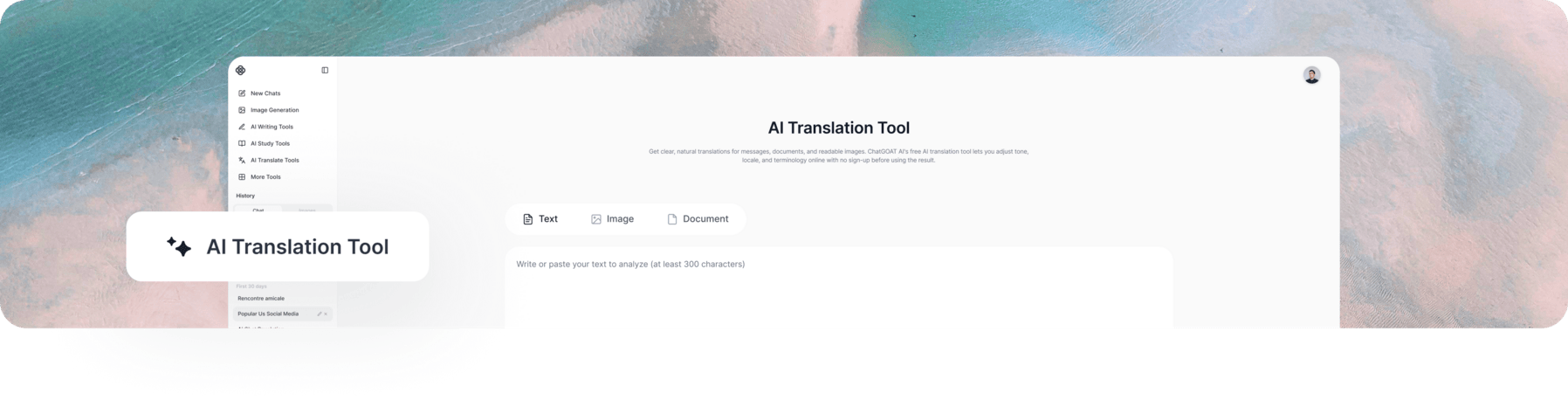
An AI translation tool uses the surrounding text - not isolated word matches - to interpret ambiguous phrases, idioms, tone, and regional language. That context can produce a more suitable draft than literal translation, but names, numbers, specialist terms, and high-stakes content still require careful review.
Key Features of the AI Translation Tool
Preserve Meaning, Tone, and Context
Tell the AI text translator who will read the content and how the result should sound. Supplying the purpose, audience, and surrounding passage helps it interpret ambiguous wording, idioms, and implied meaning more appropriately.
Translate Text, Documents, and Images
Translate pasted text, supported documents, and readable images from one place. Check extracted text, tables, captions, and complex layouts carefully when the source is scanned or highly formatted.
Adapt to Regional Language
Specify the target locale and level of formality so the translation better fits the intended audience. You can request Brazilian Portuguese, Mexican Spanish, UK English, or another regional variant instead of accepting generic wording.
Keep Key Terms Consistent
Provide approved translations for product names, technical terms, abbreviations, codes, and units. The AI text translator can follow those instructions across the passage while leaving protected terms unchanged.
How to Use ChatGOAT AI’s AI Translator
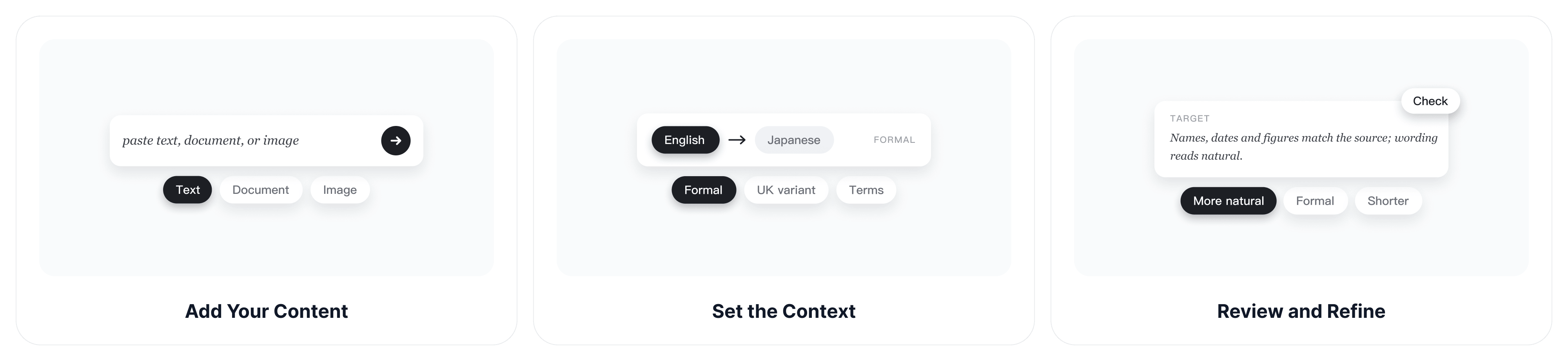
Use these three steps to give the translator enough context and review the details that matter before using the result.
Step 1: Add Your Content
Paste the text you want to translate, or add a supported document or readable image. Select or state the source and target languages, then remove private information that is not needed for the task.
Step 2: Set the Context
Tell the AI text translator who will read the translation and how it should sound. Add the country or regional variant, level of formality, preferred terminology, and any words that must remain unchanged.
Step 3: Review and Refine
Check names, dates, numbers, technical terms, and the original meaning. Ask for a more natural, formal, concise, or region-specific version, and have high-stakes material reviewed by a qualified human translator.
Translate Text for Different Needs
Travelers, students, researchers, international teams, and content professionals use translation tools for different purposes. The audience and situation should guide the wording, level of formality, and details that need extra review.
Study Translation for Students
International and exchange students can translate reading assignments, course announcements, application forms, and emails to professors or school offices. State the course subject and who will read the text, such as a professor or an admissions office, so the translation keeps the right level of politeness. For graded work, check your school’s rules on translation tools before submitting translated text.
Source: "I missed Tuesday’s lecture because of a visa appointment. Could you share the slides and let me know if I missed any assignment updates?"
Sample translation (French): "J’ai manqué le cours de mardi en raison d’un rendez-vous pour mon visa. Pourriez-vous me transmettre les diapositives et m’indiquer si j’ai manqué des mises à jour concernant les devoirs ?"
Everyday Translation for Travelers
Travelers, language learners, and people messaging friends abroad can translate booking questions, directions, notices, and personal messages. The AI Spanish assistant can also explain grammar or regional usage after the translation.
Source: "Could you confirm whether breakfast is included in the room price?"
Sample translation (Mexican Spanish): "¿Podría confirmar si el desayuno está incluido en el precio de la habitación?"
Business Translation for Teams
Customer support teams, freelancers, and international colleagues can prepare multilingual replies while preserving the requested action and level of formality. An AI email generator can help organize the original message before translation. When the translated content needs to become a client-facing deck, the AI slide generator can turn approved notes, documents, or a PDF into an editable presentation.
Source: "Order 4821 will arrive two days late. We apologize for the delay and will send the new tracking link today."
Sample translation (German): "Die Bestellung 4821 wird zwei Tage später eintreffen. Wir entschuldigen uns für die Verzögerung und senden Ihnen heute den neuen Tracking-Link."
Academic Translation for Researchers
Students, educators, and researchers can translate abstracts, notes, instructions, and technical passages with a stated field and terminology list. After translating, an AI grammar checker can help review sentence-level errors, while quotations, references, specialist claims, and protected terms still need checking against the source.
Source: "This study evaluates how urban heat affects energy demand during summer peaks."
Sample translation (Portuguese): "Este estudo avalia como o calor urbano afeta a demanda de energia durante os picos de verão."
Localized Copy for Marketers
Marketers, e-commerce teams, and creators can adapt product descriptions, landing-page copy, captions, and campaign messages for a target market. Specify the locale, brand voice, character limit, and protected terms because localization may require cultural changes beyond direct translation.
Why Choose ChatGOAT AI’s AI Translation Tool?
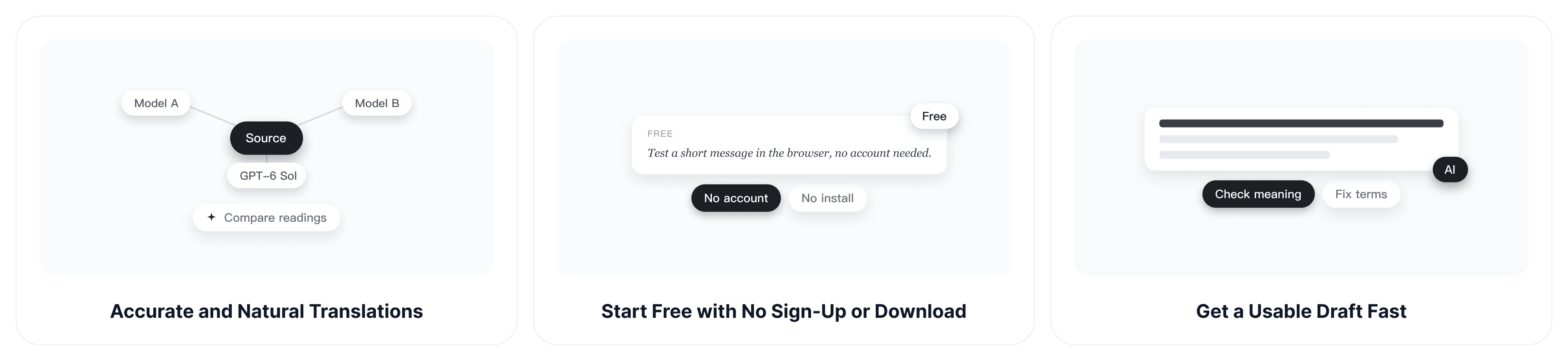
ChatGOAT AI combines low-friction access with controls that help you improve meaning, tone, and wording after the first translation.
Accurate and Natural Translations
ChatGOAT AI brings multiple AI models into one platform. When a difficult sentence, idiom, or technical passage seems ambiguous, you can compare another interpretation instead of relying on one model’s wording, then choose or refine the version that best preserves the source meaning.
Start Free with No Sign-Up or Download
Test a short message or compare wording in your browser without creating an account or installing an app. Free access lets you check whether the result suits the language pair and content type before moving to a larger task.
Get a Usable Draft Fast
Create a first translation in seconds, then spend your time checking meaning, terminology, and important details instead of rebuilding every sentence manually.
Translate Across Multiple Languages
Switch between multiple languages from one page, from widely spoken ones like English, Spanish, and Chinese to less common ones like Icelandic and Swahili. You don’t need a different tool each time the language pair changes.
AI Translation Tool FAQs
These answers cover the practical questions readers often ask before choosing an AI translator for everyday, academic, or professional content.
Is ChatGOAT AI’s AI Translation Tool Free?
Yes. ChatGOAT AI offers free daily access, and you can begin translating online without signing up. Usage limits and supported inputs may vary by feature, model, plan, region, and product updates.
Can an AI Translator Preserve Tone and Context?
It can use surrounding text and your instructions to preserve a formal, friendly, academic, persuasive, or conversational tone. Always review the output because cultural nuance, humor, idioms, and implied meaning can still be misread.
Can I Translate Documents and Images?
ChatGOAT AI supports text and, where available in the selected interface, readable documents and images. Check the extracted text, layout, tables, and captions after translation because scans and complex formatting can introduce errors.
How Do I Compare the Best AI Translators?
Test each tool with the same real passage and compare accuracy, naturalness, language coverage, regional options, terminology control, file support, privacy, limits, and revision workflow. The best AI translators depend on the language pair and content type, not only a general ranking.
Can an AI Text Translator Handle Regional Variants?
Yes, if you specify the target locale. Ask for Canadian French, Brazilian Portuguese, Mexican Spanish, US English, UK English, or another relevant variant, then check local vocabulary and formality with a fluent reviewer when the audience matters.
Is AI Translation Accurate Enough for Legal or Medical Text?
Do not rely on an AI translation alone for legal, medical, certified, safety-critical, or other high-stakes content. Use it only as a draft or comprehension aid and have the final version reviewed by a qualified professional.
How Can I Keep Technical Terms Consistent?
Provide an approved terminology list and tell the AI which terms, names, codes, and units must remain unchanged. Translate a sample first, correct it, and reuse those choices across the rest of the project.
Is It Safe to Translate Confidential Information?
Remove personal, financial, medical, legal, customer, and company-confidential details unless your organization has approved the tool and workflow. Follow applicable data-protection rules and internal policies before uploading sensitive content.