


AI Powered Study Assistant
Bring notes, questions, PDFs, and study goals into one conversation. ChatGOAT AI analyzes what you provide, explains difficult ideas, organizes review, creates practice, and helps you decide what to study next instead of giving one disconnected answer at a time.
What Is an AI Powered Study Assistant?
.webp)
An AI powered study assistant is a conversational tool that supports several connected parts of learning: understanding a concept, organizing material, practicing retrieval, reviewing an answer, and planning what to study next. Unlike a one-time answer tool, it can use follow-up context to continue the same learning process.
ChatGOAT AI works with questions, notes, and readable documents. It analyzes what you provide, considers your level and goal, summarizes relevant information, and executes the next study task, whether that means explaining an idea, building practice, or reorganizing a review plan.
What Can the AI Study Assistant Help You Do?
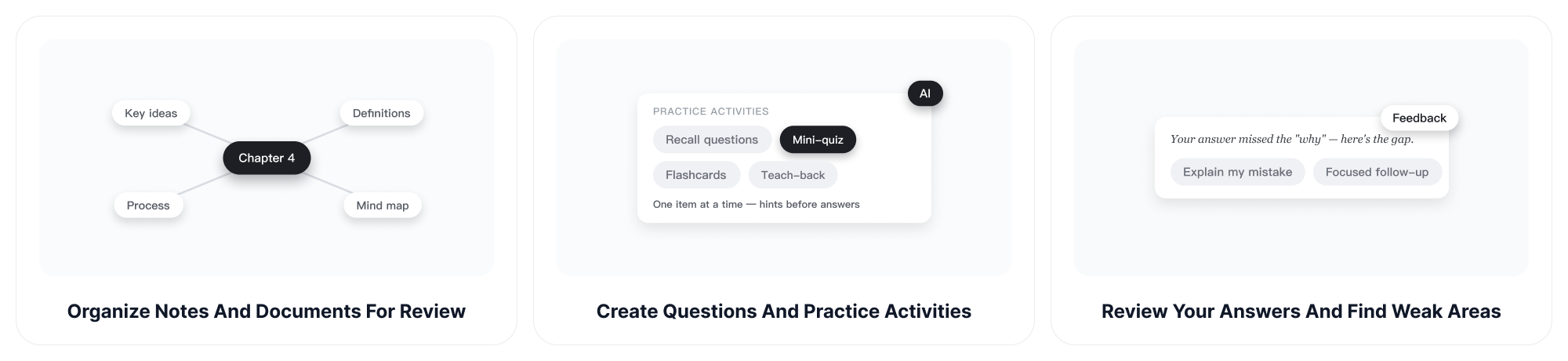
Use ChatGOAT AI as an interactive study helper for understanding, organization, practice, and planning. You choose the source and goal; the assistant helps turn them into a clear next action.
Explain Difficult Concepts at the Right Level
Ask for a plain-language explanation, a step-by-step breakdown, an analogy, a worked example, or a more advanced treatment. Tell the AI study assistant what you already understand and where you became confused so it can focus on the missing link instead of repeating the whole lesson.
Organize Notes and Documents for Review
Paste notes, upload a readable PDF, or combine information from several class materials. ChatGOAT AI can identify key concepts, definitions, arguments, processes, and connections, then arrange them into a more usable review structure. The AI Mind Map Generator offers another way to see how major ideas connect.
Create Questions and Practice Activities
Move beyond rereading by asking for recall questions, application problems, mini-quizzes, practice tests, flashcard-style prompts, or teaching exercises. Request hints before answers or ask the assistant to question you one item at a time so the study session remains active.
Review Your Answers and Find Weak Areas
Share your response and ask for feedback on the reasoning, not just a correct or incorrect judgment. ChatGOAT AI can compare your answer with the expected concepts, point out omissions, explain mistakes, and suggest a focused follow-up activity. Always verify high-stakes or specialized guidance against authoritative sources.
Plan Study Sessions around a Real Deadline
Tell the assistant what subjects you need to cover, how much time you have, and which areas feel weakest. It can break the workload into manageable sessions and adjust the plan after a practice result. Use the AI Schedule Maker when you want to turn those priorities into a day-by-day timetable.
Continue One Learning Conversation
Keep context as you move from explanation to summary, practice, feedback, and review. Instead of reopening a separate tool for every step, ask follow-up questions such as “show another example,” “test me without hints,” or “rebuild tomorrow’s session around the questions I missed.”
How to Study with ChatGOAT AI
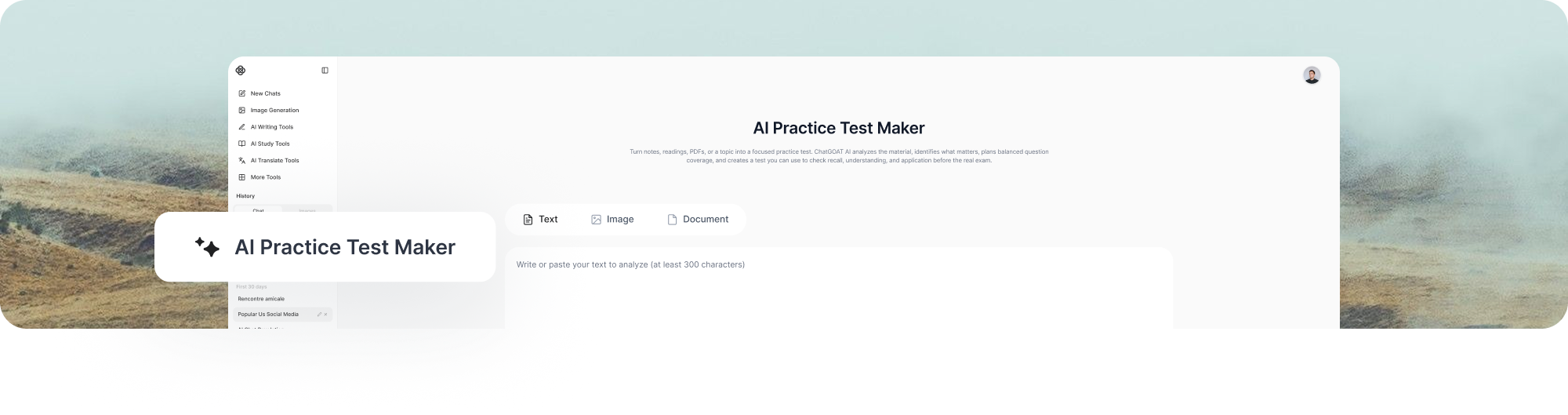
A good study session starts with context and ends with a clear next step. Use this three-part workflow whenever you open the AI powered study assistant.
Step 1: Share Your Material and Goal
Upload a readable document, paste notes, enter a question, or describe the subject. Include your level, deadline, assignment requirements, and what you want to accomplish during the session.
Step 2: Ask for the Right Kind of Help
Request an explanation, summary, comparison, worked example, study guide, quiz, practice test, feedback, or review plan. Be specific about depth and format, and ask the assistant to stay within your source when that matters.
Step 3: Respond, Refine, and Keep Learning
Answer the questions, identify what remains unclear, and ask targeted follow-ups. Let the assistant adjust the next explanation or practice set based on your performance instead of ending after the first response.
AI Study Assistant vs. a One-Time Answer Tool
A one-time answer can solve the immediate question but may not reveal whether you understand the method. ChatGOAT AI supports a longer learning loop: understand the concept, practice it, inspect mistakes, and decide what to do next.
| AI Powered Study Assistant | One-Time Answer Tool |
| Uses materials, goals, and follow-up context | Responds mainly to the current prompt |
| Moves between explanation, practice, and planning | Usually completes one isolated task |
| Can adjust after you share an answer or difficulty | Offers limited adaptation without a new workflow |
| Supports an ongoing review sequence | Prioritizes a fast standalone result |
Who Can Use an AI Powered Study Assistant?
ChatGOAT AI can support learners with different goals, but the best workflow changes by user. Explain the real task and the constraints so the assistant can produce relevant help rather than generic advice.
Students Managing Several Courses
Bring together notes, readings, deadlines, and questions from one course at a time. Ask for a review sequence, clarify weak concepts, and test yourself before moving on. The AI Study Guide Maker can turn a large source into a stable reference for later sessions.
Learners Preparing for an Exam
Map the tested topics, prioritize weak areas, create exam-style practice, and revisit mistakes. Tell ChatGOAT AI about the real format and time limit so it can help you prepare for the task you will actually face, not just provide general information.
Language Learners Building Skills
Practice explanations, vocabulary, grammar, reading comprehension, and short conversations at an appropriate level. Ask for corrections with reasons and retry the same skill in a new example. Spanish learners can continue with the dedicated AI Spanish Assistant for focused language work.
Independent and Professional Learners
Use manuals, research papers, reports, or training materials as the basis for guided learning. Ask the assistant to identify prerequisites, define specialized terms, compare approaches, and create scenario questions that connect the source to decisions you make in practice.
How to Get More Useful Help from an AI Study Assistant
A study assistant becomes more useful when it understands your current knowledge, source material, and immediate goal. Give it enough context to choose the right next step instead of asking for broad help with an entire subject.
Explain What You Already Understand
State your course level and summarize what makes sense so far. Point to the exact step, term, or argument that is confusing. This helps ChatGOAT AI fill the missing connection without repeating information you already know.
Ask for Learning, Not Just the Final Answer
Request a hint, similar example, explanation, or guided question before asking for a solution. For assignments, follow your institution’s rules and use the assistant to develop your own understanding rather than submit work you cannot explain.
Verify Important Information
Check formulas, quotations, citations, dates, and specialized claims against textbooks, instructors, or authoritative sources. Use feedback from teachers and practice results to correct the next study step when AI output conflicts with approved course material.
AI Powered Study Assistant FAQ
1. What is an AI powered study assistant?
An AI powered study assistant is a conversational tool that helps learners understand, organize, practice, and plan around study material. It can respond to follow-up questions and adapt the next task based on the context you provide.
2. How can ChatGOAT AI help me study?
You can ask it to explain concepts, summarize notes, compare ideas, create examples, organize a study guide, generate practice questions, review an answer, or plan revision. The output becomes more useful when you share your level, source, and goal.
3. Can I upload notes or PDFs?
Yes. You can work with pasted notes and readable documents. Tell ChatGOAT AI which pages or sections matter and what you want to learn from them. Verify quotations, calculations, and specialized facts against the original source.
4. Is an AI study assistant the same as an AI tutor?
The terms often overlap. An AI tutor usually emphasizes teaching and guided practice, while an AI study assistant may also organize notes, create review materials, and plan tasks. ChatGOAT AI can support both workflows through conversation.
5. Can the study assistant create quizzes and practice tests?
Yes. Provide the material and specify the question types, difficulty, length, and whether you want answers or explanations. Review the generated items for accuracy and alignment before using them for high-stakes preparation or teaching.
6. Can ChatGOAT AI help with homework?
It can explain the problem, clarify instructions, demonstrate a similar example, review your attempt, and help you identify the next step. Follow your school’s academic integrity rules and submit work that reflects your own understanding.
7. Is the AI powered study assistant free?
ChatGOAT AI is free to try for study, writing, and analysis tasks. Current usage limits and advanced features may vary by account or plan, so check the live product interface for the latest availability.
8. How do I get more accurate study help?
Provide reliable source material, define the course level and goal, and ask the assistant to show its reasoning or point to the relevant part of your source. Check important facts, equations, and citations independently.
9. Can an AI study assistant replace a teacher or tutor?
No. It can provide flexible explanations and practice, but it does not know your full curriculum, personal circumstances, or every authoritative answer. Teachers, tutors, textbooks, and approved course materials remain essential for guidance and verification.
Study with an AI Assistant That Follows Your Goal
Share your notes, document, question, and deadline with ChatGOAT AI. It will analyze the material, consider what you need, organize the next step, and help you move from explanation to practice and review in one connected study workflow.