


Free Outfit Description Generator
Turn an outfit photo into a detailed, editable clothing description in seconds with ChatGOAT AI. Start free online, capture garments, colors, fit, textures, accessories, and style, then refine the wording for a listing, caption, character reference, or AI prompt.
What Is an Outfit Description Generator?
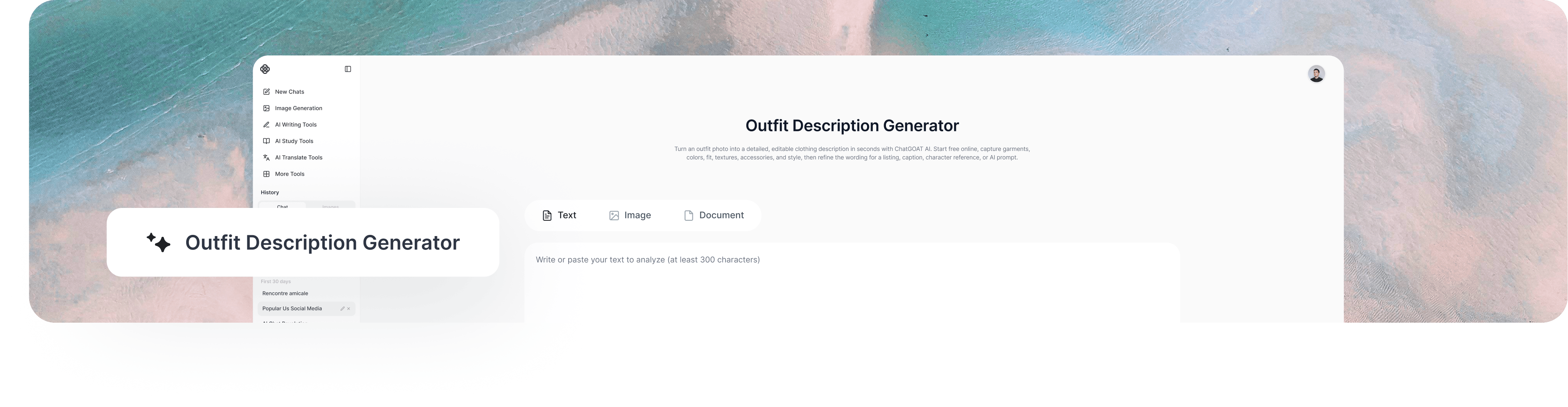
A free outfit description generator uses AI vision to turn visible clothing details into written text. It can identify garments, colors, patterns, silhouettes, apparent textures, accessories, and an overall style direction, saving you from describing every item manually. The result should still be checked because a photo may not reliably confirm a brand, exact fabric composition, size, or hidden condition.
How to Use ChatGOAT AI's Outfit Description Generator
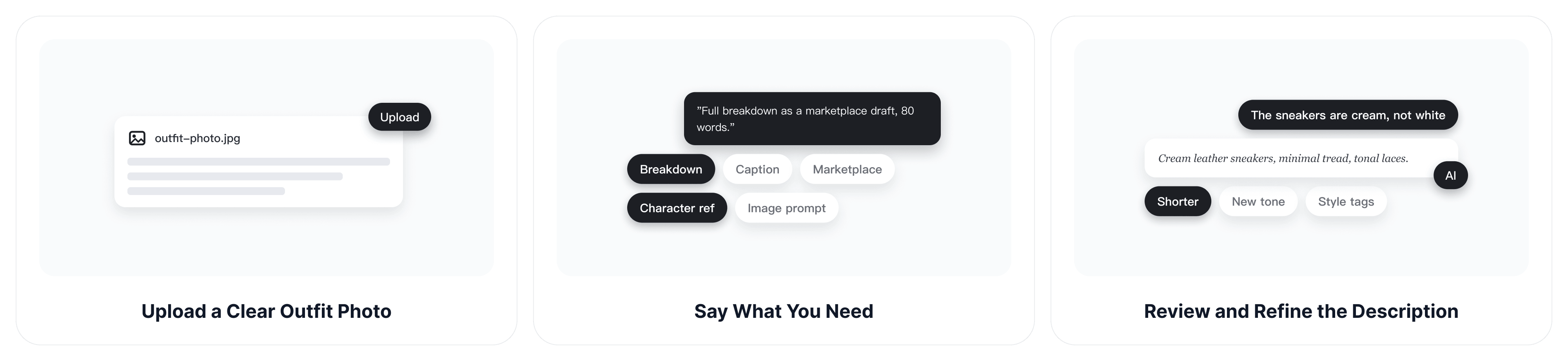
Step 1: Upload a Clear Outfit Photo
Choose a well-lit image where the full outfit or the clothing item is easy to see. A front-facing photo with minimal obstruction gives the AI more visible detail to analyze.
Step 2: Say What You Need
Ask for a full outfit breakdown or specify the intended output, such as a concise caption, detailed clothing description, marketplace draft, character reference, or image prompt.
Step 3: Review and Refine the Description
Check colors, garment names, materials, brands, and other factual details against the image or item. Then ask ChatGOAT AI to shorten the text, change the tone, add style tags, or focus on selected garments.
Describe Visible Details with an AI Outfit Describer
A useful AI outfit describer should do more than name a shirt and trousers. It should organize the visible details so the result is specific enough to reuse and easy enough to verify.
Break Down Every Garment
Separate the look into layers such as tops, bottoms, dresses, outerwear, shoes, and accessories. This makes complex or layered outfits easier to understand than a single vague sentence.
Capture Color, Pattern, and Silhouette
Describe visible colors, prints, length, neckline, sleeve shape, rise, hem, and overall fit. These details help distinguish a cropped fitted jacket from an oversized longline coat.
Explain Texture and Fabric Appearance Carefully
The tool can describe how a fabric appears, such as glossy, ribbed, sheer, quilted, or denim-like. Exact fiber content should be confirmed from a label rather than inferred from the photo.
Include Accessories, Styling, and Occasion
Ask the AI to note bags, jewelry, belts, hats, eyewear, footwear, layering choices, and the overall aesthetic. You can also request likely occasions, but these should be presented as styling suggestions rather than fixed facts.
Turn Clothing Descriptions into Useful Content
The same visual information can be rewritten for different tasks. State where the text will be used so ChatGOAT AI can adjust the length, vocabulary, structure, and level of detail.
Draft Fashion Listings
Convert a garment photo into an editable product-description starting point. Add verified information such as brand, size, fiber content, measurements, condition, and care instructions before publishing. If you also need new product or fashion visuals, the AI photoshoot generator can help develop related concepts from the same source image.
Write Captions and Find Similar Clothes
Turn the outfit into a short OOTD caption or lookbook note, or ask for specific shopping keywords such as navy oversized cable-knit V-neck sweater to search for similar pieces online.
Build Character References and AI Prompts
Use the description to document a fictional character's clothing or guide a new visual. When you want to explore a related image, the AI image generator can turn the refined outfit prompt into a fresh visual direction.
Free Outfit Description Generator Examples
These examples show how the same outfit image can support different outputs. They are starting points, and any detail not clearly visible in the source image should be confirmed or removed.
Detailed Outfit Breakdown
Use this format when you need a faithful description of the complete look.
Sample request: Describe every visible garment, color, pattern, fit, accessory, and styling detail without guessing the brand or exact fabric.
Useful starting point: A charcoal cropped jacket is layered over a white fitted top and paired with high-waisted, wide-leg black trousers. The look is finished with silver hoop earrings, a compact shoulder bag, and white low-profile sneakers.
Marketplace Clothing Description
Use this format when you need an editable listing draft for one garment.
Sample request: Turn the visible jacket into a concise product description and separate confirmed visual details from information I still need to add.
Useful starting point: Charcoal cropped jacket with a structured collar, long sleeves, front button closure, and a clean minimalist silhouette. Add the verified brand, size, material, measurements, condition, and care details before publishing.
Prompt-Ready Character Outfit
Use this format when the description will guide character art or another AI image.
Sample request: Rewrite the outfit as a compact visual prompt, keeping the clothing details specific and removing sales language.
Useful starting point: Modern urban character wearing a charcoal cropped jacket, fitted white top, high-waisted black wide-leg trousers, silver hoop earrings, white sneakers, and a small shoulder bag; clean monochrome styling and relaxed confidence.
Get More Accurate Clothing Descriptions
Image quality and instructions affect what the tool can describe. A few practical checks help reduce vague language and unsupported details.
Show the Full Outfit Clearly
Use a bright, sharp photo with the clothing in frame. Heavy filters, shadows, crossed arms, cropped shoes, or overlapping people can hide colors, textures, and garment boundaries.
Analyze One Person or Item at a Time
For group photos, crop around the intended person before uploading. If the source image needs visual cleanup first, the AI image editor can help adjust distracting elements or prepare a clearer version.
Tell the AI What Not to Guess
Ask the description to distinguish visible observations from uncertain details. Brand, exact material, size, garment condition, and authenticity should not be stated as facts unless the image or your added information confirms them.
Request the Right Output Format
Specify whether you want a short paragraph, itemized breakdown, style tags, shopping keywords, listing copy, caption, or image prompt. The same photo can produce very different useful results when the purpose is clear.
Who Can Use an Outfit Description Generator?
An outfit description generator can be useful for anyone who needs to turn clothing photos into clear, reusable text, from selling secondhand clothes to creating fashion content and visual references.
Online Sellers and Resellers
Create editable clothing descriptions for marketplace listings using product photos. Identify visible garment details, colors, patterns, and styles, then add verified information such as size, brand, condition, and measurements.
Fashion Creators and Social Media Users
Turn outfit photos into OOTD captions, lookbook descriptions, and styling notes for Instagram, Pinterest, blogs, and other social platforms. Adjust the wording to match different audiences and content styles.
Shoppers and Style Enthusiasts
Describe outfits to find similar clothing online. Use specific details such as color, silhouette, neckline, fabric appearance, and garment type as shopping search keywords.
Designers and Character Creators
Document clothing details for fictional characters, fashion concepts, and visual references. Convert outfit descriptions into AI image prompts to explore different looks and styling directions.
Why Choose ChatGOAT AI's Outfit Description Generator?
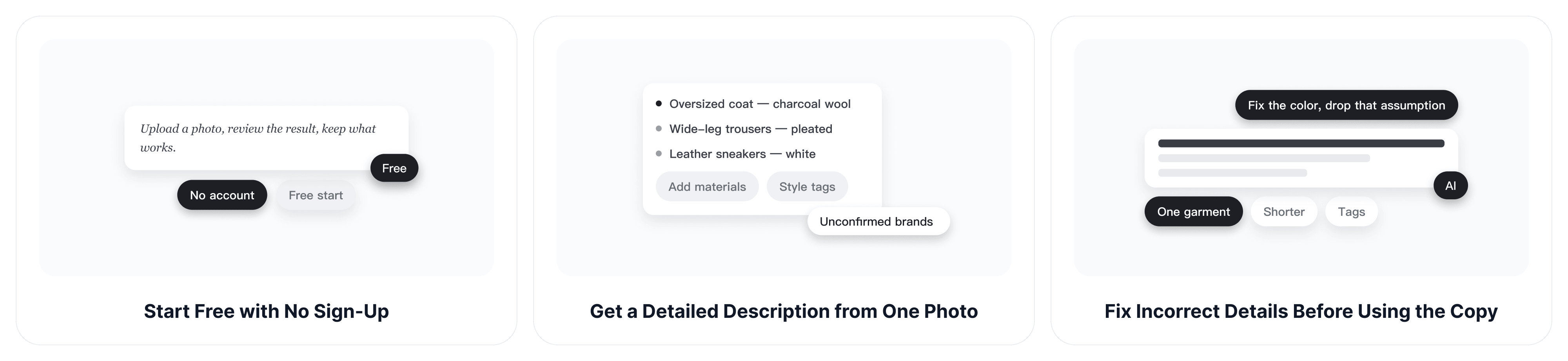
ChatGOAT AI combines visual understanding with an editable conversation, helping you move from a photo to wording that fits the actual task instead of accepting one fixed description.
Start Free with No Sign-Up
Start the outfit-description workflow online for free without creating an account. Upload a photo, review the result, and decide what to keep or change; available usage and model access may vary by plan.
Get a Detailed Description from One Photo
Upload one clear outfit photo and get a garment-by-garment description of visible colors, fit, patterns, apparent textures, accessories, and overall style. Uncertain brands or exact fabrics can be left unconfirmed instead of presented as facts.
Fix Incorrect Details Before Using the Copy
Correct a color, request more detail on one garment, remove an unsupported assumption, or turn a full breakdown into a short caption without uploading the image again.
Create Copy for Listings, Captions, and Prompts
Ask ChatGOAT AI to reshape the same verified outfit details into marketplace copy, an OOTD caption, a character reference, or an AI image prompt, so the result is ready for the task instead of remaining a generic description.
Free Outfit Description Generator FAQs
Find practical answers about images, accuracy, editing, and ways to reuse an AI-generated outfit description.
What Details Can an Outfit Description Generator Identify?
It can describe visible garments, layers, colors, patterns, apparent textures, silhouette, fit, footwear, accessories, styling, and an overall aesthetic. Results depend on how clearly those details appear in the image.
Is ChatGOAT AI's Outfit Description Generator Free?
You can try ChatGOAT AI for free. Available usage, model access, and limits may vary depending on the current account or plan.
Can the AI Outfit Describer Identify a Clothing Brand?
Only treat a brand as confirmed when a readable label, logo, or information you provide supports it. Similar cuts or patterns are not reliable evidence of a particular brand.
Can a Clothing Description Generator Confirm the Fabric?
It may describe visible fabric appearance, such as ribbed, shiny, sheer, or denim-like, but a photo cannot always prove the exact fiber composition. Check the garment label before publishing material claims.
Can I Use the Result for an Online Clothing Listing?
Yes, as an editable starting point. Add verified size, measurements, brand, material, condition, flaws, care instructions, shipping information, and any marketplace-required details.
Can It Describe Anime, Game, or Illustrated Outfits?
Yes. Clear illustrations and character art can be described, although highly stylized shapes and textures may require interpretation rather than literal garment identification.
Can I Turn the Description into an AI Image Prompt?
Yes. Ask ChatGOAT AI to remove listing language and reorganize the visible clothing details into a concise prompt. The final image may interpret some details differently from the reference.
How Can I Make the Outfit Description More Accurate?
Upload a well-lit image, keep the full outfit visible, avoid heavy filters, analyze one person at a time, state the intended output, and manually verify uncertain details.
Can I Change the Tone or Length of the Description?
Yes. Ask for a shorter caption, detailed editorial description, neutral inventory note, marketplace-ready draft, or prompt-style version while preserving the facts you want to keep.