


Gemini 3.5 Flash Lite is Ready





 AI Chat
 AI Image
 AI Writing
 AI Study
 AI Work
 AI Translate





One Platform. Multiple AI Models.
Meet, chat, and create with leading AI models like GPT 6 Luna, GPT-5.6 Luna, Claude Haiku 4.5 and more — all in a single, simple platform.



Trusted by millions of users worldwide




Gemini 3.5 Flash Lite Free - Use Google’s Fast Powerful AI Model Online
Meet Gemini 3.5 Flash Lite on ChatGOAT: Google's most capable Flash model for fast answers, complex reasoning, coding, and multimodal understanding. Ask a question, add your content, and get a clear response without configuring an API or building a workflow from scratch.
Fast Answers That Keep Work Moving
Get straight to the information you need. Gemini 3.5 Flash Lite can explain a topic, organize notes, draft an email, compare options, or turn a broad question into clear next steps, making it a useful choice for high‑frequency tasks throughout the day.

Strong Reasoning for Multi‑Step Tasks
Some requests need more than a quick reply. Gemini 3.5 Flash Lite can reason through several steps, follow detailed instructions, and stay focused as you add constraints or refine the goal across the conversation.
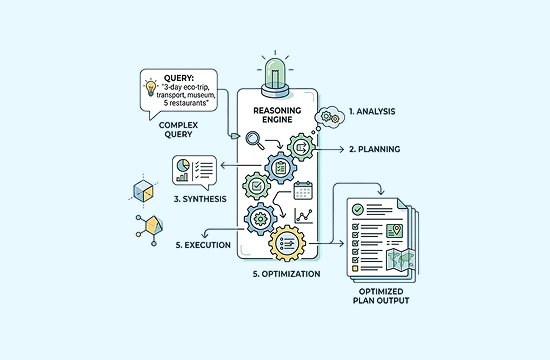
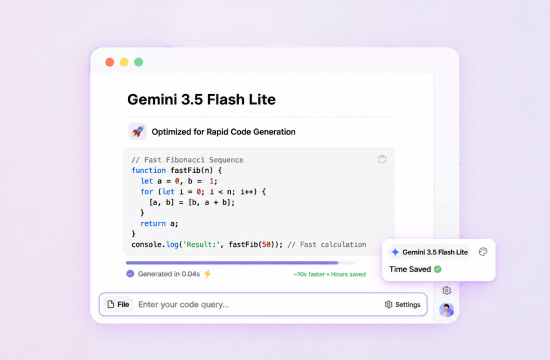
Coding Help From Idea to Iteration
Use Gemini 3.5 Flash Lite to explain code, generate examples, investigate common errors, and compare implementation approaches. Continue the conversation as you test and refine the result, while reviewing generated code before production use.
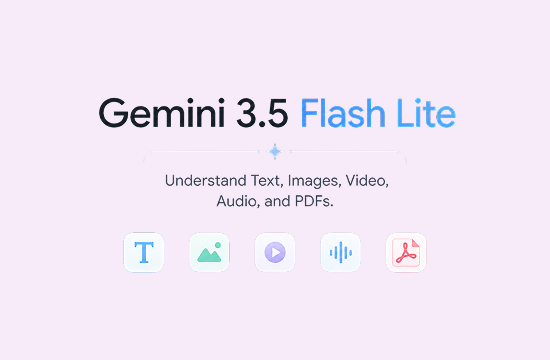
Understand Text, Images, Video, Audio, and PDFs
The underlying model supports text, image, video, audio, and PDF inputs. When the corresponding input is available on ChatGOAT, you can summarize a document, explain a chart, interpret an image, review media content, or connect details across several sources.
Why Use Gemini 3.5 Flash Lite on ChatGOAT AI?
Why Use Gemini 3.5 Flash Lite on ChatGOAT AI

One Platform for Gemini, GPT, Claude, Grok, and More
Use Gemini 3.5 Flash Lite alongside GPT, Claude, Grok, DeepSeek, Qwen, and other available models. Choose the model that fits the task without opening a different product or rebuilding your workflow.

Switch Models When the Task Changes
A model that works well for one request may not be the best choice for the next. Move between available models and compare their responses for writing, coding, research, document analysis, or creative work.

More Than a Basic AI Chat
Use ChatGOAT for AI writing, study support, work tasks, translation, image tools, and file‑based analysis. Gemini 3.5 Flash Lite becomes part of a practical workspace rather than an isolated chat window.

Start Instantly Without API Setup
Select Gemini 3.5 Flash Lite, enter your prompt, and begin. You do not need to create an API key, install development tools, or configure a separate application to use the model for everyday tasks.
How to Use Gemini 3.5 Flash Lite on ChatGOAT AI
How can you use Gemini 3.5 Flash Lite to ask questions on ChatGOAT AI? Follow the guide below:
Step 1: Select Gemini 3.5 Flash Lite
Open the model menu and choose Gemini 3.5 Flash Lite. The model is then ready for your next question or task.

Step 2: Ask a Question or Add Your Content
Enter your request and include the context that matters, such as the audience, goal, format, source text, or constraints. Where supported, add a document or image for the model to analyze.
Step 3: Review, Continue, and Refine
Read the response and keep the conversation going. Ask for a shorter version, a clearer explanation, another approach, more detail, or a different format until the result fits your needs.
Try Gemini 3.5 Flash Lite for Your Next Task
Write an email, summarize a PDF, understand an image, work through code, or get a fast answer to a difficult question. Select Gemini 3.5 Flash Lite on ChatGOAT and start with a simple prompt.
Why Users Love Gemini 3.5 Flash Lite
Why Users Love Gemini 3.5 Flash Lite
 Maya R.
It delivers near‑instant responses for my daily routine tasks, no frustrating waiting time at all.
 James L.
I rely on it to quickly translate documents and streamline repetitive client‑facing admin work.
 Sophie K.
The huge context window lets me upload long transcripts and get clear takeaways in seconds.
 Ryan T.
It’s my go‑to lightweight assistant for quick code checks and debugging simple scripting errors.
 Nina P.
I can run high‑volume AI workflows without worrying about excessive API costs eating into my budget.
 Leo W.
ChatGOAT AI lets me access Gemini 3.5 Flash Lite easily, so I can switch between powerful models in one workspace.
Gemini 3.5 Flash Lite FAQ
Everything you need to know about Gemini 3.5 Flash Lite
What is Gemini 3.5 Flash Lite?

How do I use Gemini 3.5 Flash Lite on ChatGOAT?
What can Gemini 3.5 Flash Lite help me do?
Can Gemini 3.5 Flash Lite help with coding?
Can Gemini 3.5 Flash Lite analyze files and images?
How is Gemini 3.5 Flash Lite different from Gemini 3.5 Flash Lite‑Lite?
Can I try Gemini 3.5 Flash Lite for free on ChatGOAT?