


AI Prompt Optimizer
Turn a vague request into a prompt that clearly states the goal, context, constraints, and expected output. ChatGOAT AI's free AI prompt optimizer helps reduce trial and error online with no sign-up.
What Is an AI Prompt Optimizer?
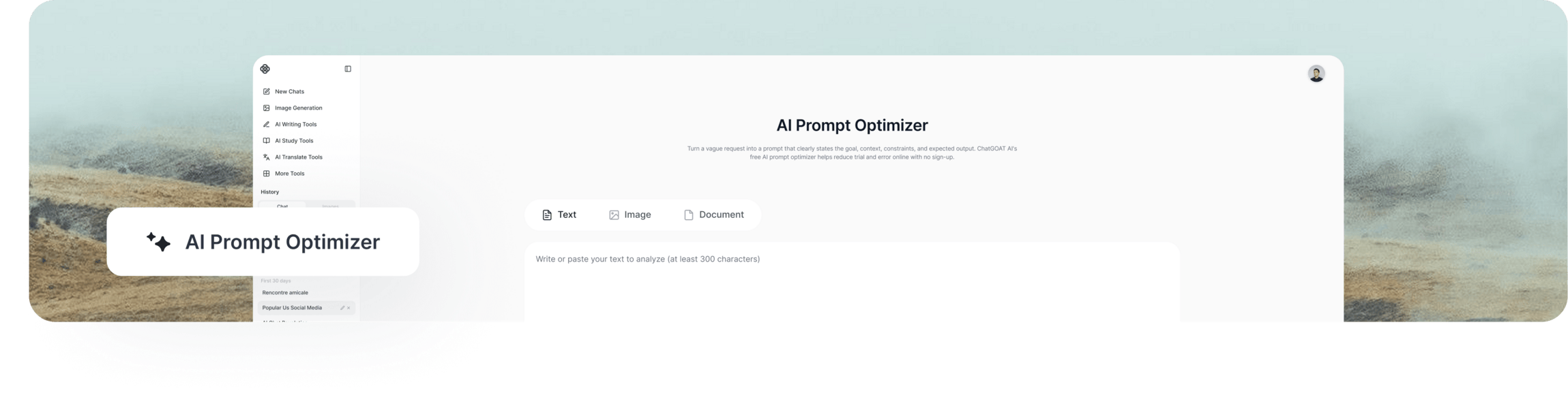
An AI prompt optimizer rewrites an existing prompt so an AI model can understand the task, relevant context, boundaries, and response format more clearly. Unlike a prompt generator, it starts with instructions you already have; unlike an AI agent, it improves the prompt rather than completing the requested task. The optimized version should preserve your intent and mark missing details instead of inventing them.
How to Use ChatGOAT AI’s AI Prompt Optimizer
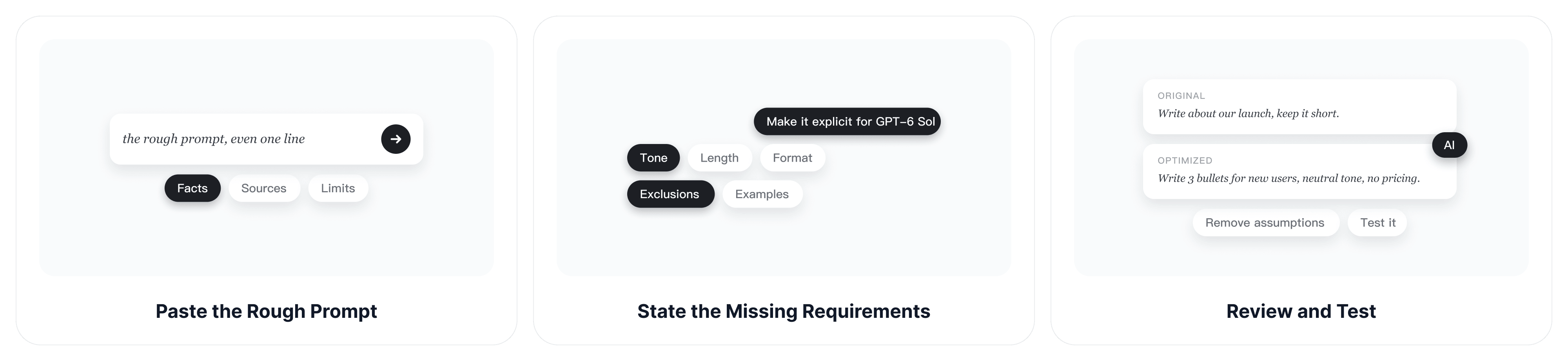
Start with the task you actually want completed, then review every added instruction before testing the optimized prompt.
Step 1: Paste the Rough Prompt
Add the original prompt, even if it is only one sentence. Include any facts, source material, audience details, or limits the AI must use.
Step 2: State the Missing Requirements
Tell the AI prompt improver what the result is for, which model or tool will receive the prompt, and what should be improved. Specify the tone, length, format, exclusions, examples, or success criteria when they matter.
Step 3: Review and Test
Compare the optimized prompt with the original. Remove invented assumptions, confirm that every constraint remains visible, then test it with the intended model and refine only the parts that produced an unclear result.
Task-Focused Prompt Rewriting With Our AI Prompt Enhancer
You know what you want from the AI. Putting it into words the model will follow is the hard part. Paste your request as it is, and our AI prompt optimizer rewrites it around the task in front of you, whether that’s a client email or a product image.
Polish a Rough Prompt in One Step
You don’t need to learn a prompt formula or fill in a template. Paste your rough prompt once and you get back a version that’s ready to use in a chat or an image tool.
Fine-Tune the Result With Follow-Ups
The first result won’t always match what you had in mind. Ask for a shorter version or a different tone, and the AI prompt improver edits that same prompt instead of starting from scratch. You keep the parts that already work.
Work From Short Prompts or Long Briefs
Maybe all you’ve got is five words. Maybe it’s a client message or a page of meeting notes. Paste whatever you’re starting from, and the AI prompt enhancer builds the prompt out of what’s there.
Rewrite Prompts in Any Language
Write your first draft in whatever language you think in. Keep the new version in that language, or switch it to English if your model handles English instructions better.
What Does an AI Prompt Improver Add?
A stronger prompt does not need to be longer for its own sake. It adds the information that changes how the model should interpret and complete the task.
A Clear Goal
Replace a broad request such as "help with this" with a specific action and deliverable. Name what the AI should produce and the problem the result must solve.
Useful Context
Identify the audience, situation, source material, and known facts. The AI prompt enhancer should expose missing context with a placeholder or question instead of quietly making up details.
Constraints and Boundaries
Preserve word limits, required points, prohibited claims, approved terminology, change boundaries, and other conditions that determine whether the response is usable.
A Defined Output Format
Request the structure you need, such as a table, numbered plan, JSON object, email, code patch, image prompt, or concise paragraph. Include an example only when it clarifies a pattern that prose cannot describe efficiently.
AI Prompt Optimizer Use Cases and Examples
Each task calls for different prompt details. These examples pair common user groups with realistic scenarios and show how an AI prompt rewriter makes the expected result easier to verify.
Launch Email Prompts for Marketers
A marketing prompt should identify the audience, evidence, tone, channel, and desired action.
Rough prompt: "Write a launch email for our new app."
Optimized prompt: "Write a 120-word launch email for existing small-business customers. Introduce [app name], explain [two verified benefits], use an energetic but credible tone, and end with a call to start a free trial. Do not invent performance claims."
Image Generation Prompts for Designers
An image prompt should describe the subject, composition, lighting, style, aspect ratio, and details to avoid. When the starting point is a reference image, the image to prompt generator can extract visible elements before optimization.
Rough prompt: "Make a futuristic city poster."
Optimized prompt: "Create a vertical 4:5 poster of a walkable futuristic city at blue hour, viewed from street level, with layered public transit, warm shop lights, realistic architecture, and clean space at the top for a headline. Avoid text, logos, and flying cars."
Coding Task Prompts for Developers
A coding prompt should define the required behavior, relevant environment, allowed scope, tests, and expected completion report.
Rough prompt: "Fix the login bug."
Optimized prompt: "Investigate the login failure described in [error details]. Inspect the authentication handler and nearest tests before editing. Make the smallest change that fixes the confirmed cause, add or update a focused test, run the relevant checks, and report the files changed and test results. Do not refactor unrelated code."
Test the Optimized Prompt
Run the revised prompt with the intended tool and compare the output with the success criteria. Visual prompts can be tested in the AI image generator, while multi-step work can be continued with the AI agent after the instructions are clear.
Why Choose ChatGOAT AI’s AI Prompt Optimizer?
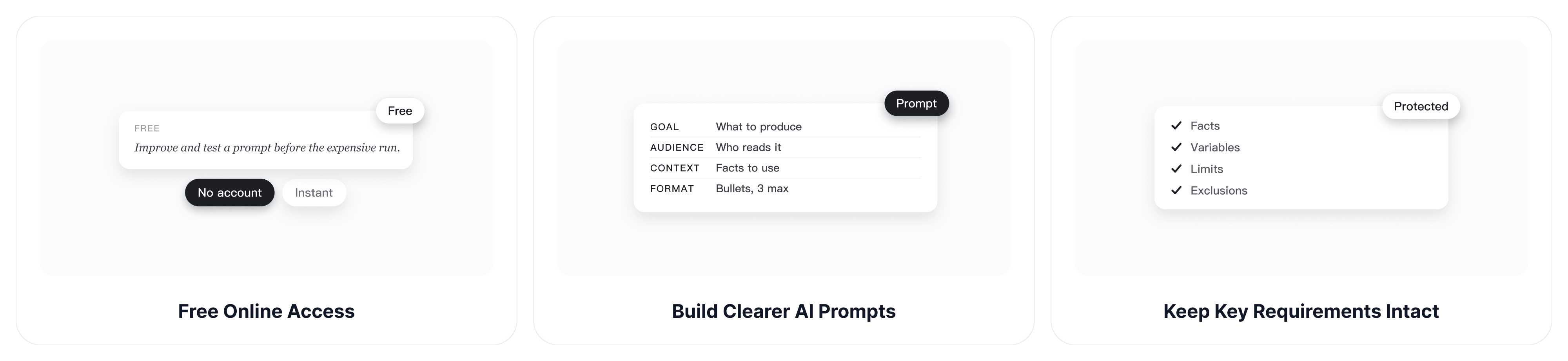
ChatGOAT AI helps you improve the prompt, inspect its assumptions, and continue refining it for the model or task you plan to use.
Free Online Access
Use the AI prompt optimizer online for free without creating an account. Immediate access lets you improve and test a prompt before committing it to a longer or more expensive AI workflow.
Build Clearer AI Prompts
Turn a rough request into a usable instruction with a clear goal, audience, context, constraints, and response format. Better-defined prompts reduce avoidable retries and make the output easier to evaluate.
Keep Key Requirements Intact
Protect facts, variables, limits, required terms, and exclusions while the prompt is improved. Missing details can remain visible as placeholders, reducing the risk of hidden assumptions changing the task.
Compare Prompt Directions
ChatGOAT AI provides access to multiple AI models, so you can compare different optimized versions when one becomes too long, rigid, or generic. This gives you more control than relying on a single optimization approach.
AI Prompt Optimizer FAQs
These answers cover what prompt optimization changes, how to evaluate it, and when another prompt tool may be more suitable.
Is the AI Prompt Optimizer Free?
Yes. ChatGOAT AI provides free daily access, and you can optimize prompts online without signing up. Limits and available features may vary by account, plan, region, model, and product updates.
What Is the Difference Between a Prompt Optimizer and a Prompt Generator?
A prompt optimizer improves an instruction you already have. A prompt generator creates a new prompt from a goal or topic, often by asking for the initial details first.
Does the AI Prompt Optimizer Run the Prompt?
No. Its main output is a revised prompt for you to inspect and use with the intended AI system. Test the optimized version separately and check whether it produces the required result.
Can an AI Prompt Improver Preserve My Original Intent?
It should preserve the goal and explicit constraints, but you still need to compare both versions. Remove additions that change the scope, introduce assumptions, or make the task more restrictive than intended.
Can I Optimize Prompts for Different AI Models?
Yes. State the target model or tool when it uses a particular syntax, supports specific inputs, or needs a specialized output format. A prompt that works well for text generation may need different details for image generation or coding.
Does a Longer Prompt Always Produce Better Results?
No. Extra wording can hide the main task or create conflicting instructions. Keep details that affect the result and remove repetition, background information the model does not need, and constraints that cannot be verified.
Can an AI Prompt Enhancer Reduce Token Usage?
It can shorten repetition and organize instructions more efficiently, but token reduction should not remove essential context, examples, constraints, or output requirements.
What Should I Check Before Using an Optimized Prompt?
Confirm the goal, audience, facts, variables, limits, exclusions, format, and success criteria. Make sure the optimizer did not invent data, credentials, file paths, citations, or claims.