


GPT-5.6 Sol is Ready
ChatGOAT AI
How can I help you today?





 Help me write
 Create Image
 Analyze image
 Analyze files
 Summarize text
 AI Chat
 AI Image
 AI Character
 AI Creation





One Platform. Multiple AI Models.
Meet, chat, and create with leading AI models like GPT-4.1 Mini, GPT-5.6 Luna, Grok-4.1 Fast and more — all in a single, simple platform.



Trusted by millions of users worldwide




GPT-5.6 Sol Free - Use OpenAI's Flagship Model Online
GPT-5.6 Sol is the model you reach for when a normal AI reply is not enough. It can work through code, long notes, research material, drafts, files, and questions that need more than one step. Now, you can try it for free on ChatGOAT AI.
Advanced Reasoning for Harder Work
Some prompts are easy. Others need the model to slow down, keep constraints in mind, and avoid jumping to the first answer. GPT-5.6 Sol is better suited for the second kind. Use it when you need help comparing options, debugging a tricky issue, planning a project, or turning a rough idea into something you can actually use.

Large Context for Long Files and Ongoing Tasks
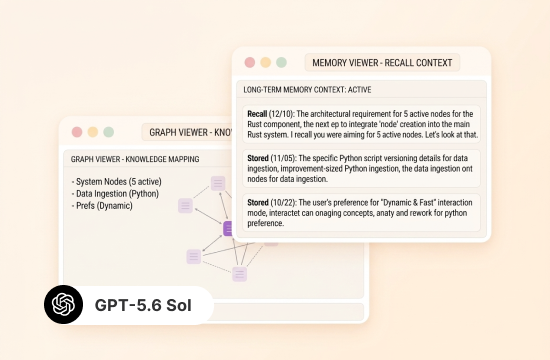
Long files are where Sol starts to feel different. You can bring in a research paper, meeting transcript, product brief, study notes, or a longer code file and ask questions that depend on details throughout the material. That means fewer chopped-up prompts and fewer “wait, I already told you this” moments.
Built for Coding, Research, and Computer Use
For developers, Sol is useful when the problem is not sitting on one obvious line. It can read through context, explain what is likely going wrong, suggest a fix, and help you think through trade-offs. The same strength carries over to research and office work: source review, report drafts, chart explanations, and turning scattered notes into a cleaner structure.
Agentic Workflows for Multi-Step Projects
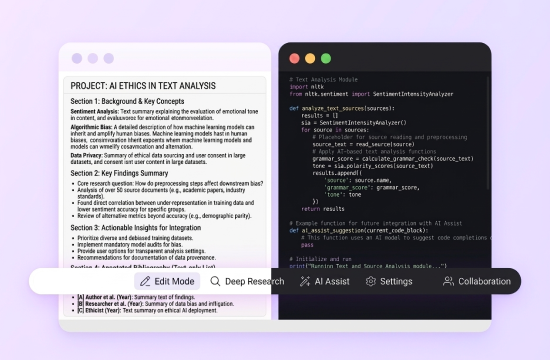
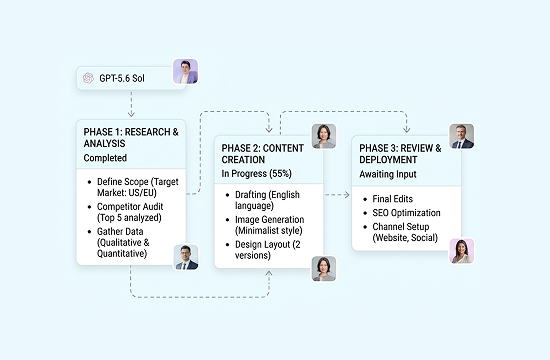
GPT-5.6 Sol also works well when the job unfolds over several rounds. Ask it to outline the plan, review a file, suggest the next step, revise the draft, then tighten the final version. It is a better fit for ongoing work than one-off questions.
Why Use GPT-5.6 Sol on ChatGOAT AI
ChatGOAT AI gives you a simple way to try GPT-5.6 Sol for free. You can test the model with real tasks before deciding how deeply you want to use it, whether you are summarizing a document, checking code, writing a draft, or asking research questions.

Free to Try GPT-5.6 Sol
ChatGOAT AI gives you a simple way to try GPT-5.6 Sol for free. You can test the model with real tasks before deciding how deeply you want to use it, whether you are summarizing a document, checking code, writing a draft, or asking research questions.

No API Key or Developer Setup
You do not need to create an API key, manage model IDs, track token billing, or open a developer console. ChatGOAT AI brings GPT-5.6 Sol into a browser-based chat interface, so you can focus on the task instead of the technical setup.

Built for Study, Writing, and Work
ChatGOAT AI is not just a blank chatbot. It connects GPT-5.6 Sol with practical study and writing workflows, so you can summarize readings, create outlines, rewrite content, review notes, prepare exam materials, analyze reports, and organize work tasks in one place.

Switch Between Top AI Models
ChatGOAT AI lets you use GPT-5.6 Sol alongside other leading AI models in one place, including GPT-5.6 Luna, GPT-4.1 Mini, and Claude Fable 5. You can choose Sol for deeper reasoning and long-context work, then compare answers when you want a second perspective.
How to Use GPT-5.6 Sol in 3 Steps
How to Use GPT-5.6 Sol in 3 simple steps:
Step 1: Open our AI Chat
Go to the GPT-5.6 Sol page on ChatGOAT AI and open our AI chat tool. You can begin with a question, a file, a code problem, a research topic, or a writing task.
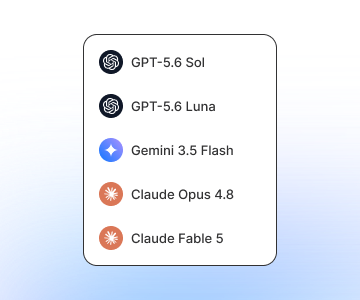
Step 2: Select the GPT-5.6 Sol Model
Choose GPT-5.6 Sol from the model options if it is not already selected. Pick this model when you need stronger reasoning, longer context, or better handling of complex information.
Step 3: Ask, Upload, and Refine
Type your request, paste your content, or upload a file or image. Tell GPT-5.6 Sol what you want, who the answer is for, and what format you need. Then refine the result with follow-up prompts until it is ready to use.
Try GPT-5.6 Sol on ChatGOAT AI
Open GPT-5.6 Sol on ChatGOAT AI, give it a real task, and see how it handles the work. No API setup, no model ID to enter, and no extra console to manage.
What Users Are Saying about GPT-5.6 Sol
What Users Are Saying about GPT-5.6 Sol
 Tom R.
I used it on a long paper I had been putting off. The useful part was not just the summary. It pointed out which sections mattered and where the argument felt thin.
 Sofia D.
For code review, I like that it does not stop at “check this function.” It follows the surrounding logic and usually gives me something I can test right away.
 Ben K.
I pasted raw meeting notes with half-finished sentences. It turned them into owners, deadlines, and follow-ups without making the list sound too polished.
 Maya L.
I originally searched for Sol Ultra and got confused. The page made the naming clearer, then I just used Sol for the task I had.
 Jesse T.
I initially planned to test Sol Ultra for my workflow and got mixed up between the two variants. After reading the breakdown on the page, I switched to standard Sol and it handled my routine tasks perfectly.
 Carter R.
I was confused about whether to pick Sol or Sol Ultra at first. The documentation cleared up the naming differences, so I went ahead with regular Sol for my ongoing project instead of Ultra.
GPT-5.6 Sol FAQ
Everything you need to know about GPT-5.6 Sol
What is GPT-5.6 Sol?

Is GPT-5.6 Sol Ultra a separate model?
What is GPT-5.6 Sol Pro?
What is the difference between GPT-5.6 Sol and GPT-5.6 Sol Pro?
Why can’t I find GPT-5.6 Sol Ultra in my model picker?
What is the API name for GPT-5.6 Sol?
Can I use GPT-5.6 Sol without an API key?
What tasks is GPT-5.6 Sol best for?
When should I use GPT-5.6 Sol instead of Terra or Luna?
Does GPT-5.6 Sol replace faster models?
Can GPT-5.6 Sol work with files and images?