


Faça o upload da sua imagem

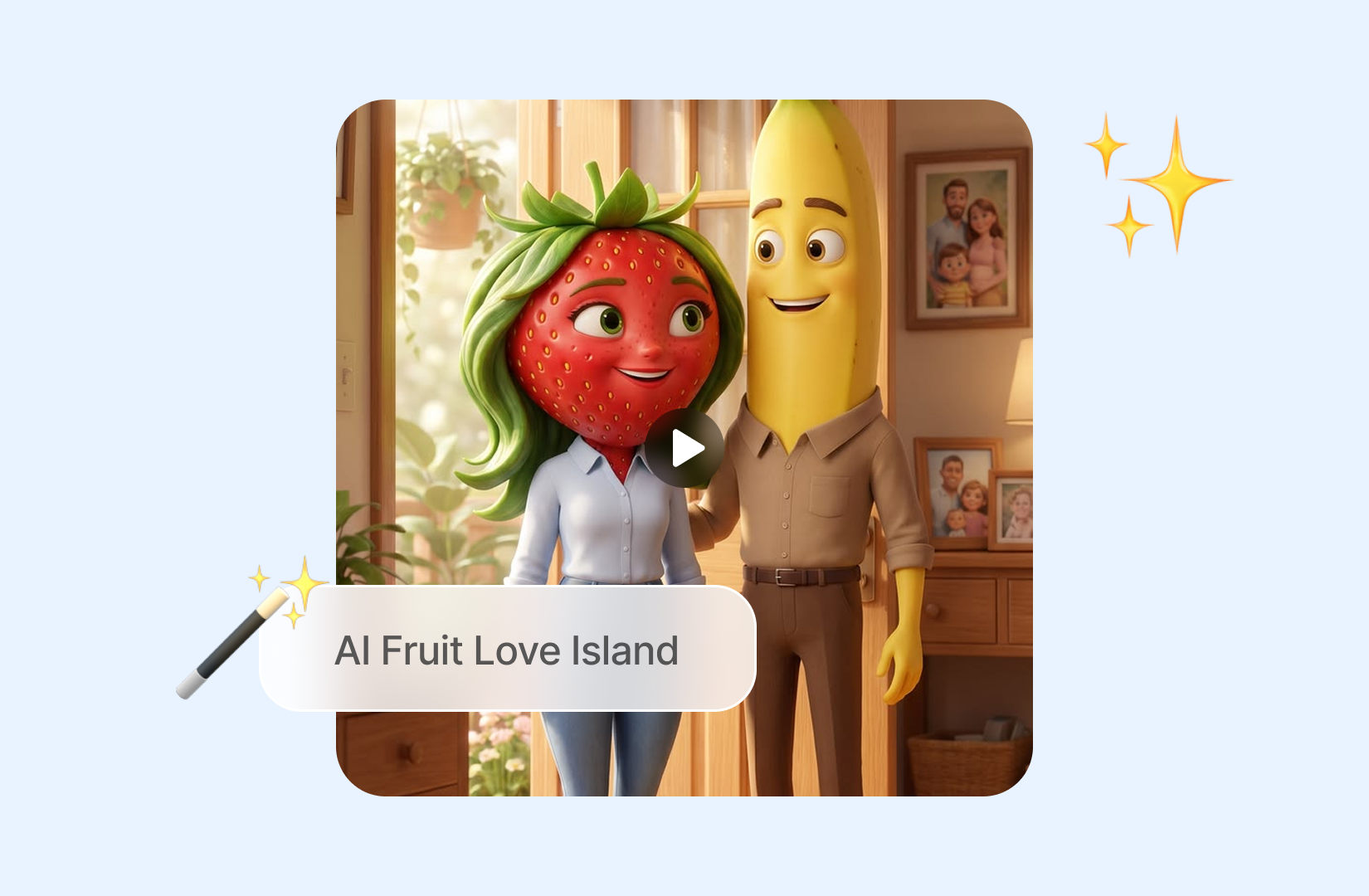
 Modelo "AI Fruit Love Island" aplicado

Modelos de Vídeo de IA Poderosos, Criação de Vídeo em um Só Lugar
Gere vídeos a partir de comandos de texto, imagens estáticas ou clipes de referência sem esforço. Acesse vários modelos de vídeo de IA e personalize totalmente cada parte do seu conteúdo de vídeo. Dê vida a ideias criativas dinâmicas nesta plataforma completa.



Confiado por milhões de usuários em todo o mundo



AI Fruit Love Island Video Generator - Make Viral Fruit Reality Videos Online
Create your own dramatic fruit-villa scenes from a prompt, source image, or video idea. Choose a video model, define the story beat, and shape a playful short clip with ChatGOAT AI. Develop a recognizable fruit cast, a reality-show setting, and one clear moment of drama. ChatGOAT AI gives you a flexible way to turn that concept into a video and refine it as the storyline develops.
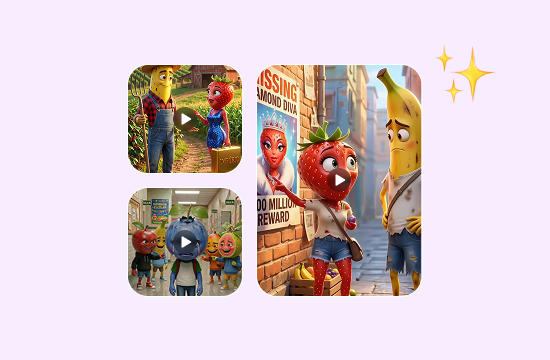
Build a Fruit Cast with a Clear Visual Identity
Give each contestant a fruit type, color palette, outfit, expression, and personality. A clear character description helps you keep the scene focused whether the moment is flirty, awkward, or full of rivalry.
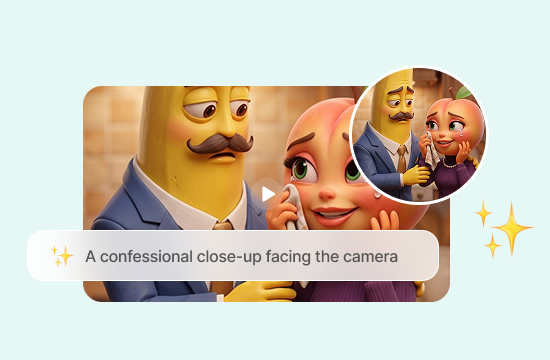
Turn Reality-Show Drama into Short Scenes
Describe one event at a time, such as a villa entrance, confession-cam reaction, recoupling reveal, or unexpected argument. A small, specific beat is easier to develop into an entertaining short clip than an entire episode in one prompt.
Set the Villa, Camera, and Mood
Add the setting, time of day, camera view, movement, and emotional tone. A poolside wide shot, a close-up confession, or a night-time reveal can make the same fruit characters feel like part of a different episode.
Create Funny Fruit Videos for Social Media
Turn your fruit love stories into funny, shareable videos for TikTok, Instagram Reels, or YouTube Shorts. Create awkward dates, jealous reactions, unexpected breakups, or dramatic plot twists that entertain your audience and bring your own Fruit Love Island ideas to life.
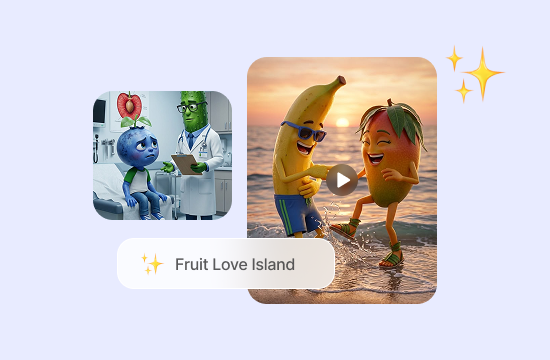
Why Choose AI Fruit Love Island on ChatGOAT AI?
Why Choose AI Fruit Love Island with ChatGOAT AI

Compare Current AI Models in One Platform
ChatGOAT AI brings multiple current models into one workspace, making it easier to compare different visual directions before committing to a cast or scene. Nano Banana 2.1 offers another option for exploring polished fruit characters, villa settings, and promotional stills.

Move from Idea to Creative Assets Faster
Connected tools help you develop supporting visuals without interrupting the project. The flag generator can turn a short description into an island emblem, villa banner, or challenge symbol that fits the wider series.

Build the Wider Story in One Workspace
ChatGOAT AI supports image creation, writing, analysis, and other creative tasks in the same platform. The AI logo generator can help you explore a recognizable title mark while you continue shaping episode ideas and character personalities.

Create without Professional Design Skills
You can describe the cast, setting, visual mood, and changes in ordinary language instead of learning advanced design software. This keeps the workflow approachable when you want to test new directions or refine an existing concept.
How to Use AI Fruit Love Island on ChatGOAT AI
How to Make AI Fruit Love Island Videos
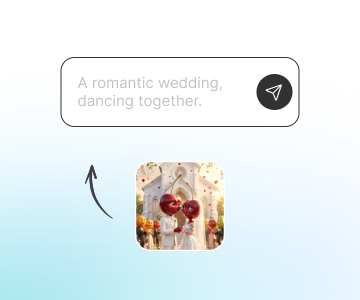
Step 1: Describe the Characters and Villa Scene
Name the fruit characters, describe how they look, and set the location. Include only the details that matter for the first scene, such as a tropical pool, dressing room, balcony, or fire-pit conversation.
Step 2: Add the Story Beat and Choose a Model
State what happens in the moment and how it should feel. You can request a jealous reaction, surprise entrance, romantic reveal, or comic misunderstanding, then choose a video model that suits the direction.
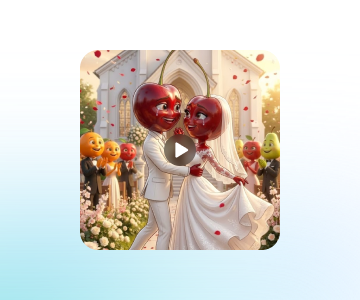
Step 3: Generate, Review, and Refine the Next Scene
Generate the clip, check that the characters, setting, and tone feel connected, then adjust the prompt if needed. Build the next moment only after you know what should continue from this scene.
Try AI Fruit Love Island on ChatGOAT AI Now
Test AI Fruit Love Island on your own social content – silly reality clips, dramatic fruit confessions, funny recoupling scenes and short TikTok/Reels trends. Start free in your browser.
See What Users Can Create with AI Fruit Love Island
See What Users Can Create with AI Fruit Love Island
I began with one jealous pineapple and a poolside reveal instead of trying to write a whole episode. That gave me a much clearer clip to develop into the next scene.

I began with one jealous pineapple and a poolside reveal instead of trying to write a whole episode. That gave me a much clearer clip to develop into the next scene.
Changing the camera from a wide villa shot to a close confessional made the fruit characters feel far more like a short reality-show story than a random animation.

Changing the camera from a wide villa shot to a close confessional made the fruit characters feel far more like a short reality-show story than a random animation.
I liked trying a different video model when the first version made the scene too polished. The second direction fit the silly, dramatic tone I wanted.

I liked trying a different video model when the first version made the scene too polished. The second direction fit the silly, dramatic tone I wanted.
The image planning and prompt edits helped me keep my fruit cast and setting organized while I tested several episode ideas for short-form content.

The image planning and prompt edits helped me keep my fruit cast and setting organized while I tested several episode ideas for short-form content.
I made a funny Fruit Love Island video with a strawberry and a banana arguing over a watermelon. The drama was ridiculous, and my friends couldn't stop laughing when I shared it.

I made a funny Fruit Love Island video with a strawberry and a banana arguing over a watermelon. The drama was ridiculous, and my friends couldn't stop laughing when I shared it.
I wanted to try the Fruit Love Island trend on TikTok, so I created a short episode with fruit characters falling in love. It was surprisingly easy to turn a silly idea into a fun little video.

I wanted to try the Fruit Love Island trend on TikTok, so I created a short episode with fruit characters falling in love. It was surprisingly easy to turn a silly idea into a fun little video.
FAQ
FAQ
What Is AI Fruit Love Island?

How Do I Make an AI Fruit Love Island Video?
What Should I Include in the Prompt?
Can I Create More Than One Scene?
Can I Choose a Video Model?
Is AI Fruit Love Island free?